

Salesforce-Connected Customer Portals That Scale
Build beautiful client, employee, and partner portals to harmonize any business process in Salesforce


Faster Case Resolution & Fewer Support Tickets
Empower users with a customer self service portal that allows them to find answers in knowledge bases and track their own issues independently. This Salesforce customer support portal approach significantly reduces the manual workload on your team by shifting basic inquiries to automated channels.
Titan Web is an all-in-one solution to perform any business process you want!

Personalized Client Experiences
Deliver a tailored Salesforce customer portal where content and flows dynamically adapt based on real-time CRM data. As the best client portal software for personalization, Titan uses conditional logic to ensure every interaction feels relevant to the specific user.

Secure Customer Logins & Access Control
Protect sensitive data with a secure portal for clients featuring robust authentication methods like SSO, MFA, and OTP. Titan’s customer portal software ensures that external users only access the specific information authorized within your SFDC customer portal.

Real-Time Salesforce Data for Customers
Provide your users with a live window into your CRM through a Salesforce client portal that features instant bi-directional data syncing. This ensures that your customer portal always displays the most current information without the need for manual data refreshes or imports.

Automated Customer Workflows
Streamline complex business processes by triggering Salesforce portals workflows that automate everything from onboarding to renewals. Using Titan’s customer service portal capabilities, you can eliminate bottlenecks by letting Salesforce data drive the next steps in the customer journey.

Document Uploads, Generation & eSignatures
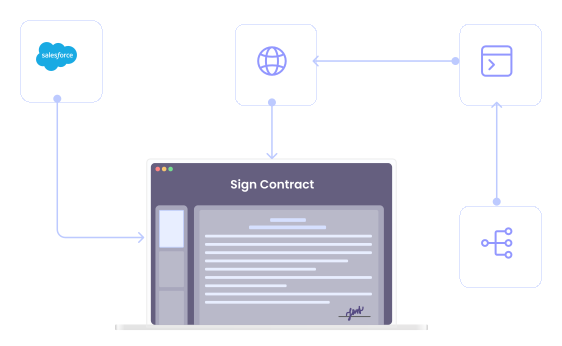
Enhance your client portal by allowing users to generate, upload, and legally sign documents directly within the interface. This feature turns your portal into a complete transaction hub, syncing signed contracts and uploaded files back to Salesforce automatically.

Works With or Without Salesforce Experience Cloud
Flexibility is key, which is why Titan operates either as a standalone Salesforce customer portal or as a powerful enhancement to your existing Experience Cloud setup. It provides a cost-effective way to build a high-end client portal without the heavy overhead of additional Salesforce seat licenses.

Built for External Users (Not Just Salesforce Users)
Unlike standard CRM interfaces, this Salesforce client portal is designed specifically for the unique needs of external stakeholders who may not be familiar with Salesforce. It provides a user-friendly, branded environment that makes interacting with your SFDC customer portal intuitive for clients and partners alike.
Titan Portals FAQs
Can I create a secure customer or client portal with Titan Web?
Yes, Titan Web is designed specifically to build a secure portal for clients that integrates natively with Salesforce. You can create a fully branded Salesforce client portal that allows external users to interact with your CRM data safely and efficiently.
How do customers log into a Titan-powered client portal?
Customers can log into your Salesforce customer portal using several secure methods, including SmartV (Titan’s proprietary 2FA/OTP tool), Single Sign-On (SSO) via providers like Okta or Azure, or even using Salesforce itself as the Identity Provider. This ensures your customer portal software remains accessible yet highly protected.
Can customers submit forms, requests, or data through the portal?
Definitely. Your SFDC customer portal allows users to submit any data—from support cases to profile updates—which then syncs to Salesforce in real-time. This bi-directional integration makes Titan the best client portal software for maintaining data accuracy without manual entry.
Can clients upload documents or files through the portal?
Yes, the client portal supports seamless file and document uploads directly to Salesforce objects or external storage. You can also use Titan’s integrated document generation and eSignature tools to have clients sign and submit contracts within the same interface.
Can I automate workflows triggered by customer portal activity?
Yes, every action in your customer portal can trigger sophisticated Salesforce portals workflows. Whether it’s sending an automated confirmation email or launching a multi-step approval process in Salesforce, Titan Web ensures your customer service portal is fully automated.
Can Titan Web integrate with Salesforce Experience Cloud?
Yes, Titan Web is highly flexible; it can serve as a complete standalone Salesforce customer portal or be embedded directly into Salesforce Experience Cloud. This allows you to extend the functionality of your existing customer portal with Titan’s superior no-code features.
Is Titan Web suitable for customer self-service portals?
It is a premier choice for a customer self service portal, allowing users to manage their own cases, view knowledge base articles, and track orders. By providing a Salesforce customer support portal, you significantly reduce the volume of incoming tickets for your team.
Can I personalize the portal experience for different customers or clients?
Absolutely. Because Titan pulls data directly from your CRM, you can personalize the Salesforce client portal experience by showing or hiding content based on a user’s specific account details or record types. This ensures every user has a tailored experience within your client portal software.
How secure are Titan customer and client portals?
Titan provides enterprise-grade security for every customer portal, featuring MFA, SSO, and AES-256 encryption. Your secure portal for clients will also be compliant with major standards like HIPAA, SOC 2, and GDPR, ensuring your Salesforce data is never compromised.
Can Titan Web replace custom portal development or Salesforce OmniStudio?
Yes, Titan Web is a powerful, no-code alternative to both custom development and Salesforce OmniStudio. It allows you to build a complex Salesforce customer portal in a fraction of the time and cost, without needing specialized coding knowledge or expensive developers.


SmartV’s Secure Salesforce Sync
Secure per-client access via MFA. page-level locks driven by Salesforce data. Real-time sync with no CSVs, scripts, or middleware.

Portal Setup
Design Your Portal
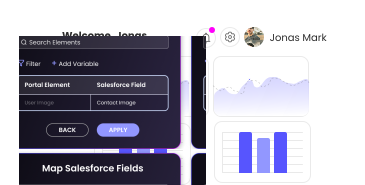
Access Rules
Configure SmartV
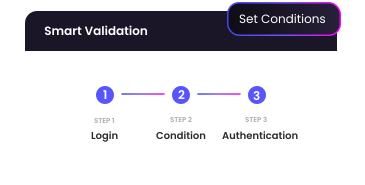
Data Sync
Manage in Salesforce
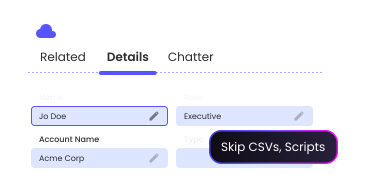
 No Seat-Based Subscriptions
 Page Level Security
 Integration User Checks
Choose a Salesforce Success Plan:

Doc Gen

eSign

Workflow Automation

Proposals
Starter
Environment & admin access, API-ready, project-ready, starting at 100 docs/month.
Starting at:
$150/Month
Environment & admin access, API-ready, project-ready
Key features:
- Native Salesforce integration
- Basic templates
- No minimum number of users
- Personalized documents
- Merge & bulk send documents
- Intuitive Microsoft Office Add-Ins
- Automatically track signings
- Maintain accurate records
- Legally binding eSignatures
MOST POPULAR
Growth
Smart docs & eSign, advanced permission, tiered access, starting at 500+ docs/ month
Starting at:
$300/Month
Bulk send, custom approvals, and robust tracking for Salesforce docs
Everything in Starter plus:
- eSignatures with full tracking features
- Online contract tools
- Bulk send with full tracking
- Custom approval flows
- Smart templates with sync built-in
- Work with a min of 12 Salesforce users
Scale
High-volume doc usage, custom-built for your stack and scale.
Let’s talk
Contract lifecycle management, from generation to signature, tracked in Salesforce
Everything in Growth plus:
- Customizable signing workflows
- Document and signer tracking
- Scalable document creation
- Unlimited doc gen and storage
- Advanced workflows
- HIPAA-compliant handling
- CI/CD integration
- Enterprise-ready compliance package

Web Forms

Web Flows

Embedded Experiences

Portals

Surveys
Starter
Create basic forms and landing pages with no coding required
Starting at:
$250/Month
Create dynamic, code-free forms for all use cases
Key features:
- Create basic web forms
- Custom branding
- No minimum number of users
- Cross-device support
- Upload images & docs
- No-code builder with live Salesforce sync
- Fast forms and surveys with templates
- Embed dynamic digital forms in an iframe
MOST POPULAR
Growth
Create web apps with real-time Salesforce updates and automatic syncing
Starting at:
$450/Month
Smart forms, advanced permissions, tiered access
Everything in Starter plus :
- Advanced conditional logic
- Expanded API access
- Branded web forms, surveys, and portals
- Compatible with all Salesforce data types
- Build personalized Salesforce experiences
Scale
Custom web apps and workflows, fully managed setup
Let’s talk
Sandbox access, enterprise-compliance, and custom domains for any Salesforce use case
Everything in Growth plus:
- Built-in tracking and reporting
- Custom SLAs for support and uptime
- Multi-instance support
- HIPAA-compliant web handling
- CI/CD integration for deployment
- No-code Salesforce web flows
- Custom domains and white labeling
- Sandbox access & multiple admins


“We are thrilled with the efficiency of Titan in helping us take our process to the next level.”

Explore Titan Portals
Take a deeper dive into Titan Portals, including customer success stories and real-world use cases

Customer Spotlight
See how Bank Leumi leveraged Titan to ramp up their digital self-service mortgage process.

Portals Demo
See Salesforce Ben demo Titan to experience dynamic Salesforce portals.

FinOps Portal
Watch how you can build a no-code FinOps portal for Salesforce to run any financial process in one interactive hub.
Your Portal. Your Rules. Your Salesforce
Design fully branded portals. Orchestrate business processes, with real-time Salesforce data. Launch in weeks instead of months.