











Build Secure, Salesforce-Driven Portal Experiences
Titan is built for Salesforce admins who need to launch and manage customer portals, forms, surveys, and SFDC partner portals from a single governed platform.
Centralize digital processes, control data access through Salesforce permissions, and keep every workflow aligned with CRM logic without fragile integrations.

A Flexible Alternative for Salesforce Portals
Build and manage a Salesforce portal without heavy front-end development or fragile customizations.
Titan enables admins and ops teams to deploy a secure portal for clients, partners, and employees using Salesforce data and permissions. Developers can extend logic when needed, while most configuration remains admin-controlled.
Launch faster, customize workflows, and keep portal access governed by your existing Salesforce security model, reducing technical debt and long-term maintenance.

Built for Cross-Team and External Access Workflows
Create an SFDC customer portal that supports structured approval flows, secure SSO access for non-Salesforce users, and enforces 2FA within a governed framework.
Centralize processes inside Salesforce, reduce manual handoffs between teams, and keep every external interaction governed by your existing security model.
- Salesforce Automation
- Progress Reports
- Complex Approval Flows
- Multi-User Permissions

Dynamic Portals with Real-Time Salesforce Data
Build fully dynamic portals that retrieve live Salesforce records and write updates back instantly.
Forms, surveys, and portal interfaces operate bi-directionally, pulling accurate data from your CRM and pushing user inputs directly into Salesforce objects in real time.
This keeps Salesforce as the single source of truth, eliminates manual re-entry, and ensures every external interaction is governed by your existing data model and permissions.

Log In, Submit, Generate, and Sign In One Flow
More than a front-end portal, Titan acts as an SFDC app builder, enabling secure login experiences combined with document generation and signing within a single workflow.
Build a self-service portal that users can rely on to submit data, trigger documents, approve requests, and complete end-to-end processes, all governed by Salesforce logic.
From onboarding to service requests, every step runs in sequence with real-time CRM updates and controlled access.
Titan Portals FAQs
What is an SFDC customer portal, and how does it work?
An SFDC customer portal is a secure web interface that allows external users to access and update specific Salesforce records without full CRM licenses. It connects directly to Salesforce objects and workflows, supporting use cases such as case management, onboarding, document submission, and approvals.
What’s the difference between a Salesforce client portal and a partner portal?
A Salesforce client portal is typically designed for customers to submit information, track requests, or access documents. A Partner portal for Salesforce supports external partners who need controlled access to leads, opportunities, or shared records. Each portal operates on the same Salesforce data model while enforcing different permissions, layouts, and workflow logic.
How does a Self-service portal Salesforce setup reduce manual work?
A Self-service portal Salesforce setup allows users to complete actions independently, such as submitting forms, uploading documents, approving requests, or updating records, without relying on internal teams. This reduces back-and-forth communication, eliminates duplicate data entry, and ensures all activity is captured directly in Salesforce.
How do I control what data portal users can access?
Access is governed using Salesforce object permissions, field-level security, and conditional logic. Users only see the records and fields they are authorized to view. Secure authentication methods such as SSO and multi-factor authentication protect sensitive data while maintaining a streamlined user experience.
What should I look for in the best client portal software?
The best client portal software should integrate natively with Salesforce, support secure authentication, and handle workflows such as approvals, document generation, and real-time data updates. It should also support role-based access control without requiring complex custom development.
Can portals support complex business workflows?
Yes. A Salesforce portal can trigger automations, update multiple objects, and follow conditional logic based on user input. This makes it possible to manage onboarding, contract approvals, service requests, and structured processes entirely through a portal experience while keeping Salesforce as the system of record.
How does Salesforce portal pricing typically work?
Salesforce portal pricing generally depends on the number of external users, enabled features, and license tiers. Costs typically scale with user volume and required security or automation capabilities. Organizations should evaluate how pricing aligns with long-term scalability and governance requirements.
Can I manage both customer and partner portals from one platform?
Yes. Titan allows you to manage both a Salesforce client portal and a Partner portal for Salesforce from a single governed platform. Each portal can maintain distinct branding, permissions, and workflows while operating on the same Salesforce data foundation.


SmartV’s Secure Salesforce Sync
Authenticate and update in real time with OTP or 2FA, page level locks, and an integration user. No CSVs, scripts, or middleware.

Portal Setup
Design Your Portal
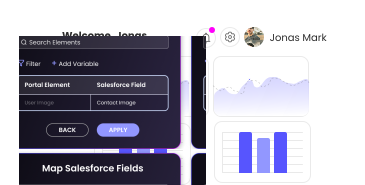
Access Rules
Configure SmartV
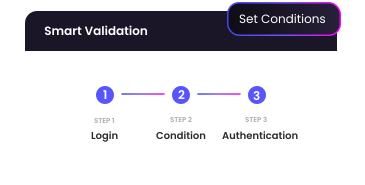
Data Sync
Manage in Salesforce
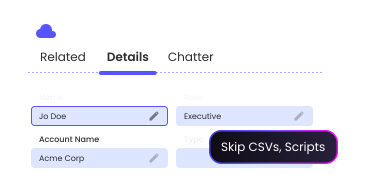
 No Seat-Based Subscriptions
 Page Level Security
 Integration User Checks
“We are thrilled with the efficiency of Titan in helping us take our process to the next level.”

Explore Titan Portals
Take a deeper dive into Titan Portals, including customer success stories and real-world use cases

Customer Spotlight
See how Bank Leumi leveraged Titan to ramp up their digital self-service mortgage process.

Portals Demo
See Salesforce Ben demo Titan to experience dynamic Salesforce portals.

FinOps Portal
Watch how you can build a no-code FinOps portal for Salesforce to run any financial process in one interactive hub.
Your portal. Your rules. Your Salesforce.
