Sign & Sync in Salesforce
Send, sign, and track documents, all without leaving your CRM or even Word. Automate updates, trigger workflows, and meet enterprise-level compliance with 2FA and full audit trails.




Track Everything in Salesforce
Work with dynamic signers, stay compliant and automate signature flows while tracking everything in Salesforce

Signed Document
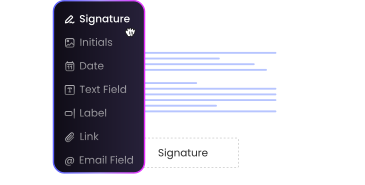
Sign in Salesforce
Signed Packet
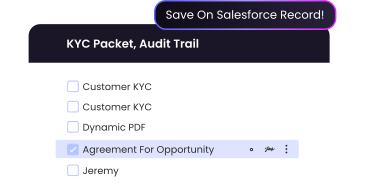
Save Annexes & Files
Reports & Dashboards
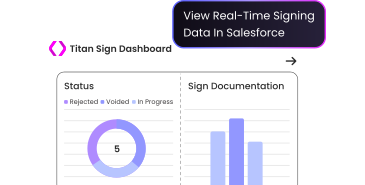
Track your eSign
 Trigger from Objects or Flows
 Dynamic Templates
 Verify Signer Identity in Real time
“Titan is a great company with a great product we rely on. They have made total product changes to accommodate our needs.”

Explore Titan Sign
Take a deeper dive into Titan Sign, including customer success stories and real-world use cases

Signing Workflows
See how Aument Capital boosted efficiency tenfold and integrated every document directly in Salesforce with Titan Sign.

Electronic Signatures
Titan is a top eSignature choice on Salesforce AppExchange.

The Ultimate Guide
Learn everything about managing eSignatures natively in Salesforce with this definitive guide.
“The tool is a very comprehensive integration package for e-signature, forms, and sites. Not to mention the support is second to none…very responsive and always willing to help. ”


Seal the Deal with Swift Electronic Signature Software for Salesforce
Sign, seal, and deliver agreements in minutes with everything tracked in Salesforce using Titan’s no-code eSignature solution, which supports the highest security standards of Salesforce digital signatures.

Track Every Interaction in Salesforce
Notify your salespeople and management team every time someone views, voids, or signs a document and easily track the entire signing process in Salesforce.
Titan Sign also updates Salesforce records with data coming from the document or input fields once signing is completed!

Electronic Signature in Salesforce
Choose whether you want to use Salesforce signatures or digital signatures.
What’s the difference? Well, Salesforce eSignature refers to any electronic signature whereas a digital signature works with cryptographic technology to verify the identity of the signer.
Our electronic signature software for Salesforce is market-leading as is our software for digital signature solutions. Titan gives you the freedom to choose the best option for your use case.
- 21 CFR Part 11 Compliant
- Trusted Digital Signatures
- Identify Signers & Facial Recognition
- Electronic Signatures in Salesforce

Push and Pull Real-Time Salesforce Data
Even though Salesforce is a revolutionary tool, it does not have an out-of-the-box option for initiating and triggering signing processes. Titan’s solution provides eSign Salesforce integration, which empowers you to push and pull Salesforce data in real-time, using zero code, so you can enjoy all the data-driven power of the #1 CRM.

Bulk Sign Documents
Finalize big deals in minutes with our robust bulk signing capability! Work with complex logic, merge templates together, send multiple documents in one email, and have all your docs signed in one package. Titan provides eSignatures for Salesforce integration.
Titan eSign FAQs
What’s the benefit of using a native Salesforce eSign solution?
You move faster. No syncing, no exporting, no errors. Just signatures, where your data already lives.
What happens after someone signs?
Automate record updates, flows, and alerts with instant tracking in your Salesforce dashboard.
Do I need to be a developer?
No code required. Anyone on your team can set it up and automate with Titan.
Is Titan Sign secure enough for legal or healthcare teams?
Yes. Titan supports HIPAA, 2FA, and full audit trails. It’s built for high-trust industries like legal, finance, and healthcare.
Where is my data stored?
Titan does not store any data. All documents and information stay securely within your own Salesforce environment. Nothing leaves your org.
Signing that stays in Salesforce