









Get Ready for the AI Revolution with Mark Good

Welcome to Salesforce Radio, your destination for insights, news, and community connections within the dynamic Salesforce ecosystem!
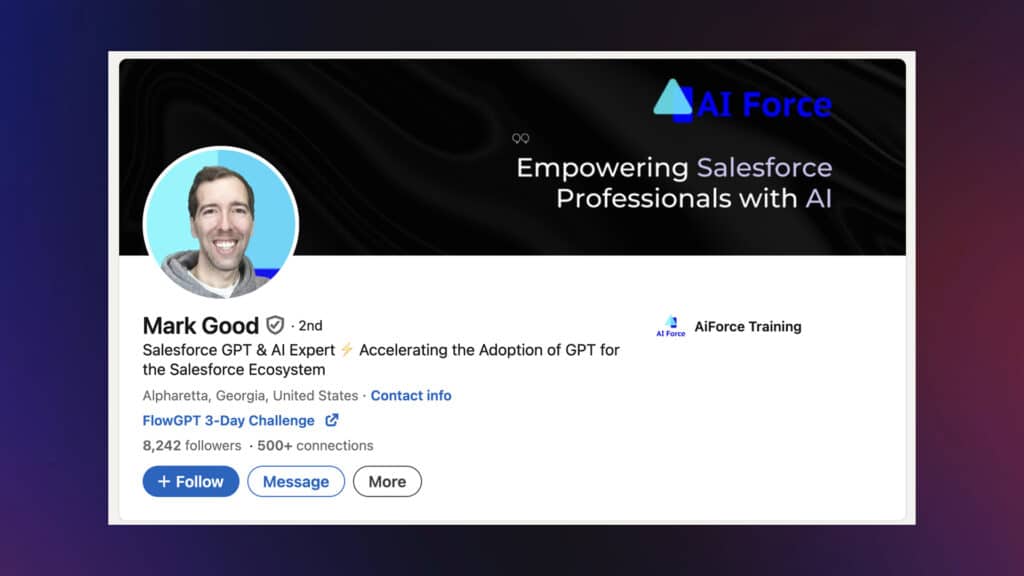
In episode 7, Ben Miller chats with Mark Good, founder of AI Force Training. Mark’s programs help Salesforce professionals dive into AI tools, like ChatGPT, to maximize flows with expert solutions.
Mark has years of Salesforce experience and offers loads of advice on preparing for the upcoming AI revolution in the business world. Keep reading for all the highlights from this podcast, and find out what Mark thinks are the biggest AI trends from Salesforce in 2024!
https://youtube.com/watch?v=dP0gp5dZw5c%3Ffeature%3Doembed%26enablejsapi%3D1%26origin%3Dhttps%3A
Ben: Mark, good morning, and welcome to Salesforce Radio. Really excited to have you on as a guest.
Mark: Yeah, Ben, thanks for having me. I’m excited!
Ben: We’re here with Mark Good, the founder of AI Force Training, a fascinating, cutting-edge organization that’s helping prepare Salesforce professionals for the current or upcoming AI revolution.
We’ll discuss that and determine where exactly we stand at this moment in the AI game because it’s not really clear where we’re at right now. So, thanks for joining us.
Mark: Many people are feeling the same way. There’s even this sense right now that we’ve popped the hype bubble, which I anticipated coming.
I forecasted it back in Dreamforce last year. Unfortunately, it was a little too early. But yeah, we’ve definitely gone through this first phase, where you have all the hype. Everyone’s talking about AI, and that’s because the technology was put on display by ChatGPT.
But over time, as everything winds down a bit, we start to enter my favorite phase—the building phase.
Now that everybody is aware of the technology, they’re aware of its importance. All companies and CTOs are looking at it. There are specialists or individuals trained in organizations or trained to be responsible for this rollout of AI.
We’re in the building phase, and I’ve also seen this personally at AI Force Training. I’m getting more questions about implementation and how-tos than about what AI is and how to learn about it. So, we’re crossing over and doing more work on actual implementations.
Everyone at the beginning thought that AI would be this black box where you plug it into whatever your things are, like Salesforce. But the reality is how the tech works. It doesn’t gobble up all the tasks.
There are things behind the scenes that AI is good at, and there are things that it’s not good at. So, you have to plug it in in the right place.
Since it’s not just a flip of the switch that can be turned on and used, you have to ask yourself a bunch of questions like:
- Where does it belong?
- How do I plug it in?
- How do I use it effectively?
- What’s the user experience?
- Is it customer-facing?
- Is it internal facing?
These are all the questions you have to answer to go through the build-out phase.
You see it with Salesforce explaining the hype about AI’s potential. The rollouts are relatively slow. That’s because it’s hard to take an imperfect thing, plug it into your processes, and then use it.
It’s tough, and it takes a lot of time for professionals to make that happen.
Ben: That’s a great introduction, and I’m happy you’re setting the scene for the conversation.
Before we get started, I was thinking of someone who is involved in this on a day-to-day basis. You’ve been interested in AI since you started with Salesforce around 2015, right?
Mark: Yeah, that’s right. I used to read all the white papers. I still do, but at the time, the only thing that I would do regarding AI is:
- Dig into the white papers
- Learn what neural nets were
- Gain an understanding of what we could achieve
- Grasp what AI can accomplish
- Relate my findings back to the real world
It’s been a side-by-side patch in Salesforce plus AI. That’s why I have AI Force Training. It takes what AI has grown up to be, teaches that to Salesforce professionals, and has them deploy AI solutions for themselves inside an org.
Salesforce now has its own AI products on the Einstein 1 platform, so it’s about transitioning to teaching what you can do natively with Salesforce, Einstein 1, Copilot, Prompt Builder, Model Builder, and the other tools they have coming down the pipeline.
My passion for AI was right on point. I’m happy that was one of the many things I dove into years ago. I couldn’t have forecasted how large this technology would be. I also had the foresight to take a moment to breathe, understand how AI is actually going to be applied, and then start working with it.
Starting AI Force Training and helping professionals has been so fun. But even after being in this hype period, we’re going to build, which is the fun part. Everyone’s asking:
- How exactly am I going to use it?
- Am I rolling out ChatGPT enterprise from our organization?
- Are we building a custom GPT with ChatGPT?
- Are we looking at the cloud because it has a larger context window?
- Wait, should we hold up for Gemini?
It’s fun to have these conversations with everyone. We want to explain the logic, logistics, and how to use AI most effectively inside their organization without consuming too many resources.
Ben: That’s interesting. One of the things that I think of is the time when ChatGPT made its big splash on the scene. All of a sudden, people were sitting with their phones. They’re clearly on ChatPT right now doing something. It was interesting to see how people were using it for entertainment.
As someone who hasn’t used ChatGPT or many AI tools extensively, I immediately noticed the ability to work with AI and refine what’s happening there.
For example, if I’m trying to brainstorm something, I do much better when in a group. However, when I’m alone, it’s hard to be creative. If I have one or two people to bounce ideas off of, it becomes much easier, and the door opens to a lot more opportunities.
So, when I bounced ideas on ChatGPT, I started to see how we could work with large language models to bring a solution to a problem. Whether it’s something creative or logical, you’re teaching people how to use ChatGPT as their personal assistant rather than their fortune teller?
Mark: Yeah, that’s right. We teach how to use AI as an assistant. We use ChatGPT daily, and it does what you said. It speeds up the process of going from I have a problem looking for a solution to having the solution done.
If you’re using AI, it speeds up the process. When brainstorming at any time, I stop and think about something. There’s an opportunity to use AI to help me augment my thoughts and speed them up.
It’s a weird situation where you solve real-world problems while learning. It’s like operating with a team of people, but you’re all alone, which is wild.
We’re just talking about ChatGPT. At this point, we can chat with a language model for free! I love that OpenAI and others have done this.
This is a free service that can improve your efficiency as an individual. This is the AI revolution that we’ll see play out, where individual people are operating at a smarter and faster level to do things they couldn’t do before.
Each of us has this AI model, AI tool, and assistant to help us perform better. That’s the promise of the AI revolution on an individual level using ChatCPT alone.
On top of that, layer the ability for product builders and platforms like Salesforce to call APIs and use the language model behind the scenes, with the correct data and the proper prompts to request the right responses to take the right actions.
Here, we’re talking about agency. As these tools are built and rolled out, this agency will drive the next boom cycle. This will enable organizations to use tools that achieve so much more with the same resources. Anyone who thinks that the hype is over is disillusioned.
I posted about this the other day. The only professionals who get hurt during the AI turbulence are the ones who actually exit the plane. Eventually, that plane will land, and it will be an efficient new world. If you just quit, that doesn’t help you at all. Learn AI, the tools, and the skills. We do that at AI Force Training.
Pay attention to what’s happening in your companies and join any AI task force. If your company doesn’t have one, start one. These are the things I preach.
Ben: Much of the talk is about how AI will be used to manipulate us rather than how it will be used to be more productive to work within these systems.

What you’re saying is that this turning point is interesting. I saw the video you have up on your website, in which you show a 2.5-minute front-end demo of what it could look like to have AI helping you in support. Can you break that down for us?
Mark: This is one of the earliest interesting use cases for me, so it’s in the video on the site. For those who haven’t seen it, go watch it.
But yeah, you’re a user if you work on a case in Salesforce. Imagine you already have an AI assistant who’s done something for you in that case. That’s incredible. We’re building on that same concept, and we’re looking at AI to triage cases.
That’s how this stuff compounds and progresses over time. The use case demonstrated by the video on the site is all inside Salesforce with email-to-case.
When a case is created via email from a customer query, you can call AI via a flow.
If you learn these skills, you can build AI inside a Flow. You call AI when the case is created. AI takes the case information and only the data you select—not your entire org data. That’s it, nothing else. When you send your information to AI, you also send your prompt.
What do you want AI to do with this information? You can also send it with source documentation. And where should AI look for the answers to the issue your customer is experiencing? In this case, you’ve got your source data that AI should look to for answers like a human would. AI will respond via the flow you set up, so you would tell the flow where to put that information.
In the example, we drop AI right on the record. We did 3 examples. It was a translation, and we asked for a suggested resolution. I think it was an email.
AI could write a suggested resolution and email it to a customer. That’s just the tip of the iceberg. Flow skills are important, but understanding the AI language model, how it works, and how it ticks is also essential.
Once you learn all of that, you can build it. That’s just one simple, straightforward use case that most companies have. Triaging customer problems is common. It’s a nice use case. Everywhere I go, that one pops up all the time. People ask what we can do with AI to augment the users who are going in and tackling these cases.
Ben: Support is an interesting place to start, especially when you can feed the AI model whatever you’re using. In that case, we are using ChatGPT and embedding it inside Salesforce while calling it from a Flow.
You’re saying you’re feeding this language model data from an organization from knowledge bases or FAQs. Then, AI is putting that together to work with the information in the case.
How do you then test that and see what the limits are? Where do you run into your use cases? How can an admin and a support user know when AI is doing well? How do we know when we won’t get a wrong answer?
Mark: One secret is that you assume it’s wrong when setting things up. Your goal as a professional is to keep working until it’s right. Then you work until it’s right enough that you and users can use it confidently. Even after that, you must monitor the responses to ensure no drift in the model over time.
When you learn how the models work, you gain confidence. After you get everything set up and working:
- Go through iterations
- Take cases in your org and send them through tests
- Look at the responses and compare them with the source documentation
- Ask yourself if this is an accurate final response or not
You do this over and over, adjusting your prompts until you’re happy with the results.
This testing process goes into developing and deploying an AI solution, and it’s also the same for every solution. It’s slow going, takes time, and requires skills.
That’s why, over time, we will see AI positions explode. The focus has shifted away from automation outside of AI.
We see positions ballooning where there’s a responsibility. Say you’ve deployed AI for case triage. Well, now you’ve got prompts in your system and are monitoring those over time. If you want to deploy something else over and over, you must have personnel who are knowledgeable, responsible, and capable of managing this system.
You’ll see that with Salesforce as well. They rolled out the Einstein 1 platform and the tools inside it, like Copilot. This is for anyone who’s done the Copilot training on Trailhead, experienced the software, and looked at the setup.
Don’t get me wrong. It’s simple for what it does. The toolset combined can achieve a lot. But first, wrapping your head around how it all works together is very complex.
I’ve been doing this for a long time now. Even when I look at how Salesforce structures everything, I’m trying to dissect it. For example, if you’re in Copilot, what are its limitations, and what can or can’t you say? And how does Prompt Builder feed into that?
There’s a difference in the level of control that Salesforce has on the Copilot side versus the Prompt Builder side:
- Copilot’s exposed to the end users of the org.
- Prompt Builder is behind the scenes and meant for professionals to use.
There are different control levels, and learning about them will take a lot of time. You’ll need teams of people who are responsible for these AI programs and deployments.
It’s intriguing whenever you have something new to learn like this. I hope everybody digs in. Salesforce is rolling out tools with Einstein Copilot. We are at the cusp of starting to automate things and create new user experiences for everyone.
These are the professionals of the future, even if it doesn’t seem like it. Even if we start to enter a lull where the hype is dropping slightly, it’s still the truth.
Ben: I appreciate that. Take one step back and think about:
- The Prompt Builder idea
- Myself as a novice AI user
- ChatGPT refining things
I’m thinking about this interaction. Tell us when you were able to combine the power of AI with Salesforce. What were the first things you did to fuse the two together?
Mark: That’s what you see on the website with the use case video. That case triage is close to the first elements of it, which were within a Flow.
Inside Salesforce, the Flow was the first place where it was used, and at first, it was a question of how to get AI in the Flow. Working through that, we have it turned on and enabled. What do we do with it now? It’s an exploration.
In the beginning, it’s hard because nothing is laid out. Salesforce doesn’t have Copilot. They haven’t announced that they will use AI inside the org. You’re staring at a blank page, wondering how to use this thing? It’s cool tech, and using ChatGPT is rad, too. Any of those text-generation tools back in the day were cool. But how do we use a text-generation tool to do things?
There was a lot of fun, research, trial and error. We can deploy AI, and there are specific use cases, but our page is blank on how it all comes together to create an autonomous bot?
When I come to Salesforce org as a professional, I want it to present to me an AI tool that can state the products we’re working on, and provide add-ons for these things. I just worked overnight for you, and reviewed some code behind the scenes for you.
I’m sure Salesforce is working on it behind the scenes, but their team is deploying tools that do different things in the interim.
At the end of the day, users will have Copilot, which is powered by flows from Apex and Prompt Builder.
It’s going to be about building various actions that need to take place:
- Standard Actions
- Custom Actions
- Flow Actions
- Apex Actions
This will be the toolset that an AI planner has to use. I want to teach everyone how to be responsible with that AI planner when giving it all these tools. That’s the direction we’re headed in.
Ben: It’s fascinating. I haven’t completely wrapped my head around it. No one is 100% because we don’t know what we face. When we think about the future of AI and Salesforce, the conversation has been about Salesforce and that we’re using it. Obviously, similar applications will find ways to do it.
Salesforce has announced a big push for AI, which has been a big buzz in the ecosystem for the last year. I’m thinking about the different roles and how AI can impact them within Salesforce. I am in sales and have been selling for a number of years using Salesforce.
Salesforce talks about the 360° view for the salesperson or the support person. They understand who the customer is, what they want, or what they might need. That’s based on the data that you put into it.
Once you have AI enriching the data, we have to observe whether things are fluctuating or getting warped. The perception of the case and answers changes over time because the language model is evolving. How will that inform us about customers and Salesforce?
Let’s say we’ve been working with a customer for several years, and our relationship is based on AI predictions. How will that affect our perception of the customer and how we interface with them?
Mark: It’s an interesting question. If you deploy AI correctly, the customer profile will be built from AI processes over time. My only conclusion is that it creates a more robust experience for customers when you know much more about them. When you have their data at your fingertips, and it’s relevant, it’s the right data.
That’s why Salesforce wins this AI CRM game in the short term. As you said, with the 360° approach to customer data, Salesforce has done Data Cloud right. All the pieces are in place to get AI to use the correct data at the right time for the right experience.
It improves your ability to service customers. It also speaks to how important it is for a company to have teams in place that look at AI, figure out how to deploy it, and consider how it will impact products or services.
Going back to the analogy earlier, it’s the same thing with individuals jumping out of the plane. If the company jumps out of the plane, you’re only going to be hurt later. If others have really great data on their customers and are using AI to interface with them and make a better experience for customers, they’re going to win, and you’re not.
Everyone needs to plan aggressively and consider AI from a business perspective. The good news is that many companies are. There’s been a lot of hype around the benefits of using AI.
From the language model developers’ perspective, there is a talent war. They’re trying to ensure they have the talent they need to deliver these AI models effectively with the right tool sets to customers.
Eventually, that makes its way to our marketplace, where professionals with AI skill sets are the highest-paid professionals. You want to be that professional.

When AI reaches the point where you’ve got an AI planner with all of the Copilot and Prompt Builder enabled actions, you want to be responsible for the planner executing whatever needs to be done in the org—just like you do today, except you’re not having to do as much work.
Ben: I’m continuing with this idea of getting more informed. For example, an employee of a company that services other companies and clients, it sounds like there are two aspects to this.
There’s the part of AI that you’re building internally to look at the data you have in Salesforce and create ways for internal users to use that data.
One of the obvious things is that you also want AI to learn about the company from outside of your Salesforce work in some way or another. To inform the user about what’s going on with that company.
But this is two different things. This is AI within and outside of Salesforce. Have you thought about it? Have you seen how these two AI faces will interface with each other within a secure organization? How do we merge that data and learn about the customer things that aren’t inside our org?
Mark: AI is just a language model waiting for your prompt to respond. That’s really it. Once you use AI to do different things, like updating a record, it gets complex to hone in on what is happening.
If we return to the root of AI, it is a language model waiting for a prompt and excited to respond. It operates inside and outside the organization in the exact same way—There’s no difference. I don’t see a world where there’s AI outside and inside the org working together to achieve a common goal.
It’s more like we’re going to direct this toolset to do certain things that our customers find valuable, so that we can get paid for them.
That said, you can focus internally inside the org and concentrate externally outside the org. You can also focus on both, and connect data to do something from an AI perspective, like have an orchestration that creates an experience for customers.
You can do whatever you want. It’s just a question of how you will do it and how valuable it is. If you flash forward to 20 years from now, who knows? I don’t know how this will come together because the prediction is very challenging. In the short term, the focus will be on the organization. For now, we have all the data:
- What do we do for our customers currently?
- What can we do for them that we haven’t done before?
- What have we been doing before that we can do better with AI?
- How can we augment it?
These answers will be a big focus. However, there is also external data about world events that you can use inside your organization. You can digest that and use it inside your prompts. You can make calls to the outside world and services. You can achieve all kinds of orchestration. It comes down to what you are looking to do, what you want to deliver, and how you put it together.
Salesforce, with a Copilot builder, are taking the right steps to empower everyone to start learning. At AI Force Training, we’re also empowering you beyond that.
Ben: People come to me with their wish lists because of the AI revolution within the business world over the last 18 months.
At Titan, we provide solutions for forms, document generation, interacting with someone outside of Salesforce, and figuring out ways to get data into Salesforce.
We also allow Salesforce data to be represented in a friendly way to your customers, volunteers, and partners in an interface outside of the platform. This allows you to make changes to interact with Salesforce from a safe and secure perspective when they’re not internal users.
People want to upload data because we have an OCR solution. They want to upload any type of driver’s license or file and have it magically appear in Salesforce.
We’re still at the point where you’ll need to go in there and map it out. Where we are at is the ability to start working on internal processes and automating them to inform sellers and service people to help developers do their jobs.
Mark: The wish list is growing, and marketing has done its job. It’s penetrated the user base, and companies are saying that AI can do this. They’re right. AI can do whatever it brings to the table.
The challenge is making that AI solution come to life in a structured way that fits into your current setup. I’m not entirely familiar with everything that you do. I know you’ve got some AI solutions out there that I looked at in the past, but the challenge is making that request fit into what you’re doing already so that it doesn’t disrupt.
Sometimes, I tell clients I haven’t seen a solution before. This is going to be an experiment. Are you OK with that? Sometimes, it is OK and it’s fun. We get to explore and see how far we can go with something. But it takes time, and everyone is ready to go because the marketing was there and AI is out. And then you’re faced with:
- Where do I click the Buy button?
- Where do I get this tool?
- How do I start using it?
All these questions come up, and they need to be answered. It’s an interesting time to be alive and watch AI grow.
So, in your day-to-day right now, we’ve discussed you’re training Salesforce professionals. These are people who are working in Salesforce. What roles are these? Admin, developers, business analysts, architects? Are you training them, and then are they using you as a consultant to try to implement solutions? And are you implementing solutions for AI in different organizations?
Mark: Yeah, exactly. It all starts with training. We train those professionals that you mentioned. Then, they start looking at what they can do. Some things they do on their own. If they have questions, I help them by providing quick answers. If it’s more in-depth and involved, we’ll start consulting.
Outside of that, there are companies that don’t have anyone trained on staff and are not interested yet. In this case, they’ll reach out to me with questions, and we’ll start working with them from a consulting perspective.
Some companies also want a small team trained on using AI and creating these solutions. We do that as well. Right now, it’s a mixed bag of everything. There’s a lot of activity going on:
- Individual training
- Team training
- Consulting
Ben: For people listening to this podcast, who would be an ideal candidate to sign up and start training with you?
Mark: Anyone who has an interest in AI should go on Trailhead first, do some of the AI trails, and see if they are interested and enjoy learning about this because it’s not easy.
Cross that threshold and define whether or not you’re interested in it. If you’re not, just keep doing what you’re doing. Eventually, the tools will come along, and you’ll learn how to use Copilot. You’ll be able to deploy it for your organization or train end users.
But if you’re interested in AI and intrigued by the possibilities it unlocks, come to AI Force Training. To begin with, you will learn about AI and the tool sets through the lens of ChatGPT. Then, you will transition to learning about the tool sets inside of Salesforce. We will go through solving for real business case requirements. You will go through the whole training. We keep it very hands-on, specific, and drill down to Salesforce solutions and problems with AI using a tool like ChatGPT.
That’s what gets you over the hump of learning the model and how it works. As you transition to using AI behind the scenes inside Salesforce, you’ve left the ChatGPT world. Now, you understand what’s going on with that model as you prompt it.
You must have engineering skills as you build out prompts and work inside Prompt Builder and Salesforce. We teach those. Salesforce has laid out its actions with Copilot this way and is creating custom actions that AI uses.
You learn about base cases as you absorb what we teach with AI and Flow. You also learn how those go together and how that works. As our professionals transition into using Salesforce native tools like Copilot, Prompt Builder, and Multi Builder, they understand how all these pieces come together.
That’s the benefit of doing AI training. If you’re a professional using ChatGPT style or functionality in your processes, you must know how to do that.
Ben: It’s fascinating. To wrap things up, we can’t make big predictions about the next 20 years. But what do you think we should look forward to in the next 6 months? What should we expect as the year goes on?
Mark: First, I’ll talk outside the Salesforce space. You’re going to see a significant improvement in the models. Six months isn’t that long in the model development world. We still haven’t seen what OpenAI has behind the scenes for ChatGPT.
We saw Google roll out Gemini with the massive context window. That’s available via API for developers.
So, the continued rollout and improvement of current models or open-source models like Llama will be fundamental developments over the next 6 months. Hopefully, we’ll get some cool stuff out of that.
Maybe Sora? I don’t know if you’ve seen the video editor Sora or the video-generating model? When consumers can get their hands on those, you’re going to see an explosion of AI-generated content material used in marketing. If you’re a marketing company, you’ve got to lean on these tools.
Behind the scenes, APIs are also improving. The ability to call and use these language models is what Salesforce does when using Copilot Einstein. Improvement here!
Salesforce will continue to methodically develop these capabilities, deploy them into beta mode, collect customer feedback, and improve their workings. As you mentioned, the Trust Layer still needs some work, including monitoring for AI drift. It would be excellent if Salesforce devised some scheme to help us do that.
From a user perspective, like a professional or a business, the next 6 months will be about continuing to dig in, learn, and build. So, as everything develops, we’re right there.
We are the reason why it develops. We’re demanding improvement, development, and deployment from Salesforce based on the language models. This demand generates execution.
Ben: Thanks a lot, Mark. I want to give a quick shout-out to our mutual friend Bradley Rice, who introduced us and said we should have you on the podcast to discuss some of this. I’m interested in it, and it’s been a fascinating conversation.
What’s the best way for people to get in touch with you?
Mark: Go to AI Force Training – For Salesforce Professionals. This is where you can enroll in the AI Force Training program. Follow me on LinkedIn. I’m Mark Good. We have a YouTube Channel, AI Force Training.
Hit me up and ask questions if you have them. I’m happy to answer anything and everything on LinkedIn. Connect with me, and then shoot me a request. I’m happy to help you along your AI journey.
Ben: Mark, thanks for joining us on Salesforce Radio. It’s really been a pleasure.
Mark: Likewise, Ben. Thanks for having me.
*Note: This article is an edited transcript of the interview with Mark Good.
Salesforce Radio
Thank you for reading the highlights of this Salesforce Radio episode. Don’t forget to follow us for more exciting discussions, expert tips, and exclusive interviews with industry leaders.
Stay connected with Titan, plus the power of the planet’s leading CRM.
See you soon!
Disclaimer: The comparisons listed in this article are based on information provided by the companies online and online reviews from users. If you found a mistake, please contact us.
You might be interested in
Writing Your First Notarized Letter Like a Pro

How to Remove Track Changes in Word

Signee Vs. Signer Vs. Signatory: What are They?

All-in-One Web Studio for Salesforce