









Formstack Alternatives for Salesforce Survey

Why choose Salesforce Survey Capabilities?
Salesforce’s success is measured by its customers’ success: “grow with the partner who puts your success above all else.”
Is your customer feedback sitting in an Excel spreadsheet? Why not try surveys for Salesforce? Get more from customer feedback by integrating your surveys with Salesforce, which allows you to time your survey delivery seamlessly. Ask yes/no questions, open ended questions, Likert scale questions, and gather opinions. All data can be analyzed and presented via reports and dashboards in Salesforce.
As much as Salesforce solutions have many survey advantages, its solutions often require multifaceted coding and development. But third-party tools such as Titan Survey and Formstack allow you to build no-code survey forms, helping you create surveys and track outcomes on the Salesforce platform.
In this article, we look at which survey tool, Formstack or Titan Survey, stands out as the better Salesforce option.
We will compare the similarities and differences between these two online survey tools by focusing on features, ease of use, customer service, and value for money.
Let’s dive right into Salesforce use case alternatives.
A Complete Formstack Review

According to the Formstack website, Formstack was founded in 2006 on the belief that ‘“there has to be a better way.” A better way to capture data. A better way to automate tedious and repetitive tasks. A better way to implement solutions to problems without any special skills or coding.’
Formstack is a cloud-based software that allows you to automate tasks that were previously done manually.
It is a workplace productivity platform designed to help improve your workday with practical solutions just like any other form builder and survey tool out there.
Initially created as a simple online form and survey builder, Formstack has expanded its offerings to include data and workflow management solutions for numerous businesses.
Why is Formstack Salesforce Integration Popular?
For all the advanced features that Formstack offers, the common review from users is that the Formstack platform is friendly to use.
All of Formstack’s surveys are mobile-friendly, which is a big plus for boosting their response rates.
Formstack offers a huge range of capabilities, but the platform is also quite expensive; each plan has its own form, entry, user, theme, and upload storage limits. In addition, to unlock some of their best features, you have to invest in the most expensive premium plans, making form creation expensive for site owners.
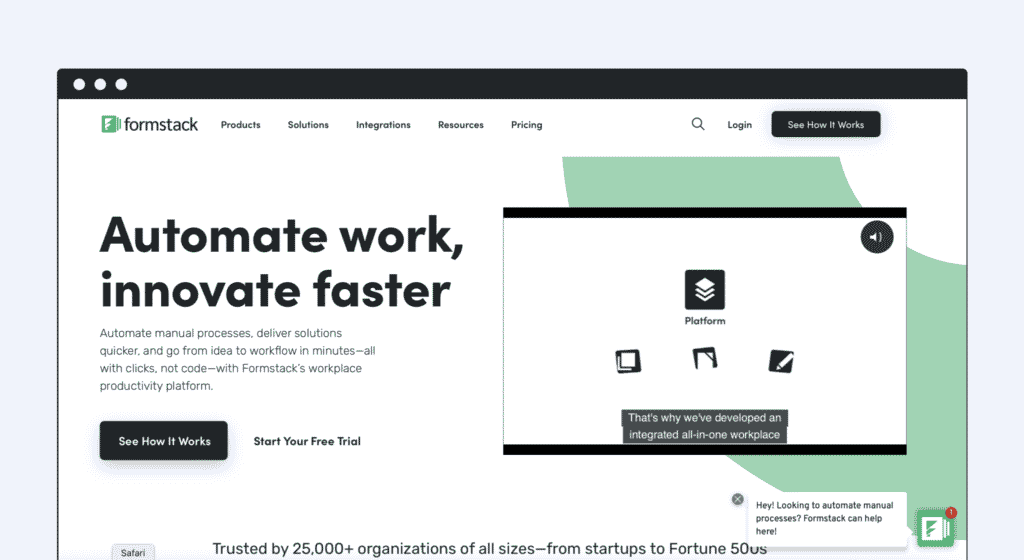
Formstack to extend your Salesforce Survey?
When your marketing team is juggling many campaigns at once, taking care of several customers’ requirements can be unnerving without having a streamlined process in place to manage them. You can fix that with Salesforce.
With the Formstack/Salesforce integration, you can change the way you collect and utilize your data and to some extent unlock greater potential for your surveys with Salesforce.
Salesforce integration is only available on the Platinum plan and above, so before you subscribe, check that the integrations you need are included in your plan.
Titan Survey, a powerful no-code digital experience platform for Salesforce, gives you the most robust integration you need for collecting survey data. Titan Survey – “One Salesforce integration for a world of questions.’’
Is Formstack HIPAA Compliant?
Formstack has HIPAA-compliant features.
Formstack Pricing
Formstack costs between $18 – $92 per month for small – medium size businesses. Enterprises will need to reach out to them to learn about their custom pricing.
What gives Formstack Competitors Titan the Edge?
Titan Survey has many built-in features for creating smart online surveys, with a selection of fields making your surveys completely customizable, which helps cut down on the time needed to create powerful surveys for your customers.
“One of the most powerful survey platforms we use. As a Salesforce integrator, we find Titan Platform to be one of the strongest tools we use in our project for our customers, with amazing value for our customers and saving us lots of development time when using Titan’s no-code platform.” Ariel Michaeli
A nifty feature of Titan Survey is that it is a survey builder with a drag-and-drop interface and that the required data is captured and fed directly into Salesforce.
Pair this with the pre-made templates available, and you have everything you need to create and launch a survey with minimal clicks.
Not sure if Titan Survey or Formstack is the better choice for your needs?
No problem – the below comparison should help you make the best decision. Learn about Formstack pricing and more.
In choosing the right online survey tool, there are some distinctions between the features you receive with the paid version versus the free version. Here’s what to look out for…

Key Formstack Features
- Mobile applications for Android and iOS devices are offered to remotely manage business activities.
- Fast Form Building: Create and customize powerful online forms in minutes with easy drag and drop.
- Conditional Logic: Automatically show or hide questions on a form based on a person’s previous answers.
- Easy Data Management: Use form submissions to easily create new rows of data in your sheets.
Drawbacks of Formstack
- Lack of variety with field types, and they could make it easier to use a single platform for all form/data collection requirements.
- The look of the webforms and templates is outdated – it is about time they invest in upgrading their templates.
- The level of customer support you get depends on your monthly Formstack plan – with the first three paid you are not eligible for priority support or technical phone consultations.
- The interface is not very user-friendly because there are so many different options to click on to make any amendments.
- Although you can customize your surveys with themes, each plan has a theme limit.
When you find that the drawbacks outweigh the feature set, it’s time to look for a Formstack alternative.
Alternative to Formstack: Titan Survey
- Best no-code platform integrated with Salesforce; everything resides in Salesforce – Titan Survey for Salesforce gives you the robust integration you need for collecting survey data.
- No configuration is necessary for reporting in Salesforce.
- Automate, track, and report on your surveys directly from Salesforce EASILY.
- Collect survey responses in one convenient location, and access multiple reports displaying results for easy analysis of data.
- Responses are pushed to Salesforce in real-time allowing you to act quickly on critical feedback.
- Expansive analytics and dashboards make your survey data more valuable
- Customer support by contacting our Help Center, or using the online contact form to contact our customer support team. You can expect a response within 24 hours
Track and Analyze
- Titan Survey’s free package gives you all the necessary tools required for tracking and analyzing your data.
- You can track your participant’s response rates from within Salesforce.
- Responses are automatically mapped to custom objects that we create when you install our package.
Salesforce Surveys: Desktop Comparison between Formstack and Titan
|  | |
| Pull data from Salesforce to create more intelligent surveys |  |  |
| Preview results to see how they look on a smartphone or tablet, with an option to rotate the image to landscape view | | |
| Conditional logic | | |
| Salesforce Integration | | |
| Data Collection using zero code | | |
| Anonymous Surveys | | |
| Onboarding Process | | |
| Pre filled information from Salesforce (Get) | | |
| Create Custom reports | | |
| Branding | | |
| A robust all-in-one platform for Salesforce | | |
| Dedicated Customer Success Manager | | |
| Cost-effective | | |
Pros and Cons Table
Staying ahead of change with Titan’s Survey Tool
The Titan Survey tool has proven itself to be an incredibly adaptable survey builder and data collection tool, carving out a niche for itself amongst its competitors.
By contrast, you have to pay for additional features with Formstack, and you never know how much your survey responses are going to cost.
It couldn’t be easier to register for a free account and start surveying your customers. And if you want to try out Titan Survey’s full capabilities, you can try our survey tool. Even if you’re starting on a free plan, it makes sense to choose a survey platform that can meet all your business needs.
If you’re looking for an alternative to surveys for Salesforce and Formstack and to create conversational surveys that provide a dynamic experience for your customers – start using Titan Survey today.
Contact us by visiting:
Disclaimer: The comparisons listed in this article are based on information provided by the companies online and online reviews from users. If you found a mistake, please contact us.
You might be interested in
Writing Your First Notarized Letter Like a Pro

How to Remove Track Changes in Word

Signee Vs. Signer Vs. Signatory: What are They?

All-in-One Web Studio for Salesforce