









Best Practices for Revenue Growth with Salesforce Quoting Tools

“Increase Profits by Optimizing Sales Processes Using Salesforce Quoting Tools“
Have you reached your peak sales performance? This can’t be true! Maybe it’s time to revisit and optimize your sales process to boost revenue.
The best place to start is at the very beginning of the sales cycle. For this reason, we want to talk about quoting tools in Salesforce. So join us in the article below, where we discuss topics related to Salesforce quotes.
We hope to inspire you with some advice to get you using the right software tools for quote generation in Salesforce.
Let’s get started!
The Role of Quoting Tools for Salesforce
First up, we should talk about why we need quoting tools. Sales quoting tools are essential for business transactions and engaging with clients.
Quotes are usually the first interaction with a client in the sales cycle. So, obtaining quoting tools to speed up and improve document creation processes for sales teams is a game-changer. Additionally, you want to install the right quoting tools in your software stack that can connect with Salesforce Revenue Cloud. This will ensure that sales teams can use the power of a quoting tool and Salesforce to create effective quoting processes.
For example, one benefit of integrating these types of tools with Salesforce is that sales professionals can automate quote-to-cash processes.
Try not to underestimate the value of automation quoting tools, as they are crucial for removing manual tasks from a process. They also support teams by taking on the task of reducing common errors found in creating quotes manually, like:
- Copy-pasting Mistakes
- Adding Incorrect Product, Service, Company, or Customer Details
- Miscalculating Pricing of Products or Services
CPQ Software for Salesforce Solutions
Now if you need a quoting tool, a powerful one that you can grab directly from Salesforce is CPQ.
CPQ (Configure, Price, Quote) tools work with automating configurations, pricing, and quoting tasks. With these capabilities, it’s no surprise CPQ tools are popular with sales teams for streamlining Salesforce work.
CPQ tools also help sales teams to increase customer satisfaction levels by generating accurate and beautiful quotes quickly from Salesforce. Here are a few examples of what a sales team can do with CPQ software and Salesforce.
1. Configure Complex Product or Service Offerings
Sales professionals can create quotes from Salesforce that select products and services. Salesforce CPQ tools also allows them to work with complicated configurations, as the software has the power to handle custom inventories and calculations.
2. Manage Pricing in Quotes
Sales teams can create quotes from Salesforce that automatically calculate pricing. These pricing calculations can be configured beforehand to take rules, discounts, and promotions on products and services into consideration.
3. Generating Quotes or Proposals for Customers
Sales reps do not have to create quotes for customers or leads from scratch ever again. They can instead build pre-designed quotes that match the brand of a business.
Working with Salesforce CPQ document generation tools ensures that by default all business material is consistent and displays professionalism at all times to clients.
Enhance Revenue Using Salesforce Quoting Tools
As we have learned, quoting software can make sales teams more efficient and improve customer satisfaction. But how can these tools help increase business income?
That can be achieved by using Salesforce’s specific tools to speed up and improve sales workflows in your business. Let’s take a look at a few strategies your teams can apply to start attracting more sales.
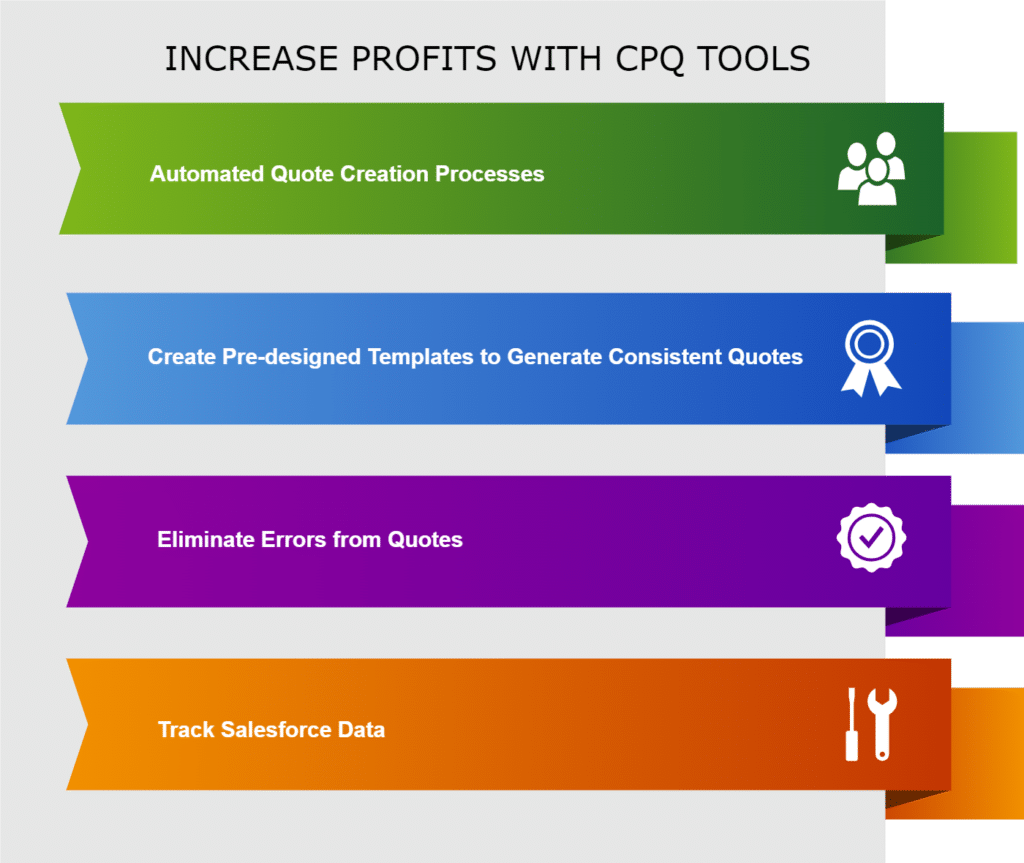
Automating Processes with Quoting Software for Small Business
Sales reps can increase small business profits by speeding up their quoting processes.
One way to do this is via Salesforce CPQ. This tool can automatically generate quotes for small business ventures so that employees can eliminate this particular manual task from their day-to-day activities.
Then, they can use their time better, such as sending multiple quotes to more clients or crafting better sales pitches to pull in more earnings.
Tailor-Made Quoting Templates with Salesforce Data
Another way businesses can use Salesforce CPQ automation tools is to speed up quoting practices with templates. These documents are a great way to customize a quote to match the look and feel of your business brand.
Then, you can call on these templates to aid in document generation for future quotes. This design strategy is essential to eliminating the need to create quotes from scratch every single time, giving sales reps a chance to spend their time on creative processes, like closing deals.
Build Error-Free Quotes
Using Salesforce CPQ tools makes many manual tasks in the quoting process obsolete. This is a good thing because you can improve the quality of quotes by getting your pricing and calculations 100% accurate. Software is capable of that, unlike human beings who can sometimes make mistakes.
For example, CPQ tools let your business work with dynamic pricing models. This is a helpful feature if you need quotes to change depending on the volume of work or promotions on offer. You can use this feature to make your industry’s products and services reasonably priced to beat the competition.
Salesforce CPQ Tracking
When you use CPQ tools, you also get better data analytics for reports. We suggest you use them to follow key metrics like:
- Quote Conversion Rates
- Average Deal Sizes
- The Length of a Sales Cycle
Paying attention to this kind of data from your sales ventures will highlight the areas teams can improve. You can also use this information to generate reports that support managers when making sales decisions to boost revenue.
Titan Docs: Best Quoting Software to Streamline Salesforce Quoting Processes
Although Salesforce CPQ is a robust tool that supports sales teams, it is not perfect. It does come with a few limitations. One of them is that it is complex and can take a while to implement correctly in your custom software stack.
To nail the implementation of Salesforce CPQ, you must have an excellent knowledge of business products and prices to configure catalogs and rules. This means you probably need a technical consultant experienced in Salesforce CPQ to get it running, which adds extra costs to your budget.
An alternative solution is trying Titan Docs, a powerful point-and-click document generation software. It integrates directly into Salesforce to assist sales professionals with closing deals fast by automating processes with zero code.
Let’s take a look at a few advanced features from Titan Docs that can increase business income:
- Admins can take advantage of no-code software to quickly install and learn how to work with new quoting processes.
- Sales reps can generate documents directly from Salesforce in minutes to eliminate manual quote creation tasks.
- Generated documents can include signature elements so clients can electronically approve quotes online.
- Nuke data entry tasks with Titan Docs. It can read any field from any Salesforce object or report and then display it in the format you prefer. Titan documents can also include interactive features that write data to Salesforce objects.
- Documents created with Titan are 100% secure and compliant with HIPAA, SOC 2, ISO, and GDPR to keep your client and business information safe, protecting you from fines and penalties.
- Titan Docs can speed up complex document processes between sales reps, business teams, and clients for better user experiences and faster deals.
This is just a short feature list of what Titan Docs can do. For a full breakdown or advice on your custom Salesforce setup, contact us through one of our social media links below.
What’s Next for Your Sales Process in Salesforce?
Thanks for reading our article on Salesforce quoting tools. We focused on Salesforce CPQ and Titan Docs, which can assist with supporting teams with sales tasks. We also covered some tips on how these quoting tools can be leveraged to streamline work productivity while increasing business proceeds.
For more information, or if you want to try out Titan Docs, contact us today.
We hope to see you soon!
Disclaimer: The comparisons listed in this article are based on information provided by the companies online and online reviews from users. If you found a mistake, please contact us.
Frequently Asked Questions
How do quotes work in Salesforce?
They are part of the sales process you have configured in Salesforce. Quotes are documents created by sales agents that contain information regarding the prices of products or services. These documents are then delivered to customers or leads to decide whether they want to purchase the products or services.
What is the quote-to-sales process?
It is a process in a sales cycle that contains all the steps of the tasks between generating a quote and selling a product or service.
Why are quotes important in sales?
For one, they inform clients about the company’s products and services. The sales rep will make sure that the quote also includes:
- Descriptions of products and services.
- Quantities of goods that the client would like to purchase.
- The prices of products and services a client has queried.
- The terms of the sales deal.
Since quotes contain these details, they become important documents that communicate information accurately. Using quotes to communicate a company’s offering in exchange for cash ensures there are no misinterpretations.
You might be interested in
Writing Your First Notarized Letter Like a Pro

How to Remove Track Changes in Word

Signee Vs. Signer Vs. Signatory: What are They?

All-in-One Web Studio for Salesforce