









Merge Accounts in Salesforce

A common reason for wanting to merge accounts in Salesforce is when you have duplicated data in your customer relationship management platform. This can become problematic, but there are ways to clean up your platform so that you can enhance the performance of Salesforce.
We are also sure that you want to keep you data accurate, consistent, and reliable for all the employees in your organization. Merging your duplicated Salesforce accounts will make sure that everyone views and has access to the most accurate and current data.
Join us in the below article to learn how to merge accounts in Salesforce effortlessly.
Salesforce Merge Accounts
To clean up your CRM platform, you can merge accounts in SFDC. To do this, follow the general steps outlined below for Salesforce Lightning.
Before you start merging your accounts in Salesforce, you have to have either an Essentials, Professional, Enterprise, Performance, Unlimited, or Developer edition. You will also need permissions to view and merge accounts.
Alright, let’s learn how to merge accounts in Salesforce Lightning!
1. First you need to log into Salesforce and select an account record. There will be a notification that will let you know if you have any duplicates for the account record. To check out your data copies, simply click “View Duplicates“
2. You can then select 3 account records that you would like to merge together by clicking on the appropriate checkboxes.
3. Click the Next button to proceed.

It’s important to note that in Salesforce you can easily merge your business and person accounts separately, but they can’t be merged together.
4. Lastly, you want to choose which account is the master. During this step, you will need to select the field values you want to retain and then click Next.

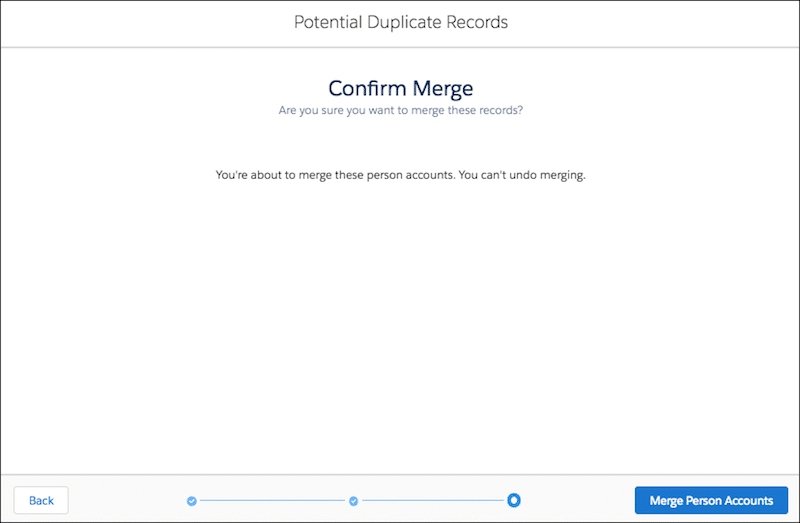
5. Now you will be prompted with a Confirm Merge step to approve your actions. Simply click on Merge Person Accounts.
We hope this general guide helps. However, please note that Salesforce has regular updates so check out their website for the latest information if you need extra help.
Frequently Asked Questions
Can I merge two accounts on Salesforce?
Yes, you can! In Salesforce Classic, you can merge accounts by navigating to Accounts and then Tools. Next, you need to click on Merge Accounts.
You can merge up to three accounts in Salesforce Lightning. Follow the guide in our article to find out how.
How do you merge contacts in Salesforce?
To merge contacts in Salesforce, first navigate to the Contacts section and identify duplicates using the ‘Find Duplicates’ feature or manually. Salesforce allows merging up to three contacts at a time. After selecting the duplicates, you must choose one contact to serve as the master record; this record will retain its original contact ID and combine the relevant data from the other selected contacts. The merge process involves reviewing and selecting the data fields you wish to retain from each contact before finalizing the merge, effectively consolidating all pertinent information into a single, clean contact record.
Can I merge opportunities in Salesforce?
No, Salesforce does not natively support merging opportunities like it does with accounts, contacts, or leads. Opportunities in Salesforce are typically managed individually because each opportunity represents a unique potential revenue event and merging them could lead to loss of important details or discrepancies in sales data.
Can I merge duplicate accounts in Salesforce?
Yes, you can merge duplicates in Salesforce. This feature helps maintain clean data and prevent confusion caused by duplicate records in Salesforce.
What permission is needed to merge accounts in Salesforce?
If you want to merge Salesforce accounts because you have duplicated data, you first need permission to view and merge accounts. Also remember that you can only merge accounts in Essentials, Professional, Enterprise, Performance, Unlimited, or Developer editions.
Is it possible to merge Apex accounts?
You can use Apex to merge accounts when you have duplicated data in Salesforce. It’s a good automation method for cleaning up your lead, contact, case, and account records. With Apex you can merge three Salesforce records into one and delete the others if they are the same sObject type. It also reparents related records for you conveniently!
#1 on Salesforce AppExchange
As Titan is a market-leading platform for Salesforce, of course we are going to provide you with information to work easily in Salesforce. We hope we helped you learn how to merge accounts quickly in Salesforce.
If you want reduce development costs, improve your user experiences, and increse revenue streams, make sure to check us out.
Our powerful no-code platform can help you work with dozens of third-party Salesforce applications to automate your entire organization’s digital workflow.
For more information, please feel free to contact us on one of our social media platforms below.
Disclaimer: The comparisons listed in this article are based on information provided by the companies online and online reviews from users. If you found a mistake, please contact us.
You might be interested in
Writing Your First Notarized Letter Like a Pro

How to Remove Track Changes in Word

Signee Vs. Signer Vs. Signatory: What are They?

All-in-One Web Studio for Salesforce