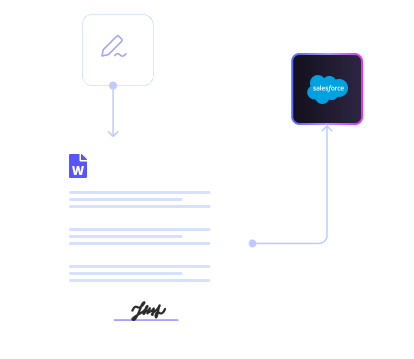

Salesforce Document Management without Code
Run Salesforce Document Management through configuration instead of custom development.
Titan’s document generation tools let admins define the template, map Salesforce fields, set conditions, and control who can trigger generation. That eliminates manual copy-paste work and keeps documents aligned with Salesforce logic.
The system is configuration-based, so changes don’t require rebuilding automation. Titan’s document generation software is designed to adapt as business rules evolve.

Smarter Docs: Barcodes and QR Codes Built In
Add barcodes and QR codes to a generated Salesforce doc to support invoicing, order processing, and reconciliation workflows.
With Titan’s document generation platform, barcode and QR elements are tied directly to record data. Scan a document and it maps back to the correct Salesforce record automatically – reducing manual handling and downstream friction.

Flexible Salesforce Document Automation and Storage Control
As volume grows, rigid file handling and storage limits can slow down Salesforce document automation.
Titan gives you control over Salesforce document storage. Store files inside Salesforce when required, or route them to external systems like Google Drive, Box, Dropbox, or OneDrive.
This supports your broader document strategy while reducing pressure on Salesforce storage – without custom integrations.

Multi-Format Output That Stays Predictable
Manual conversions and inconsistent formats create unnecessary admin overhead.
Titan generates Word documents and PDFs directly from Salesforce using stable templates and consistent field mapping. Outputs remain predictable as requirements evolve.
If your organization already uses document collaboration software, Titan generates standardized documents that fit seamlessly into that workflow while admins retain full control over structure, mapping, and automation logic.
- docx
- html
- png
Titan Docs FAQs
What are Salesforce Dynamic Documents?
Dynamic documents adapt automatically based on Salesforce data and rules. Instead of managing multiple templates, admins can maintain a single Word template that conditionally includes or excludes content based on record values or process logic.
How does Salesforce Document Generation work without development?
Titan uses mapping and configuration instead of code. Admins connect Salesforce fields to Word templates and define generation rules without Apex. Documents pull live CRM data and reflect updated logic as business requirements change.
Can Titan support digital Salesforce Document Management outside Salesforce?
Yes. Generated documents can be stored inside Salesforce or routed to external platforms like Google Drive, OneDrive, Box, and Dropbox. This keeps document access centralized while managing storage efficiently.
How do digital document workflows improve efficiency?
Automation replaces manual document creation, routing, and filing. For Salesforce admins, this reduces maintenance overhead and ensures workflows stay aligned with Salesforce objects and permissions.
How is version control handled?
Templates and generation rules are centrally managed. When a template changes, newly generated documents reflect the latest approved logic, helping teams maintain compliance and consistency.
Is Titan built for complex orgs?
Yes. Titan supports multiple teams and document workflows within a single Salesforce org. Admins can apply conditional logic per department and govern document behavior centrally within Salesforce.
Docs that do the work for you
Work intuitively with dynamic Salesforce data in Word, PDF, or Google Docs.
Styled, filled, and sent in seconds.
Connect Salesforce
No-code object mapping.
Design Template
Drag, style, & personalize
Set Rules
Show or hide content.
Create Document
Auto-generate.
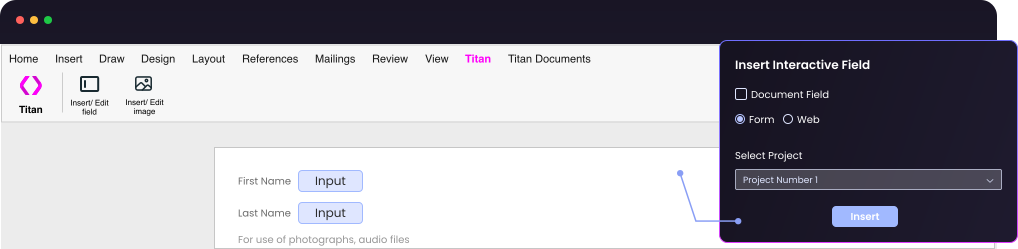
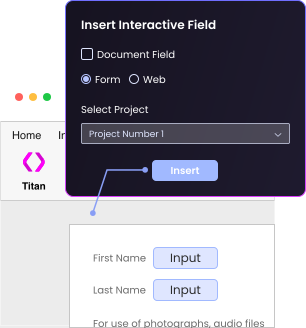
 Real-Time Data Sync
 Work in Microsoft Word
 Personalized Proposals
“The platform knows to take all the data from different sources and create the logic we want. We received a very simple and cost-effective solution to a complex challenge.”

Explore What’s Possible with Titan




Sync to Salesforce from Microsoft Word