Create Fluent Approval Processes
Many Experience Cloud competitors require complex setup or heavy development to support approvals across internal and external users.
With Titan, you can design and automate approval processes using a governed flow builder that connects teams inside and outside Salesforce. From operational processes and contract sign-offs to budget approvals, purchase requests, and leave management, every approval flow runs on structured logic and updates your CRM in real time.

Real-Time Salesforce Data Without Portal Complexity
A traditional Salesforce Experience Cloud portal often relies on layered integrations to keep data in sync.
Titan enables workflows that push and pull real-time data directly from Salesforce objects. Automate every stage of your business processes while keeping Salesforce as your single source of truth. The platform is built for control, accuracy, and scale.

External File Storage Without Salesforce Limits
Many Salesforce Experience Cloud alternatives are limited by rigid storage models and scaling constraints.
Titan allows you to store files both inside and outside Salesforce, integrating seamlessly with platforms like OneDrive, Box, Dropbox, and Amazon S3. Reduce pressure on Salesforce storage, keep files accessible where teams already work, and avoid platform constraints without sacrificing security or governance.

Payment Integrations for End-to-End Workflows
Automate secure payments directly within Salesforce using native integrations with providers such as Stripe, PayPal, and other enterprise gateways.
Titan connects checkout, invoicing, and transaction data to Salesforce records in real time. This allows teams to automate workflows that include payment collection, billing, and transaction reconciliation directly inside Salesforce.
- Stripe
- PayPal
- Authorize.Net
- Mollie
Titan Flow FAQs
How does Titan compare to native Experience Cloud for building workflows?
Titan focuses on automating end-to-end processes such as approvals, data updates, document generation, and payments rather than relying on complex front-end builds. While Experience Cloud supports community-style portals, Titan prioritizes workflow orchestration and real-time data execution.
How can Titan help reduce Salesforce Experience Cloud pricing concerns?
Many teams adopt Titan to reduce exposure to escalating Salesforce Experience Cloud pricing tied to user counts and feature tiers. By offloading workflow execution and external user interactions to Titan, organizations can reduce reliance on portal licenses while keeping Salesforce as the system of record.
What’s the impact of Experience Cloud license cost on external workflows?
The Experience Cloud license cost can increase significantly as more external users require access. Titan enables secure external workflows without requiring every user to hold a Salesforce community license, helping teams scale interactions without expanding license spend.
How does Titan compare to Experience Cloud Competitors?
Among Experience Cloud Competitors, many platforms focus primarily on front-end portals rather than workflow orchestration. Titan differentiates by combining portals with automation, document generation, approvals, and integrations so business processes run end to end without stitching together multiple tools.
Can Titan replace a customer or partner portal built on Experience Cloud?
Yes. Titan can create customer and partner experiences with role-based access and real-time Salesforce updates while embedding workflow automation. This allows teams to replace or complement an existing Salesforce Experience Cloud portal with less technical overhead.
How does Titan help manage Customer community license cost?
By reducing the need for every external user to hold a community license, Titan helps control Customer community license cost. External users can submit data, trigger approvals, and interact with Salesforce records without consuming additional Salesforce seats.
Does Titan work with existing Salesforce automation?
Yes. Titan integrates with Salesforce flows, objects, and security models. It triggers updates, follows business logic, and writes back to Salesforce in real time, ensuring automated workflows remain aligned with existing governance structures.


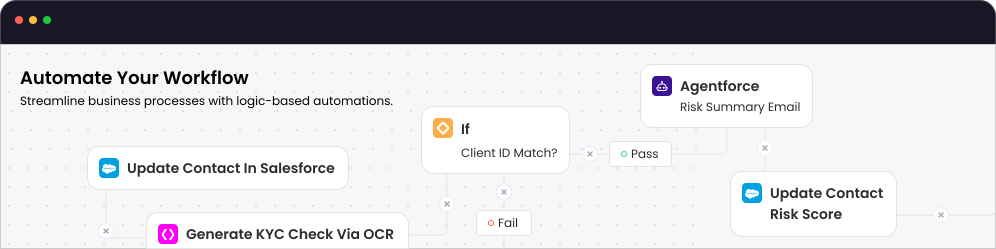
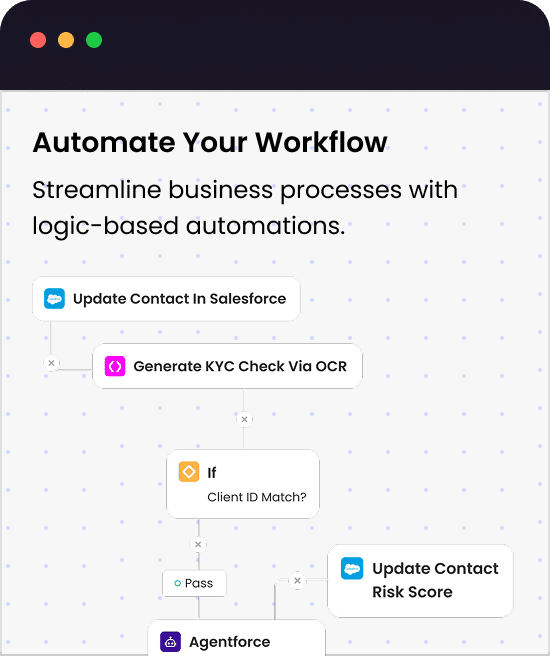
Automate Any Business Process in Salesforce
Scan, extract, and map files to Salesforce records with Titan OCR.
Define Triggers
Start the flow
Configure Rules
Control flow behavior
Build Logic
Map data decisions
Execute & Monitor
Run, track, optimize
 REST API Connectivity
 Sync Systems in Real Time
 Enterprise-Grade Security
״Titan gave us a flexible workflow that transformed how we handle forms and documents from start to finish.״

Explore Titan flow
Take a deeper dive into Titan Flow, including best practices and real-world use cases for automating Salesforce workflows

Salesforce Process Automation
Learn How to Automate Workflows in Salesforce with Titan

Smarter Workflows
Find out what Salesforce Digital Workflows Can Do for You

Optimize Salesforce Flows
Discover why Teams are Switching from OmniStudio to Titan
״With conditional logic, dynamic fields, and automated workflows, Titan has saved our team time and effort.״
Workflows that live in Salesforce