How can we help you?
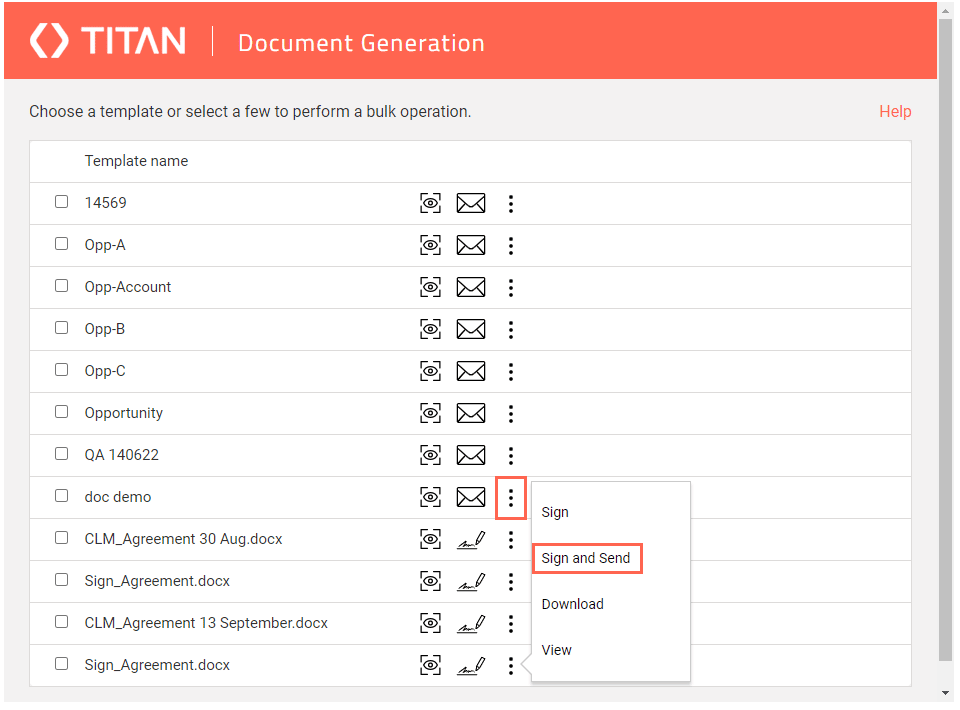
Use the FT Generate Document button in Salesforce to trigger document generation and emails. The FT Generate Document button is part of the Titan package in Salesforce. The button is created automatically when you install the Titan package. You just need to add it to the object (such as Account or Opportunities) where you need it. You can send and sign a document in a few clicks.
With Titan, you can generate a document in Salesforce. When you click on the FT Generate Document button in Salesforce, the templates you have permission for are shown in a modal. You can send and sign the document.
In this video, learn how to Sign and Send documents using the FT Generate button in Salesforce.
Click here for more information on FT Generate Document.
Make a note of the signers in your Titan Sign builder, under Settings > Document Access >Sugners:
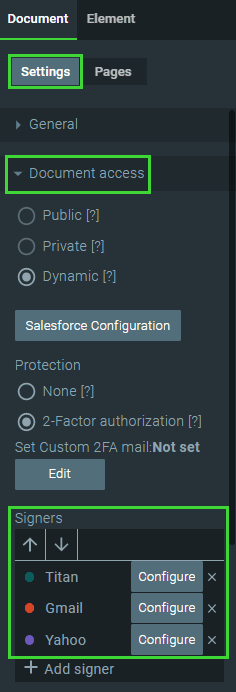
The first signer you configured in the Titan Sign builder will be replaced, and the document will be presented to you before being sent to the other signers.
If 2-factor authentication were added to the template in the Titan Sign builder, you will have to authenticate yourself before you will be able to sign the document.









