

Generate, Sign, and Automate Salesforce documents with real-time sync

Build portals, apps, and forms directly in Salesforce with Dynamic data flow and adaptability

How can we help you?
When you embed a project in another webpage, you may need the embedded content and the parent page to share information. Post Message lets an embedded project communicate with its parent webpage, or lets an iframe embedded inside a project communicate back to the project.
This is useful when users need to submit forms, pass values, show updated information, or continue a process without leaving the page they are already using. For example, a customer portal can embed a feedback form in an iframe and pass data between the form and the main portal page.
Titan lets you use Post Message with embedded Titan projects. You can embed a Titan project in an iframe and send messages between the parent webpage and the iframe. You can also embed an iframe inside a Titan project and send messages between them.
Post Message enables data exchange between embedded content and the host page, allowing you to connect user actions, submitted values, survey responses, documents, and other project data to the surrounding page experience.
If you use two Titan projects, publish both projects after making changes so the latest updates are reflected correctly.
Warning:
Not all sites allow content to be hosted in an iframe. Ensure you have checked that an iframe is supported before following these steps.
Note:
Prerequisites:
On the parent project, create a static custom variable. In this example, the static variables are as follows:


Note:
Not all websites can be hosted in an iframe.
Websites with specific embed capabilities can be successfully embedded in an iframe; however, numerous popular websites impose restrictions that prevent their content from being displayed this way for security and usability reasons.
In this example, a Titan Web project URL is used.


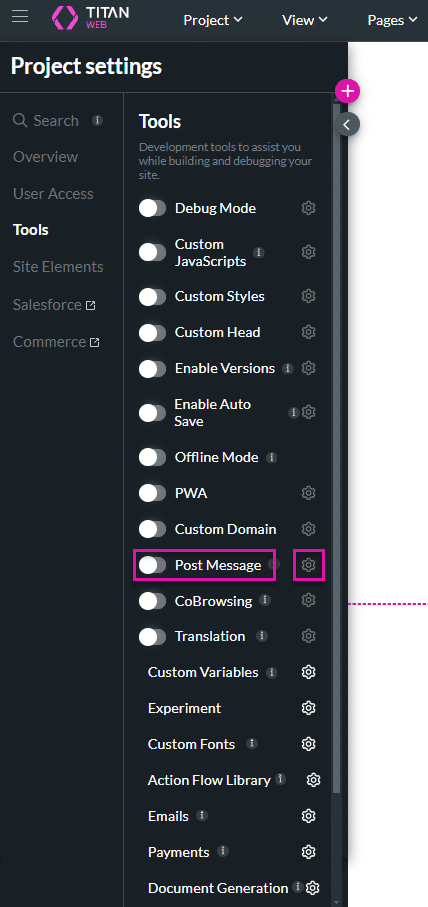
You can enable a constant listener in Titan so that whenever a post message is sent, it will receive and store the data in a pre-defined location.

On this page
The Only Forms Solution Built 100% in Salesforce.


