How can we help you?
When you need to accept online payments and connect payment activity to Salesforce, you can use Tranzila payments with Salesforce through Titan. This helps you collect payments from users while keeping payment-related data connected to the records and processes your team already manages.
Tranzila can be used for payment flows such as product purchases, service payments, registration fees, marketplace transactions, or other online payment processes. Once the payment is completed, your project can automatically proceed to the next step, such as confirming the payment, redirecting the user, or updating Salesforce.
Titan lets you add Tranzila as a payment option in your project and connect the payment process to Salesforce. You can configure payment settings based on your business needs, including different currencies and payment types such as single payments or installments.
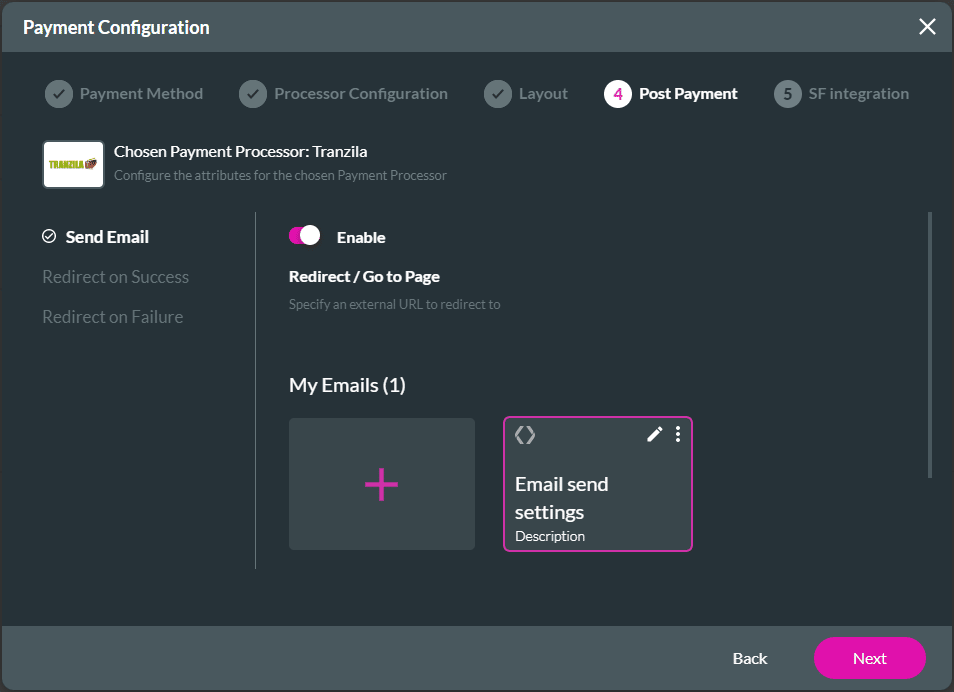
You can also define what happens after payment. For example, you can send an email, redirect the user to another internal or external page, or push payment data to Salesforce. This helps you manage the payment experience and keep your Salesforce records up to date without having to handle each step manually.
Note:
Prerequisite:

Note:
You can select “Dynamic” to give the end-user the option to add a currency type not listed.
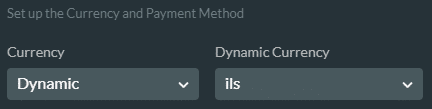
The dynamic value must have been added as a variable. The string must be as follows:
Tranzila will reject any other values. Please refer to the API for the string values for currencies.

Configure the following as necessary:


Note:
If the Number of Installments exceeds 1 or if a parameter is used, then the drop-down list for Total Amount is replaced with the drop-down lists for First Payment Amount and Every Payment Amount.
When the Static value exceeds 1, then the drop-down list for Total Amount is replaced with the drop-down lists for First Payment Amount and Every Payment Amount.

You can do the following:


On this page









