How can we help you?
When users complete a page in your project, you may need to convert a webpage to PDF so the information can be saved, shared, signed, or stored in Salesforce. This is useful when a completed page needs to become a formal record, customer copy, internal document, or signing file.
You can use Auto PDF to capture the contents of 1 webpage at a time and use the generated PDF in the next step of your process.
Titan lets you generate a PDF from a single webpage in your project. The PDF can be downloaded, pushed to Salesforce, sent for digital signature, or emailed to a customer based on your project setup.
You can configure conditions to control when the PDF is created and what happens after it is generated, helping you connect the PDF output to your Salesforce or signing process.
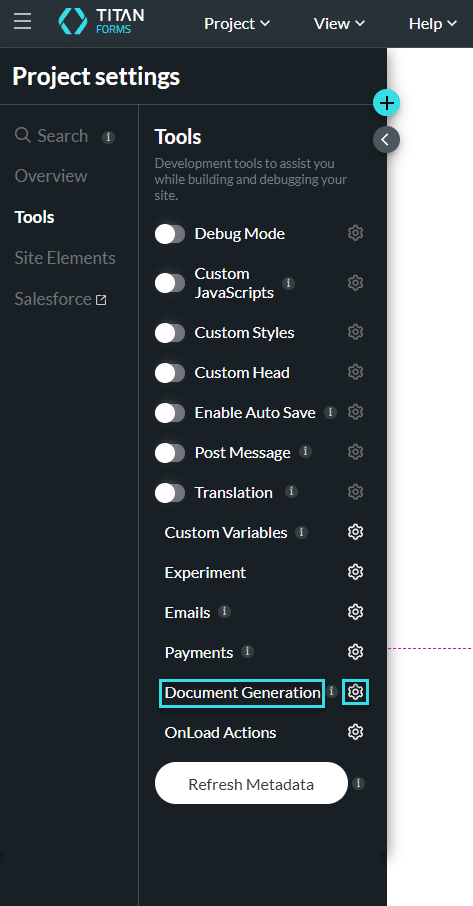
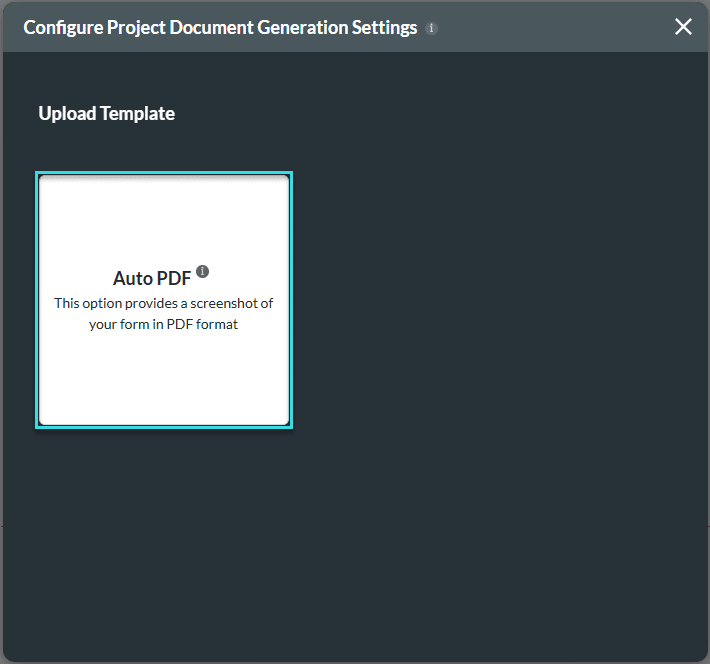

Note:
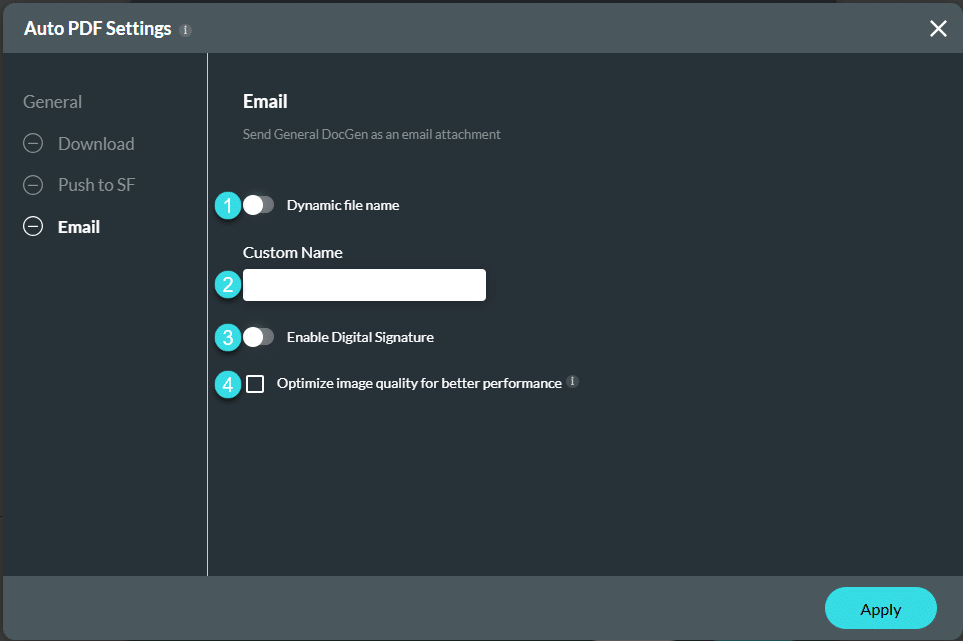
The options on the left of the screen under General depend on the options you selected on the previous screen.
You can add options:


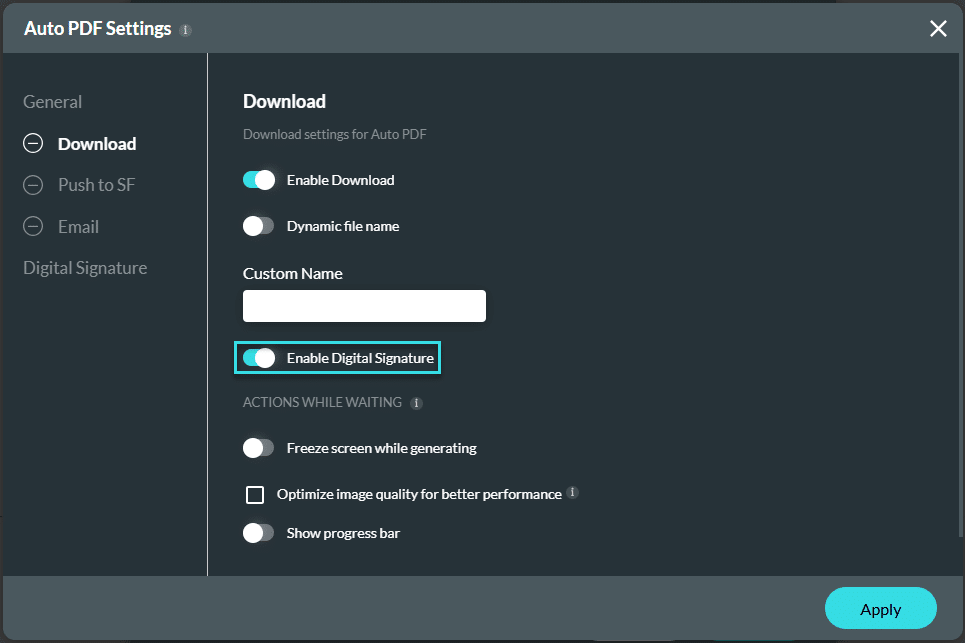
Note:
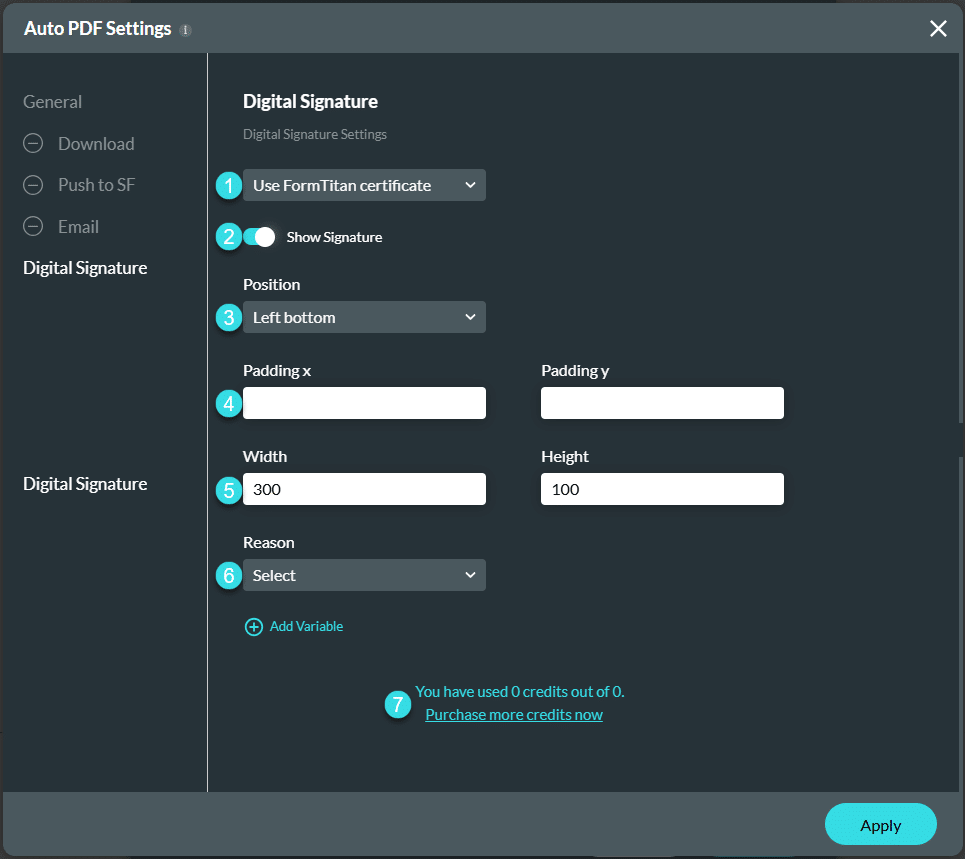
Make sure that you used the toggle switch to enable a Digital Signature, either under the Download, Push to Salesforce, or Email option.

On this page









