How can we help you?
The Merge Files node in Titan Flow combines multiple files from Salesforce, Titan Web, or Titan Sign into one PDF or DOCX file.
Use it when a Salesforce process creates or collects several related documents that need to be sent, reviewed, or stored as one file. For example, you can combine a generated agreement with supporting documents uploaded through a Titan Web form.
This saves your team from having to download, organize, merge, and upload each file manually.
A customer completes a Titan Web form and uploads supporting documents. The project triggers a Flow that:
You can also generate a document from Salesforce data or convert a Word document to PDF before merging the files.
The Merge Files node receives source files through custom variables and combines them in the configured order.
The completed document is saved to a Files variable. You can then map this variable to later Flow nodes to:
Create the custom variables that the Flow will use to receive the source files and store the merged document.
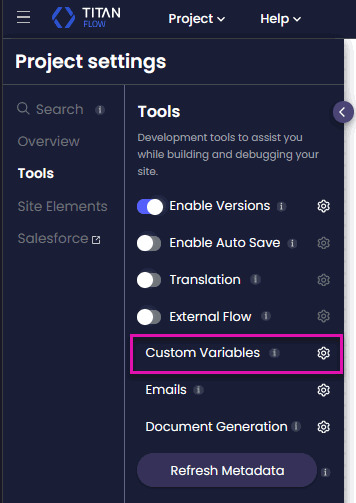
Go to:
Project Settings > Tools > Custom Variables
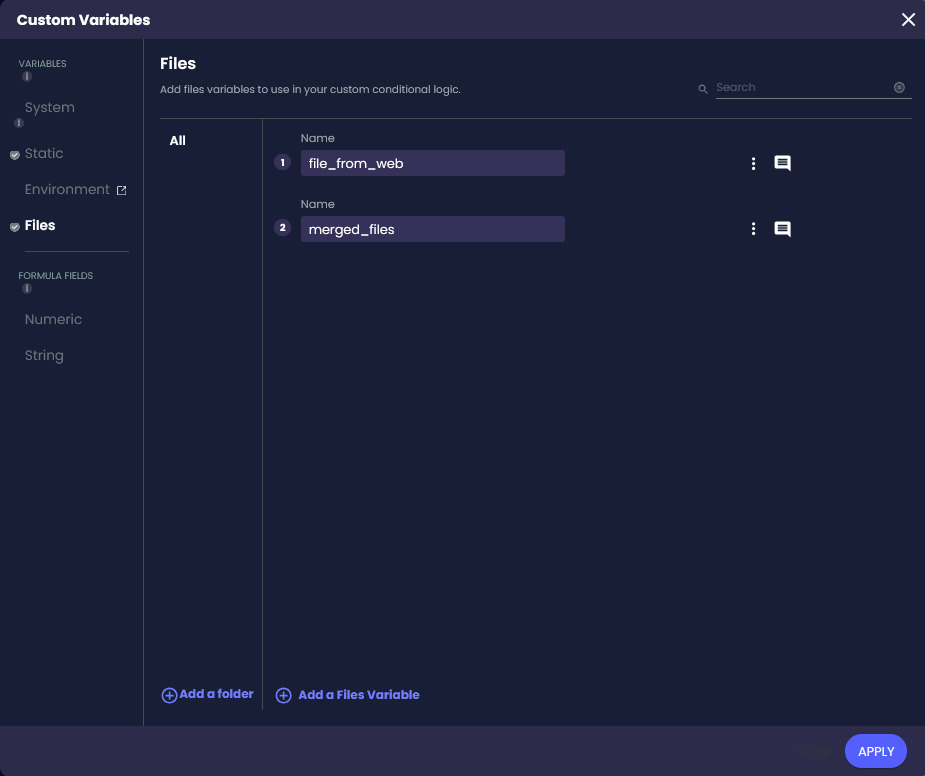
Create a Files variable for the merged document.
The Merge Files node saves the completed file to this variable. You will also use this variable in later nodes that send or store the file.
Create a Files variable for each file or group of files passed into the Flow.
Use these variables for files that come from:
When a Web or Sign project triggers the Flow, map the source files to the corresponding Flow variables.
For example, create a Files variable named file_from_web to store documents uploaded via a Web project.
Create one or more Static variables to store the Salesforce ContentVersion record IDs.
Titan uses these IDs to locate the files stored in Salesforce. A variable can contain one ID or a list of IDs.
Run a Salesforce Get on the ContentVersion object and map the returned IDs to the Static variable. You can run the Get:
When the Get returns multiple IDs, the returned order controls the order of those files in the merged document.
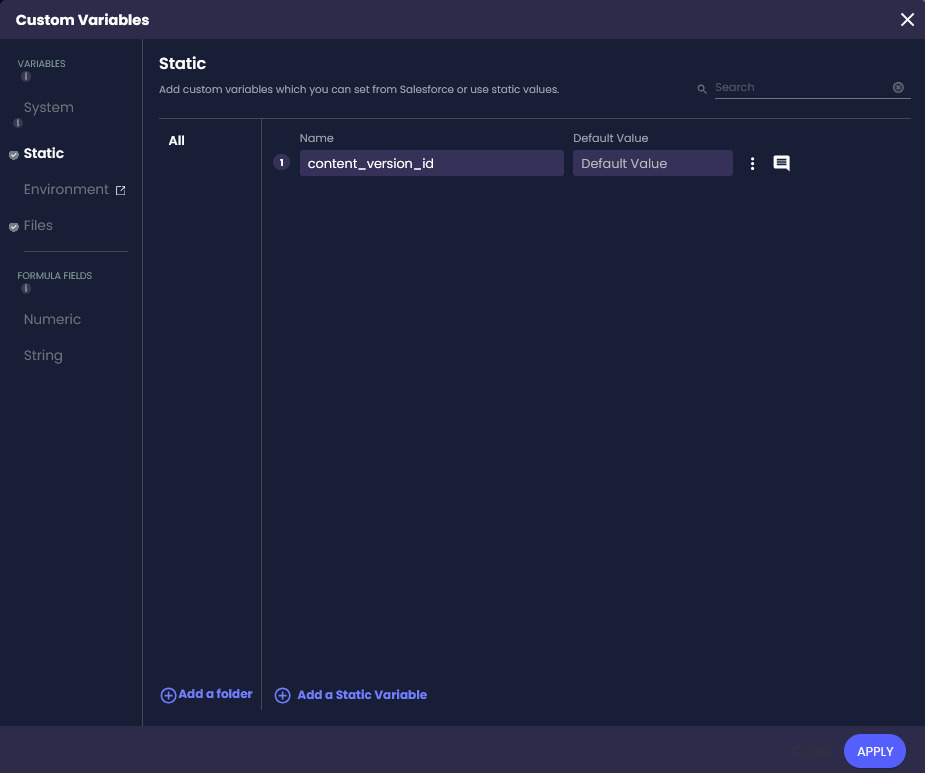
Create a Static variable if the merged file name must include project or Salesforce data.
For example:
A dynamic name makes the file easier to identify after it is saved to Salesforce or sent by email.
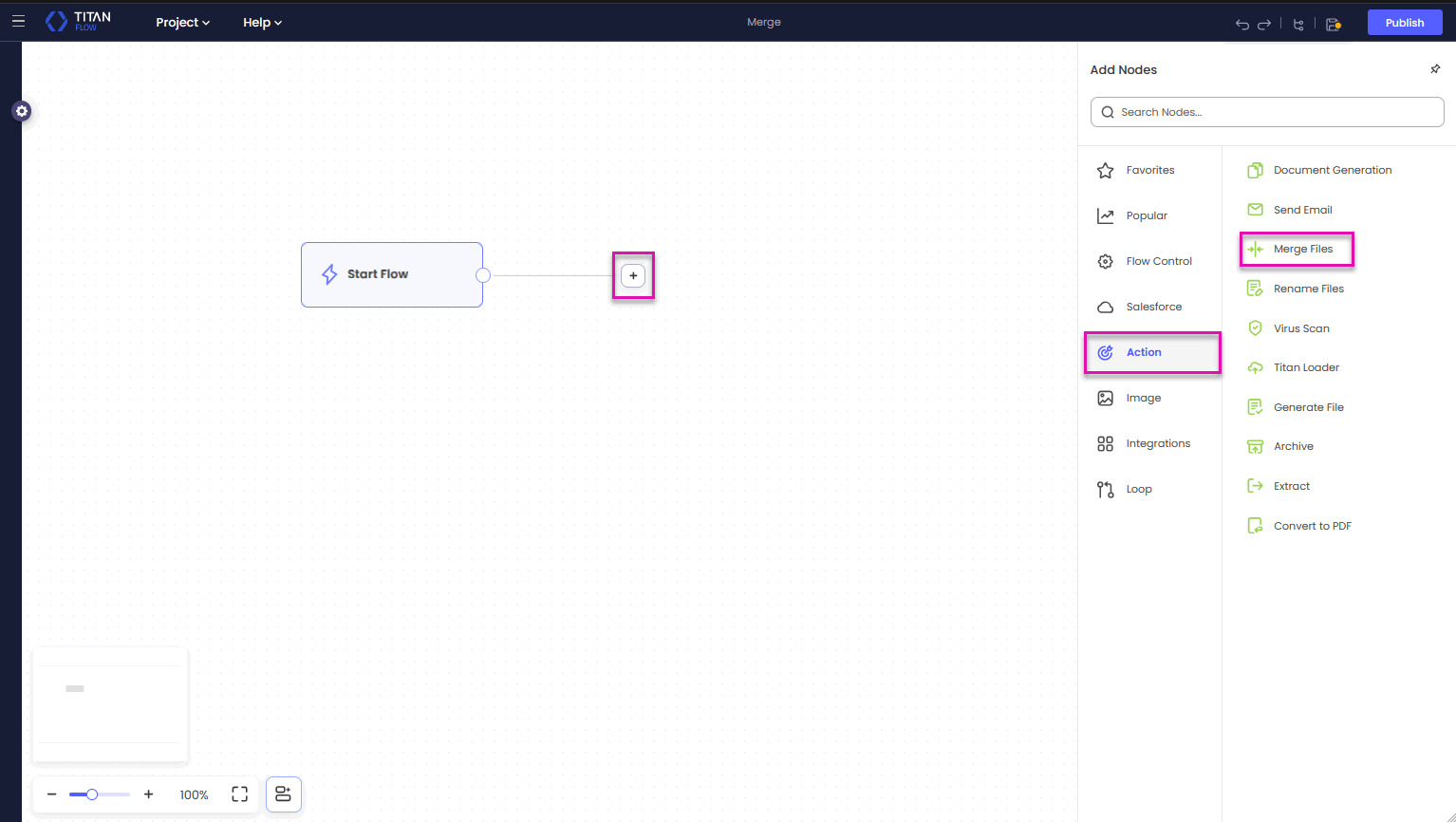
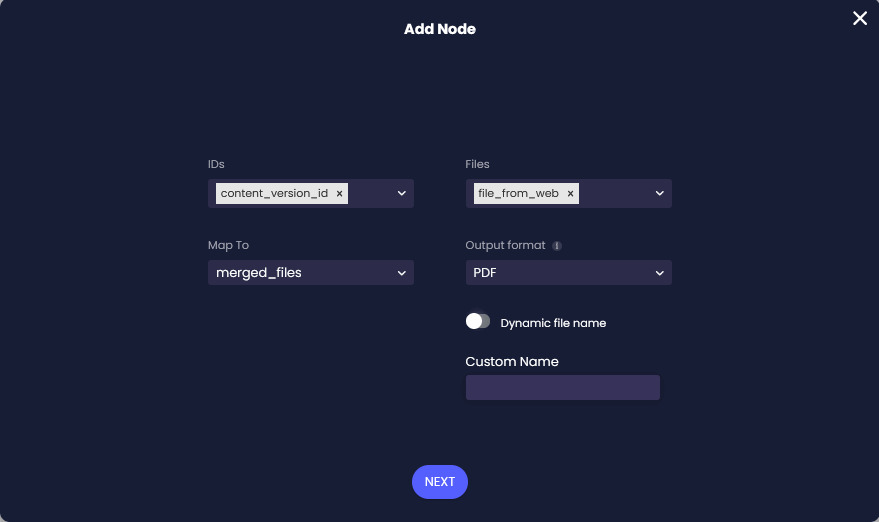
You can add files from Salesforce, Files variables, or both.
The ContentVersion ID identifies the Salesforce file to include. The selected variable can contain either a single ID or a list of IDs.
These variables can contain uploaded, generated, converted, or previously processed files.
Open the Map To drop-down list and select the Files variable created for the merged output.
Titan saves the completed document to this variable. Select the same variable in later nodes when you need to send, store, or process the merged file.
Open the Output Format drop-down list and select PDF or DOCX.
Select PDF when the completed document must retain the same layout when opened, shared, or printed.
If any source file is a PDF, the merged output must also be a PDF.
Select DOCX when every source file is a DOCX file and the completed document must remain editable.
When all source files are DOCX files, you can create either a DOCX or a PDF output.
Use the Convert to PDF node before the Merge Files node if a source document must be converted first.
You can use a fixed or dynamic file name.
Use a fixed name when all merged documents follow the same naming format, such as Application Pack.pdf.
Use a dynamic name when the file must identify a specific customer, Salesforce record, or process.
Select Next.
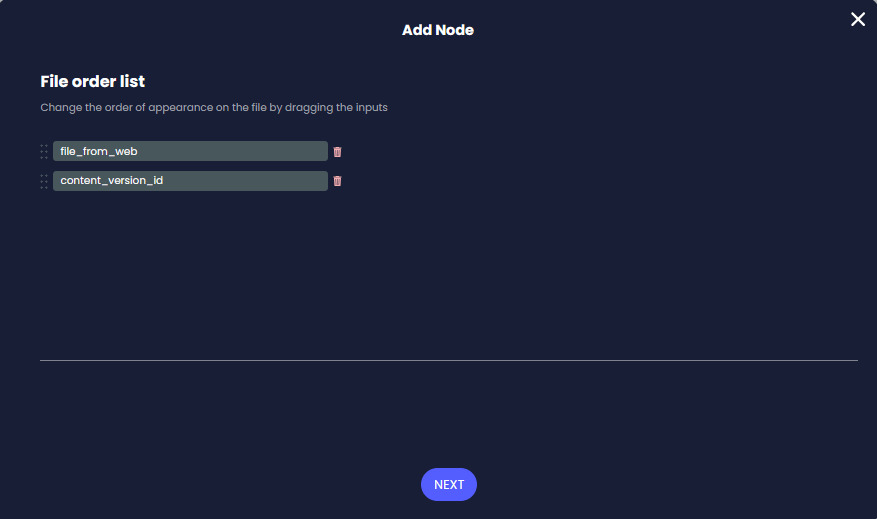
Titan displays the selected files in the order in which they will appear in the merged document.
Drag the files into the required sequence. For example, place a generated cover page first, followed by an application form and supporting documents.
When a Static variable contains multiple ContentVersion IDs, Titan uses the order returned by Salesforce’s Get.
Use the Sort Order option on the Map Salesforce Fields screen to control this sequence. Without a defined sort order, the files may appear in an unexpected order.
Select Next.
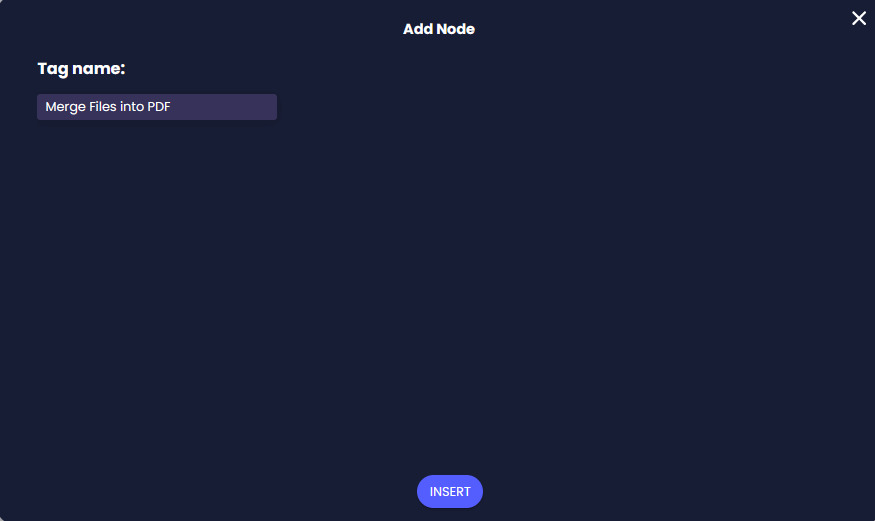
The tag helps you identify the node when reviewing the Flow or checking the integration logs.
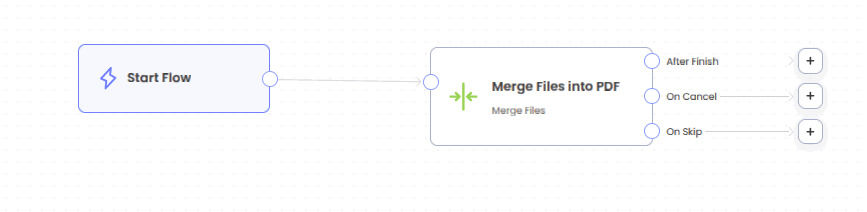
Add the next node according to what should happen to the completed file.
Map the output Files variable to:
Trigger the Flow from the connected Web or Sign project and confirm that:
If the file is missing or incomplete, review the Flow integration logs and confirm that the source variables contain valid files or ContentVersion IDs.
Yes. You can combine files retrieved from Salesforce with files uploaded through Titan Web or Titan Sign. You can also include files generated or processed earlier in the Flow.
Yes. Map the generated document and uploaded files to Files variables, then select those variables in the Merge Files node.
Select PDF when one or more source files are PDFs or when you need a fixed final document.
Select DOCX only when all source files are DOCX files and the merged document must remain editable.
Titan merges Salesforce files according to the order of the ContentVersion IDs returned by the Salesforce Get. Use the Sort Order option when configuring the Get to control the sequence.
Yes. After selecting the source files, drag them into the required order. Files contained in a list of ContentVersion IDs must be ordered through the Salesforce Get.
Yes. Enable Dynamic File Name and select a Static variable containing the required name. The value can include details such as an account name, application number, or date.
No. The node saves the merged document to the Files variable selected under Map To. Add a Salesforce Push after the Merge Files node to attach the document to a Salesforce record.
Yes. Add an Email node after the Merge Files node and map the output Files variable as the email attachment.
Convert the Word document to PDF before merging it with the existing PDF. If any source file is a PDF, select PDF as the merged output format.
Check that:
Review the Flow integration logs to confirm which files and IDs were passed into the node.
On this page









