How can we help you?
You can automate signing processes and speed up contract approvals in minutes. Sync all data with Salesforce in real time using zero code.
To automate and speed up signing processes, use Titan Wizard, our sign process tool, tailor-made for Salesforce.
Prerequisites:
Note:
The settings made in the Sign Wizard override the settings made in the Titan Sign project.
The Titan Sign project is not affected by the Sign Wizard changes.
The document will have end-to-end encryption and be locked so it cannot be edited.
2-factor authentication will be required before a signer can open a document. Recipients will receive an email that directs them to a screen where they will type their email addresses. They will then receive an email with a one-time code that is only valid once and needs to be entered on the screen before they can access the document.
Click here for more information on how to add 2FA to the Sign project.
Send the document to all the signers simultaneously. Depending on when a signer opens the document, they may see the signature of previous signers.
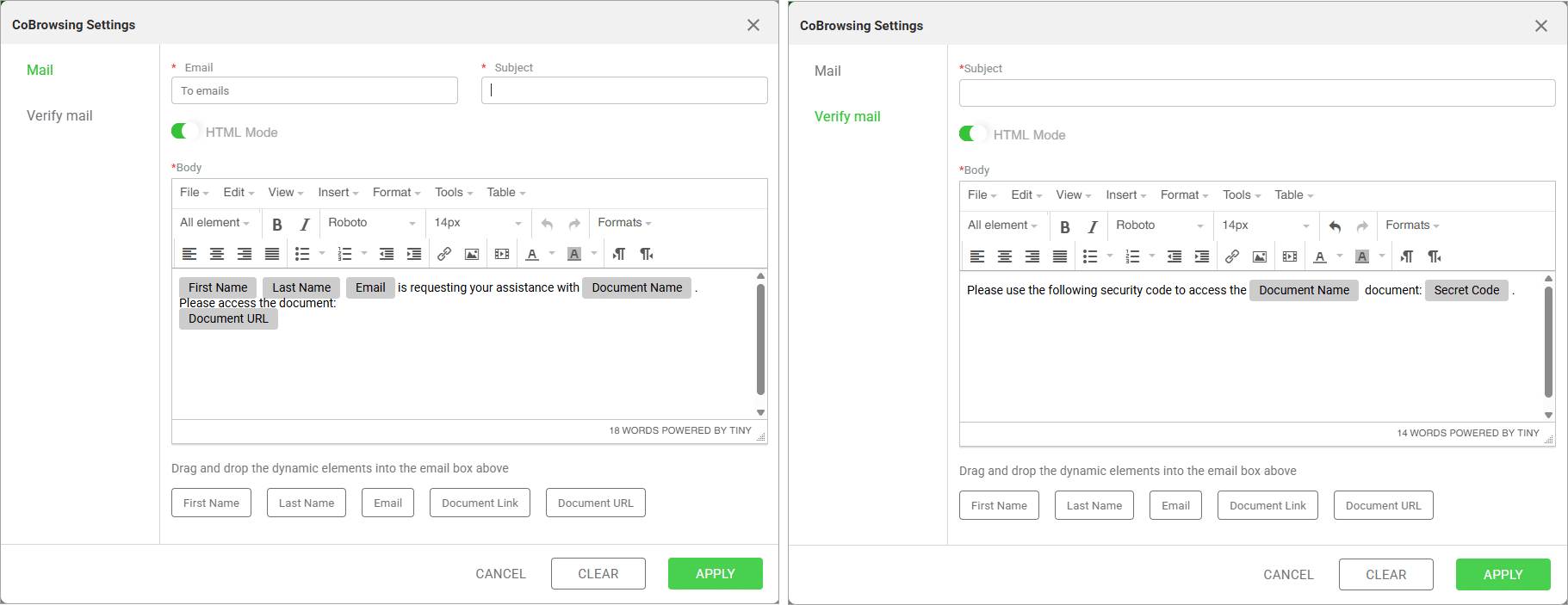
Email a person to ask for assistance with the document. Co-browsing is collaborative, where two parties can browse together on a website and interact with the page in real time. You can also configure a verification email to send a security code.

On this page