How can we help you?
A Salesforce Apex action is a Titan Flow node that invokes a custom Apex class.
When the Flow reaches the node, Titan sends the mapped input values to Salesforce. Salesforce runs the Apex class and returns the configured results to Titan. You can then use these results in later nodes to update records, control routing, display messages, or continue the process.
This lets you reuse existing Salesforce logic instead of rebuilding the same calculations, validations, or business rules in Titan.
Use a Salesforce Apex action when your Flow needs to:
If you only need to retrieve, create, update, or delete Salesforce records, use a standard Salesforce action instead.
A customer submits a service request through a Titan form. Before the request can proceed, Salesforce must verify that the customer meets your organization’s eligibility requirements.
Your Flow sends the customer’s Salesforce record ID and request details to an existing Apex class. The class evaluates the information and returns an eligibility status.
Titan can then use the returned status to:
This keeps the eligibility rules in Salesforce while allowing Titan Flow to use the result at the correct point in the process.
The Salesforce Apex action connects three parts of your process:
For example, you could send an Account ID to an Apex class, check whether the account qualifies for a service, and return an eligibility status. A condition node could then route eligible and ineligible customers along different paths.
Make sure that:
Contact your Salesforce administrator or developer if you are unsure about the class name, required parameters, returned values, or permissions.
Where you add the Salesforce Apex node determines when the class runs.
In a Titan Web project, you can run an Action Flow:
For example, you could run an eligibility check when the user selects Submit. Place the Apex node after the form validation step but before any Salesforce update, message, or redirect that depends on the returned eligibility status.
Add the node after the steps that collect or prepare its input values. This makes sure the Apex class receives the information it needs when the action runs.
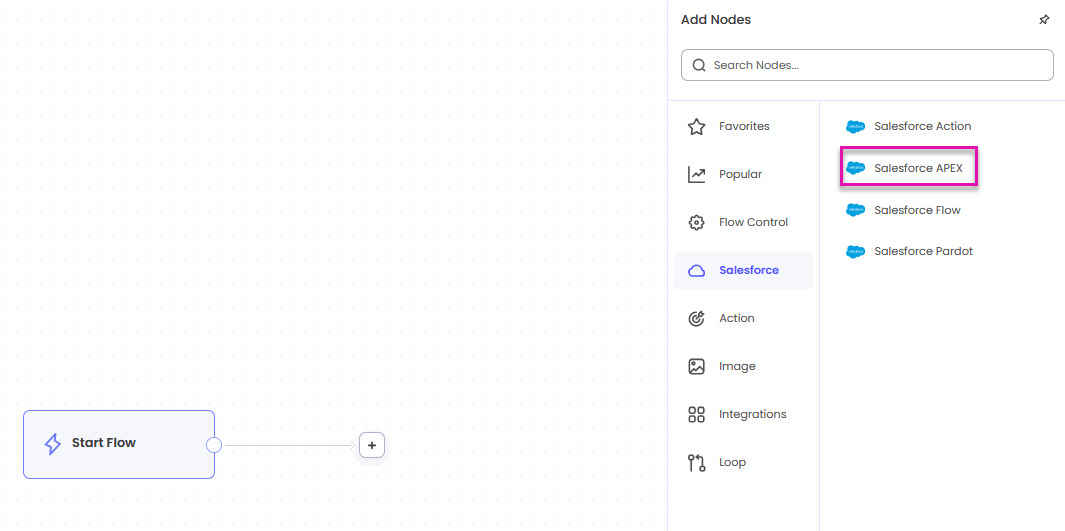
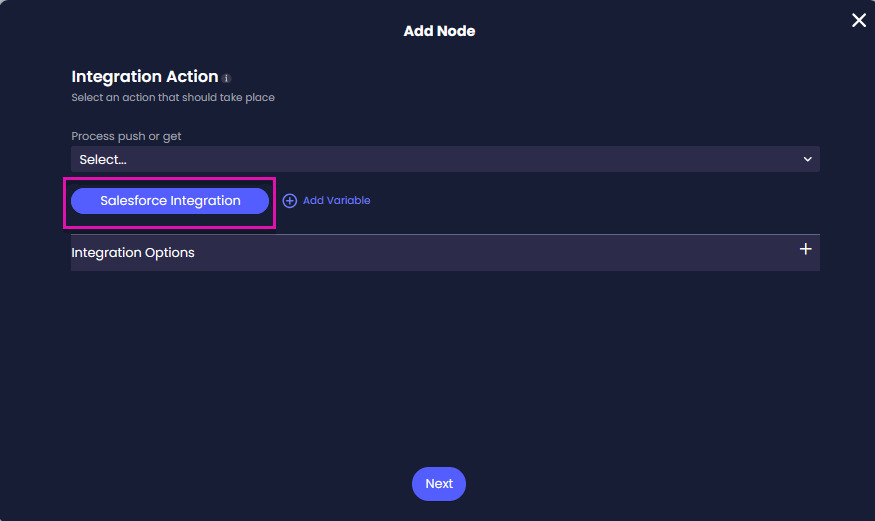
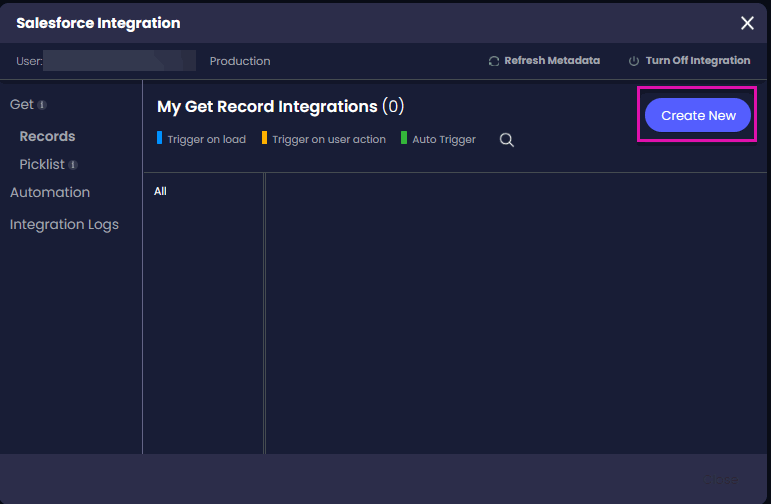
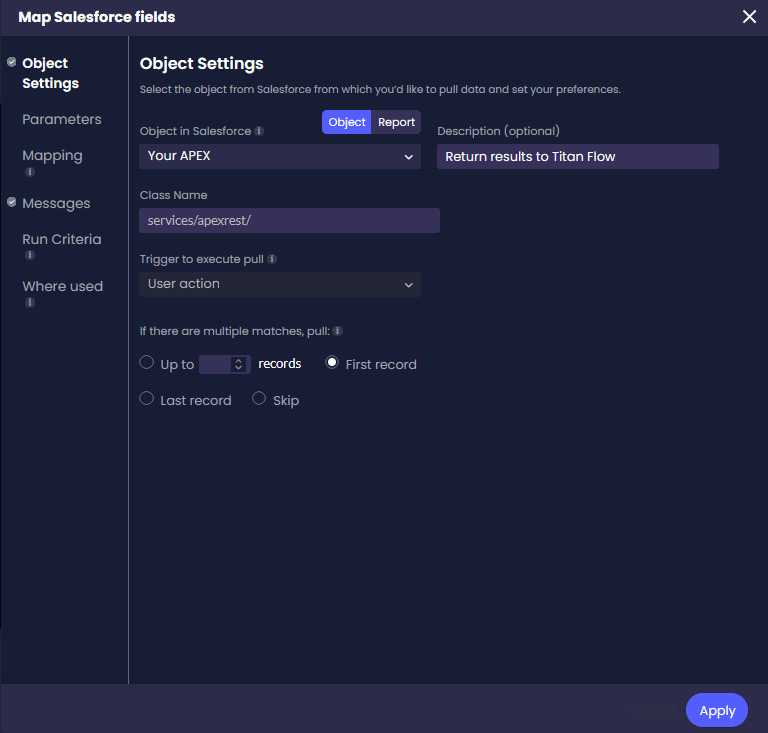
Note: The description appears below the integration under My Get Record Integration.
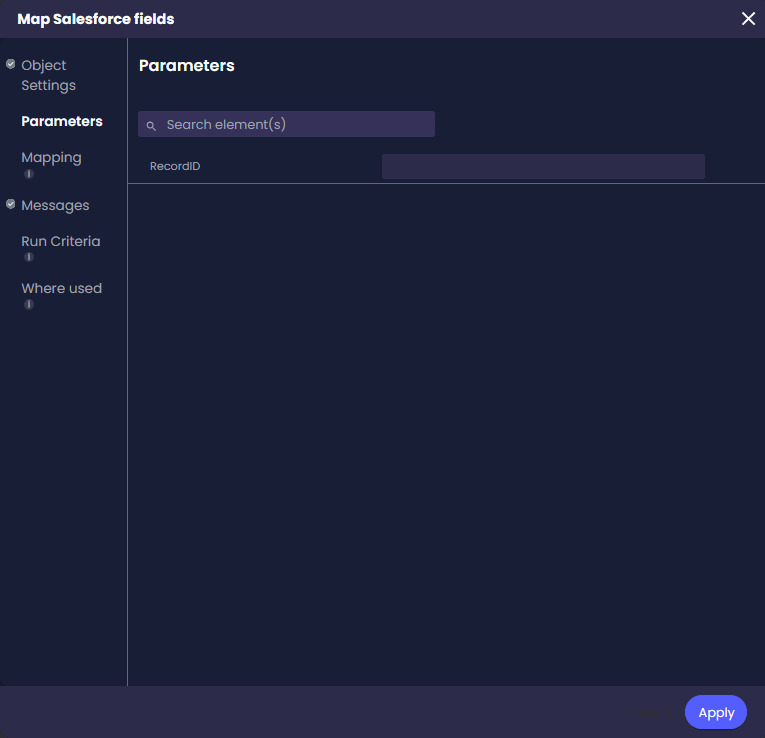
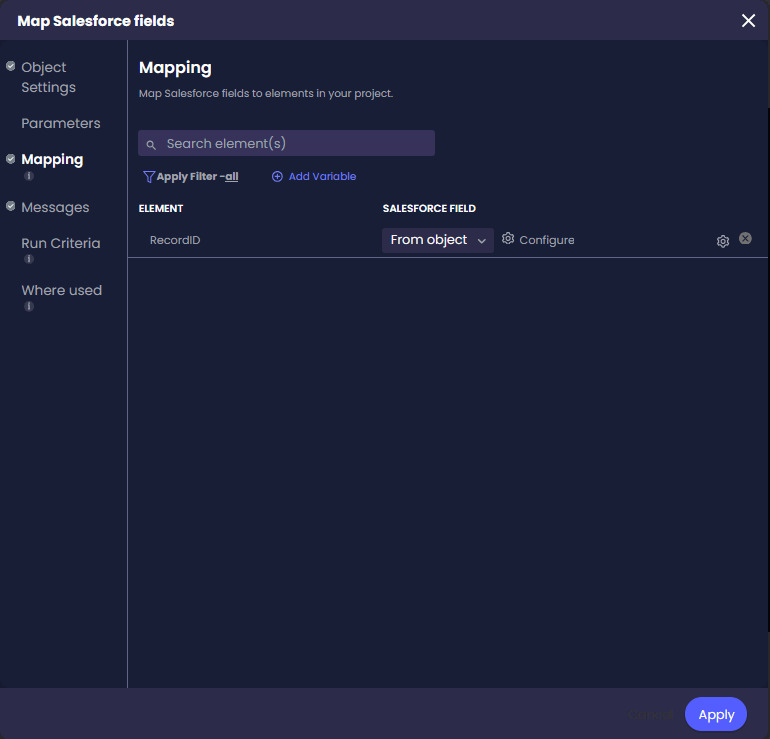
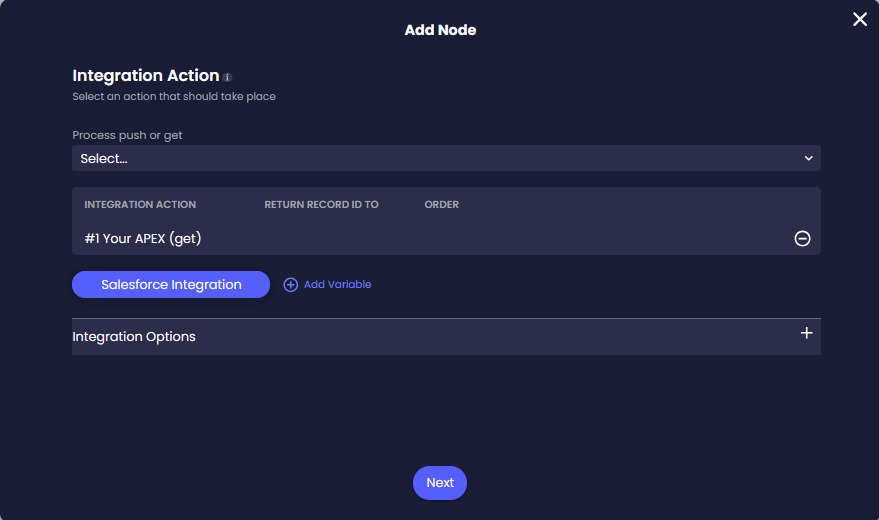
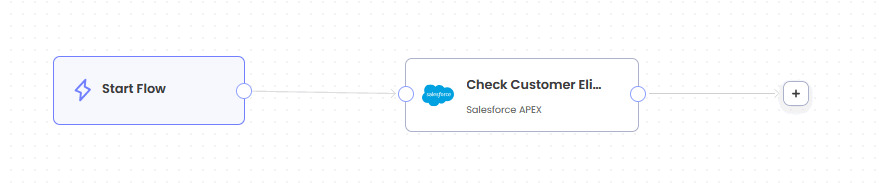
Connect the Apex node to the next step that should use its response.
Depending on your process, you could add:
If the Flow contains several branches, make sure each possible Apex result has a suitable path.
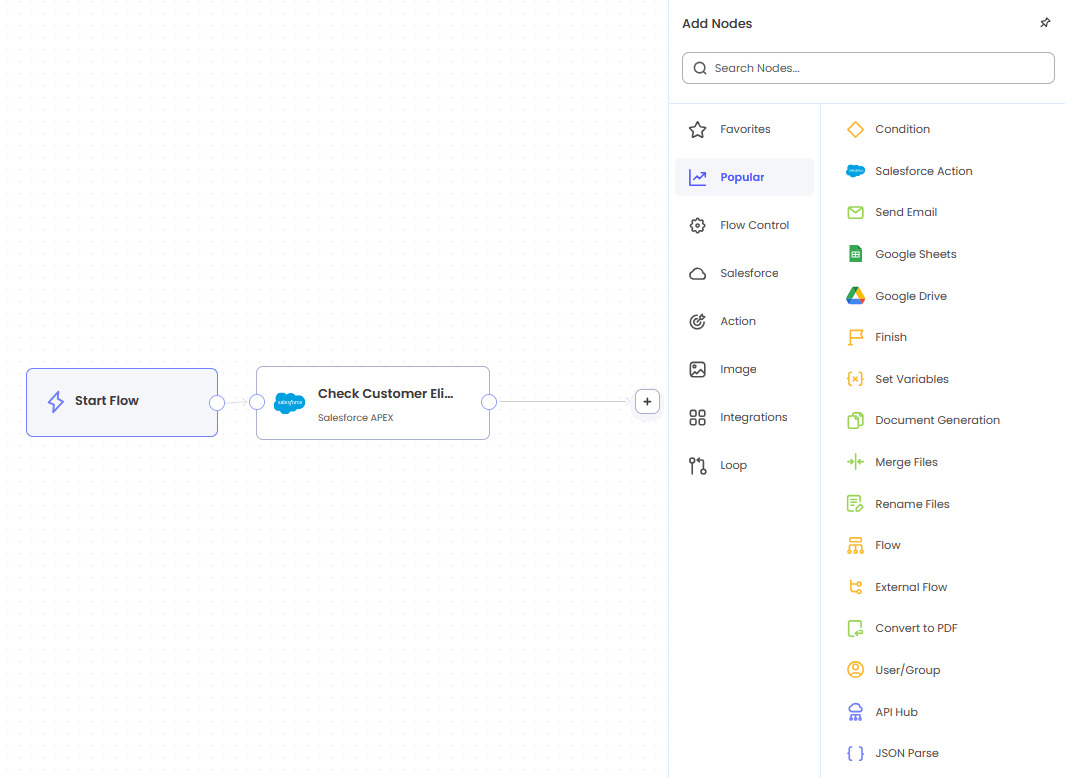
Test the Flow with representative data before publishing it.
Confirm that:
Where possible, test successful, unsuccessful, missing-data, and unexpected-response scenarios.
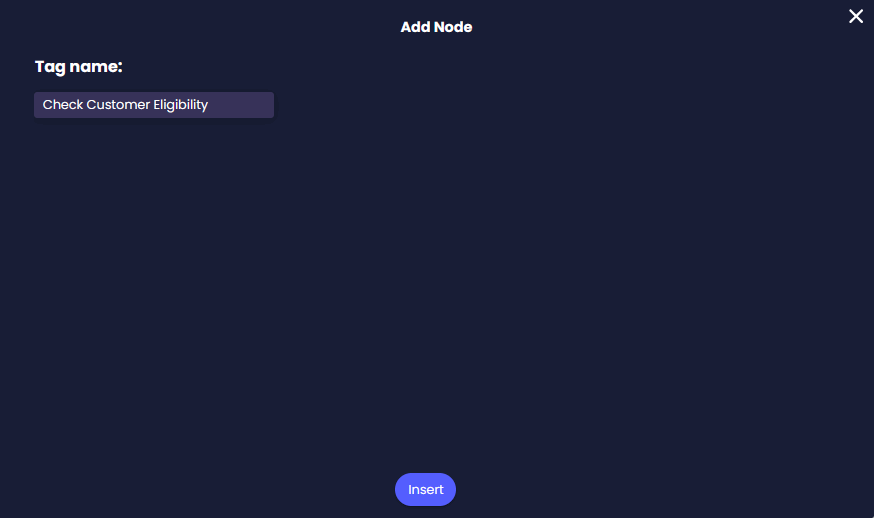
Name every rule and add a descriptive tag to each node. This makes the process easier to understand without having to open every node to check its configuration.
You can also:
If you save a reusable rule to the library, add a Finish node. You can then use the rule in other parts of the project without rebuilding the complete sequence.
Yes. You can call an existing Apex class if it is available in the connected Salesforce organization, supports the required inputs and outputs, and the connected Salesforce user has access to it.
You can map Salesforce record IDs, form entries, system values, custom variables, and other Flow values. The mapped values must match the parameters expected by the Apex class.
Yes. Map the returned value to a Titan value and reference it in a condition node. This lets the Flow follow a different path based on the Apex response.
Titan uses the Get option because the Flow calls the Apex class and receives mapped results from Salesforce. A standard Salesforce Push is typically used to create or update records.
The result depends on how the Apex class and Flow are configured. Test error scenarios and add a suitable message or alternate path so users know what to do when the action cannot be completed.
Yes. Descriptive tags make the Flow easier to review, test, and maintain, particularly when it contains several Salesforce actions or conditional branches.
Yes. If the Apex action is part of a longer rule that you need in several places, save the rule to the Action Flow Library and include a Finish node. This prevents you from rebuilding the same sequence each time.
Not necessarily. If you only need to retrieve, create, update, or delete Salesforce records, a standard Salesforce action is usually more suitable. Use Apex when your process requires custom Salesforce logic.
Trigger Titan Flow From Salesforce Flow
Configure a Salesforce Action in Titan Flow
On this page









