How can we help you?
Stored submissions let you save information entered in a Titan Web project without immediately creating or updating records in Salesforce.
This is useful when someone needs to:
Titan stores the captured information in a consolidated JSON file. You can load this information back into the project or use it in another Salesforce or external process.
A customer starts a multi-page application but does not have all the required information available. They select Save Draft, and Titan stores the information they have entered.
Titan saves the unique Submission ID so the correct draft can be loaded when the customer returns. After completing the remaining fields, the customer can submit the final application to Salesforce.
If the Salesforce push fails due to a validation rule or a missing value, the submission can also be reviewed, corrected, and resubmitted in My Submissions.
Titan Web provides two ways to save submission information:
A Submissions action lets you decide what information to store and when Titan must save it. You can store an individual field, a field group, a strip, or an entire page.
Use this option when you want to create a draft process that lets someone save and continue later.
The Save to My Submissions option creates a backup whenever someone attempts to send information to Salesforce through a push integration.
Titan saves the submission record and its associated JSON file, even when the Salesforce push fails. Administrators can then review the failure, correct the submitted values, and resubmit the information.
Enabling this option does not replace your Salesforce push. It creates a recoverable record of the push attempt.
The following steps show you how to configure a button that stores information from a Titan Web project as a new submission.
In this example, someone can select Save Draft to store their progress without creating or updating other Salesforce records.
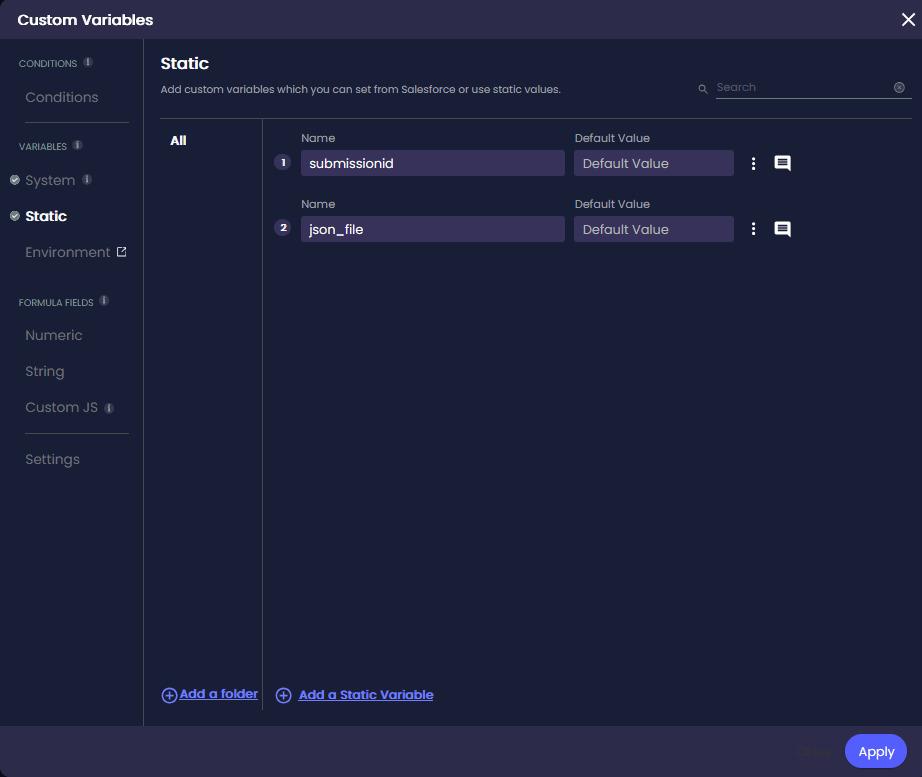
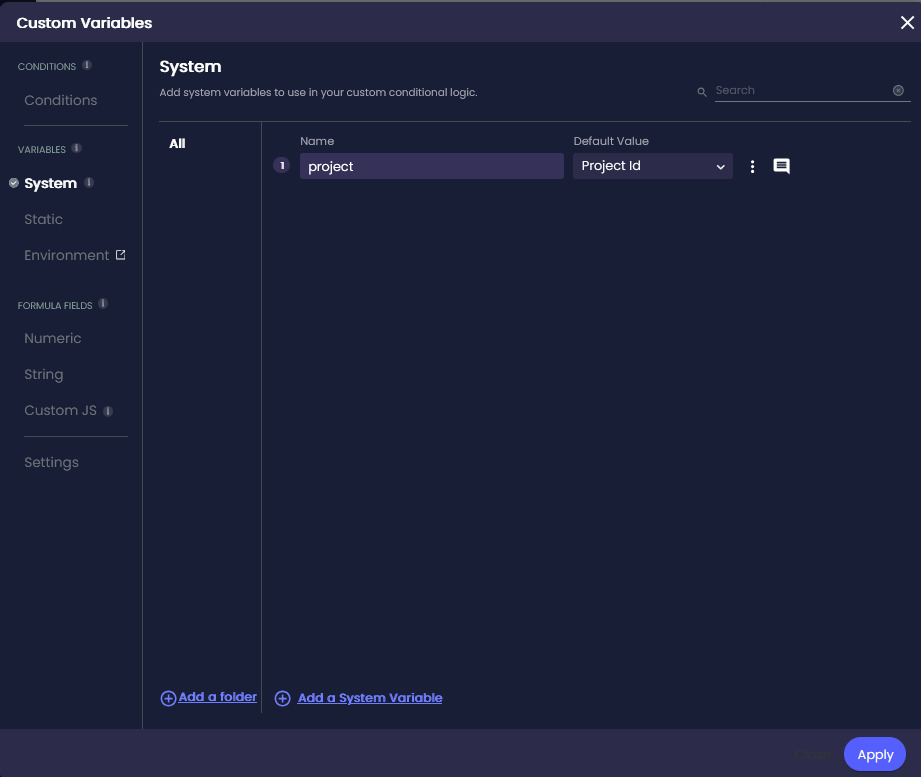
Before configuring the button action, create variables that Titan can use to store the Submission ID, submission JSON, and Project ID.
The Submission ID identifies the individual submission. The Project ID identifies the Titan project that created it. You will need both values to load the stored submission later.
Titan assigns a unique ID when it creates a submission. Storing this ID in a variable lets you identify the submission when you need to load, update, or delete it.
The JSON variable stores the captured form information in JSON format. You can use this value in another Salesforce action or send it to another service. This variable is optional if you only want to store the submission in the Titan-managed package.
The Project ID connects the stored submission to the Titan project that created it. Titan uses the Project ID with the Submission ID when loading saved information. This helps prevent information from being loaded into the wrong project.
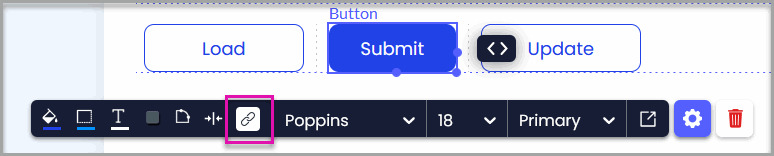
Add a button to the project that users can select to save their information.
Use a clear label, such as “Save Draft,” so the person understands that their progress will be saved without being sent to Salesforce as final data.
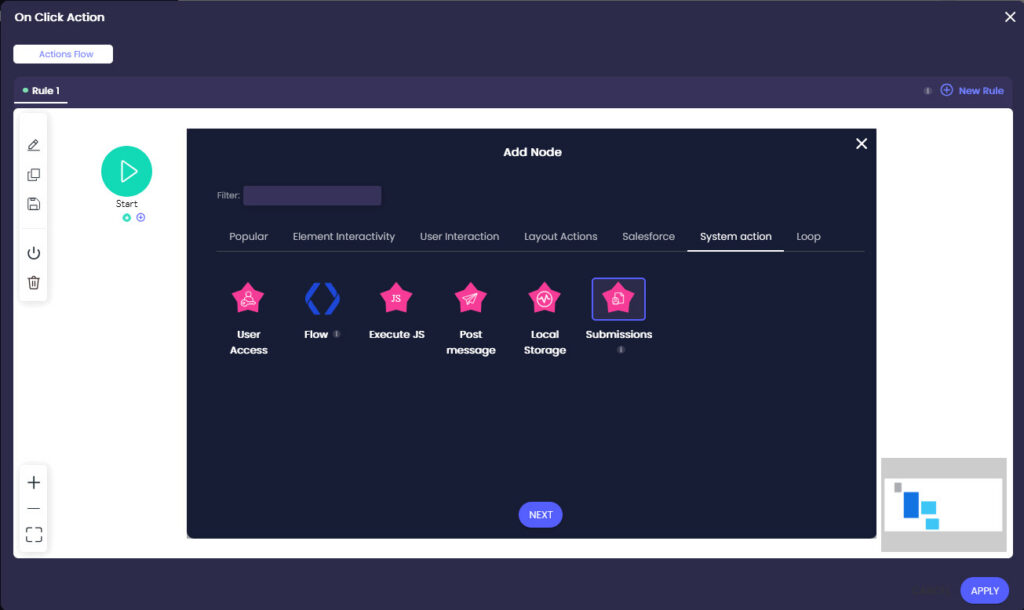
The On Click Action controls what happens when the user selects the button. You will use it to add the Submissions node that stores the configured form information.
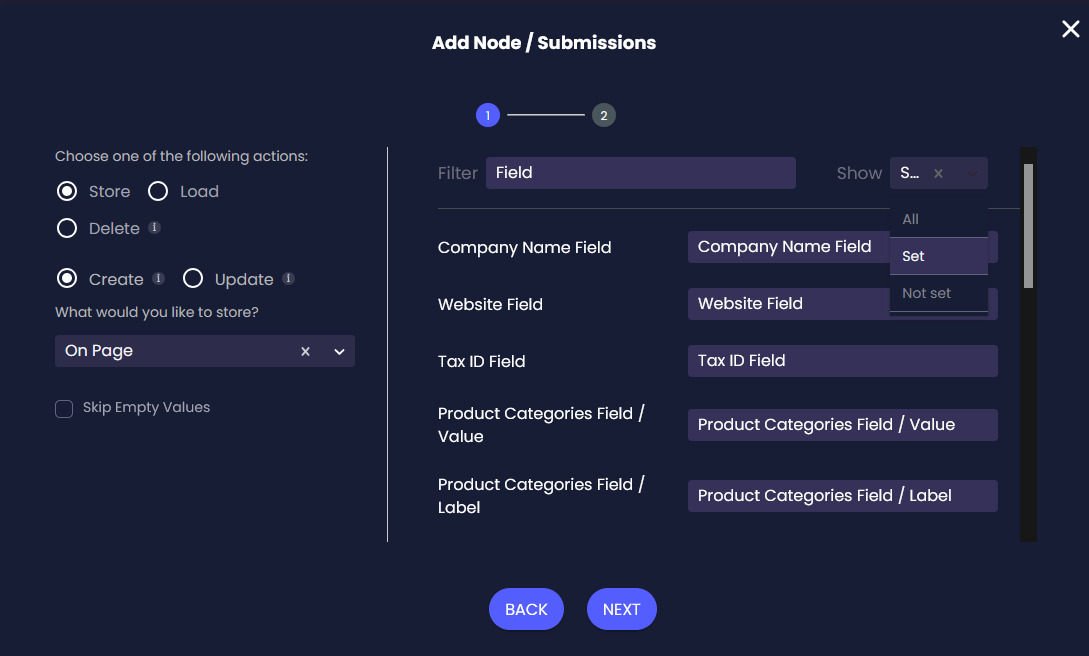
The Submissions node lets you create, load, update, or delete stored submissions. For this process, you will use the node to create a new submission.
Select Create when saving a new submission. Use Update when you need to change a previously stored submission.
You can select one of the following options:
| Option | When to Use It |
|---|---|
| On Page | Store information from the current page. This is useful for saving one step of a multi-page form. |
| From Strip | Store information contained within a specific strip. |
| Field | Store the value of one field when you only need a specific piece of information. |
| Field Group | Store several related fields together. |
Choose the smallest suitable area for your process. For example, select Field when you only need to store an email address, or select On Page when you want to save a complete application step.
Skipping empty values can make the stored JSON easier to review. Leave the option cleared when blank values have meaning or must replace previously stored values.
This is useful when the selected page contains many fields, and you do not want to scroll through the full list.
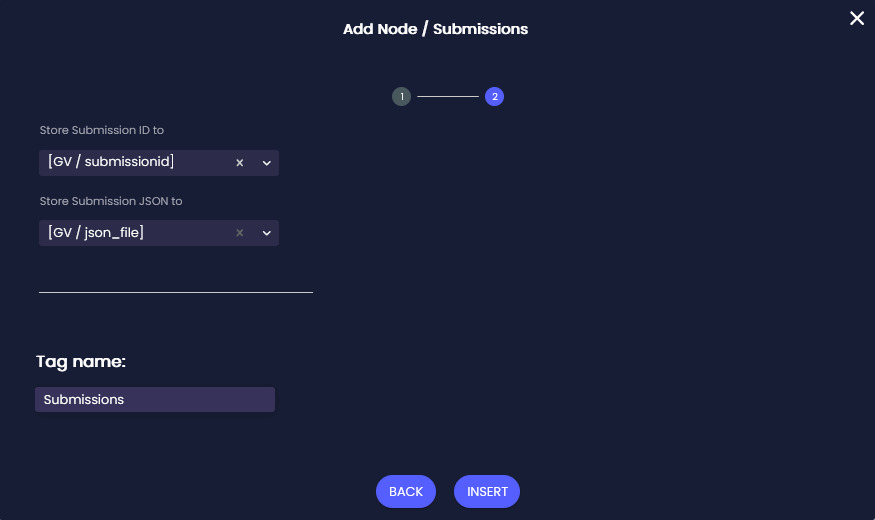
Store the Submission ID and JSON
Titan places the unique ID generated for the new submission in this variable. Keep this value if you want to load, update, or delete the submission later.
Titan places the captured submission information in this variable as JSON. You can use the variable in a later action to:
You can leave Store Submission JSON to empty if you do not need to use the JSON in another action.
A tag makes the node easier to identify when the action flow contains several nodes.
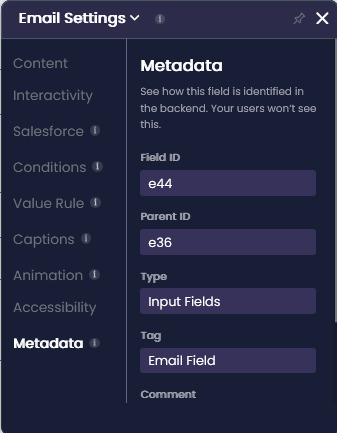
Titan uses an element’s tag to identify its value in the stored submission.
Add a unique and meaningful tag to each field you want to store. Clear tags make the JSON easier to read and help you identify values when loading or processing the submission later.
For example, you could use:
If an element does not have a tag, Titan uses its field ID. Field IDs can be harder to recognize when the JSON contains many values.
When someone selects the button, Titan stores the configured information and saves the generated Submission ID and JSON to the selected variables.
The stored submission does not create or update records in your other Salesforce objects unless you add a separate Salesforce action to the flow.
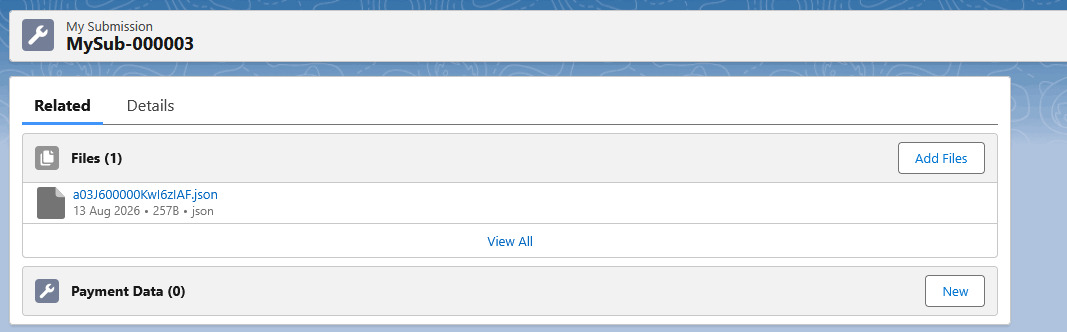
You can use the Salesforce Integration Logs to confirm that Titan created the submission record and its associated JSON file.
The logs show separate entries for:
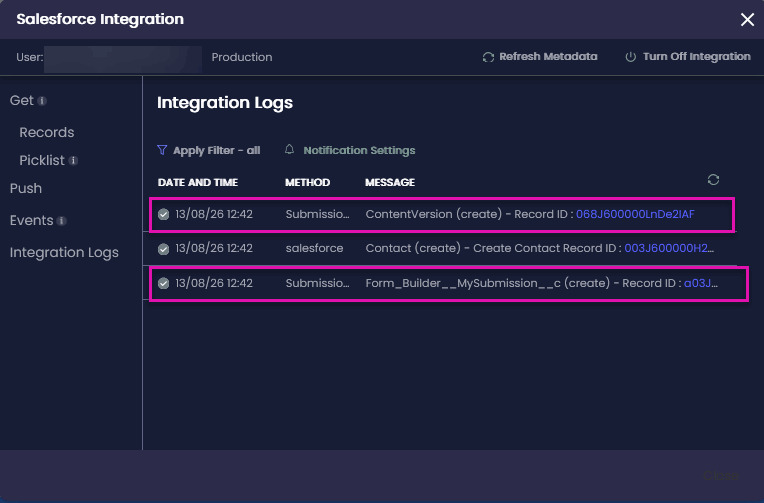
The submission record provides a central location for the saved form information and its associated file.
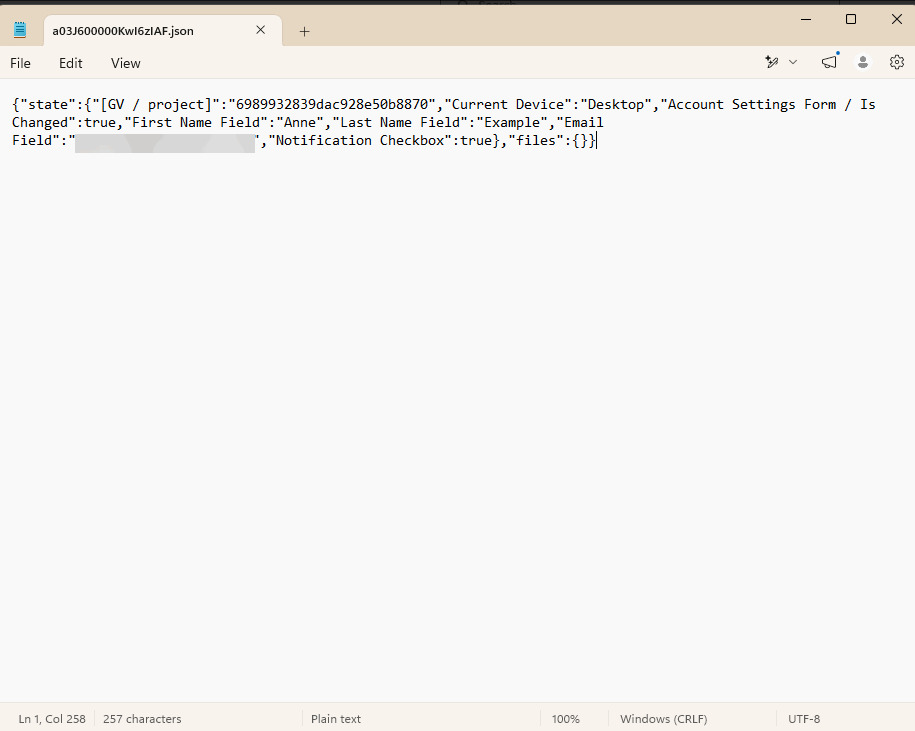
The JSON file displays the information Titan captured from the selected fields, field group, strip, or page.
Review the file to confirm that:
No. A Submissions action saves the selected information as a stored submission. It does not create or update records in your other Salesforce objects unless you add a separate Salesforce action to do so.
A Submission action is configured within an action flow and is commonly used to save drafts.
Save to My Submissions automatically creates a backup when someone attempts a Salesforce push. It helps administrators recover and resubmit information when an integration fails.
Both values are required when loading a stored submission. The Submission ID identifies the saved submission, while the Project ID confirms which Titan project it belongs to.
No. The JSON variable is optional. Configure it when you need to pass the stored information to another Salesforce action, object, or external integration.
Yes. You can configure another Submissions action to load the stored information. Titan requires the correct Submission ID and Project ID to retrieve the submission.
Yes. Select the Update option when configuring the Submissions action, then provide the correct Submission ID. Titan can then update the existing stored information rather than create a new submission.
Yes. When Save to My Submissions is enabled, administrators can open a failed submission, correct its data, and resubmit it to Salesforce.
Yes. My Submissions supports available bulk actions, including deleting or resubmitting multiple submissions.
On this page









