How can we help you?
When users need to access protected pages or sensitive information, you can use two-factor authentication to add an extra layer of verification. Instead of relying only on a username, email address, or password, users must also enter a code sent to a verified email address or mobile device.
This helps confirm that the person trying to access the project is the intended user and reduces the risk of unauthorized access.
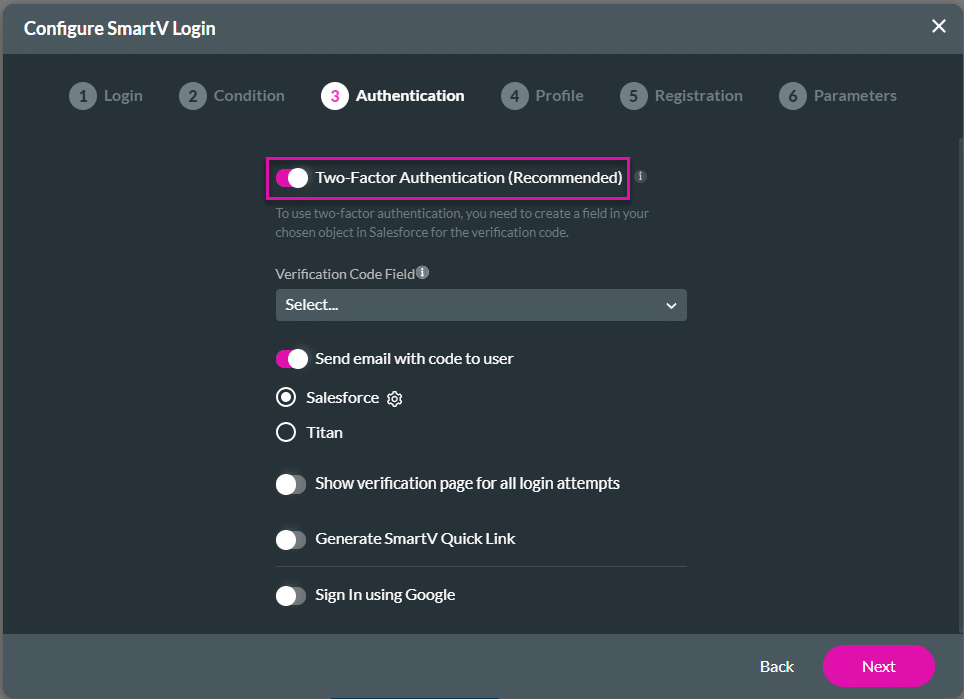
Titan lets you set up 2FA with SmartV Authentication to help secure access to your project. Users can verify themselves with an additional authentication code before continuing, giving you more control over who can access protected pages or project data.
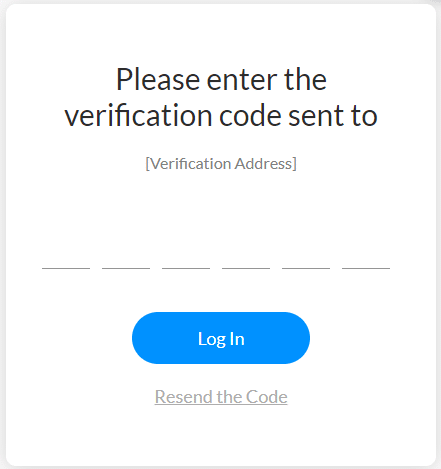
The standard 2FA screen looks as follows:
Note:
To use two-factor authentication, you need a number field in your chosen Salesforce object for the verification code that can hold at least 6 digits. This field will hold the code to compare against the code the user inserts, regardless of the time that has passed between generating the code and the user inserting it. If the code the user enters does not match the code in this field, the user will be denied access.

Note:
It is recommended that you use the default Salesforce option.


On this page









