How can we help you?
When your project uses Titan services such as document generation, Flow, reports, submissions, or project analytics, the right API access must be enabled. API access controls specify which parts of Titan a user or role can access, helping you manage access to project data and outputs.
This is important when teams need to create documents, run automated processes, view reports, manage submissions, or access project statistics.
Titan lets you manage API access for key project areas, including Objects, Themes, Reports, Users, Submissions, and General Statistics.
By granting the appropriate API access, you ensure users have the permissions they need to work with Titan outputs, such as document generation and Titan Flow, while keeping access aligned with your project requirements.

Note:
For information and details on external APIs, visit Titan API Portal.
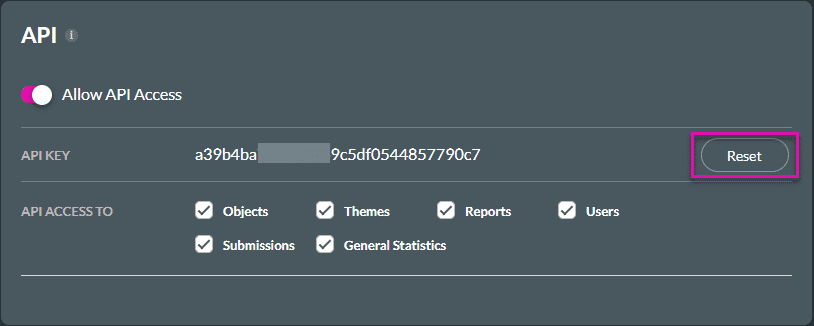
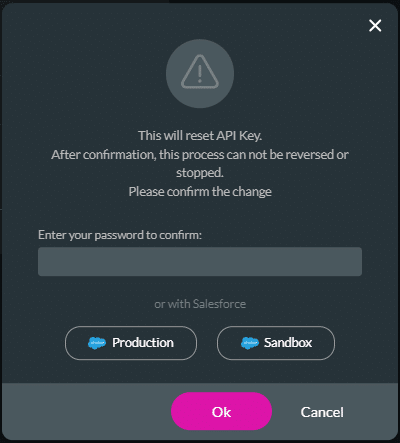
You can click the Reset button to reset the API Key. Then, you must enter your password to confirm that you want to reset the API.
Warning:
Resetting your API key will seriously affect your Titan processes in Salesforce.
This process cannot be reversed or stopped.
On this page









