How can we help you?
When Salesforce community users need to access an external project, you can use single sign-on to let them open the project with their Salesforce login. This helps create a smoother access process because users do not need separate login details for the project.
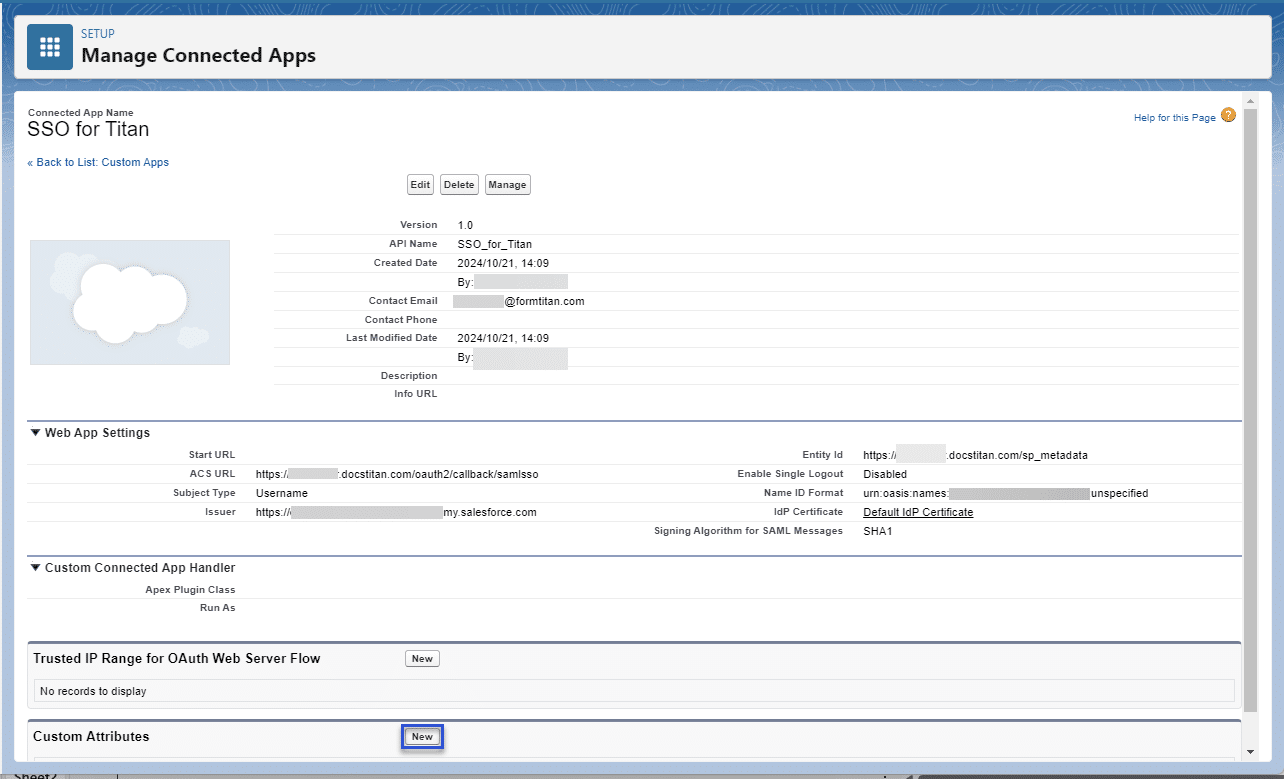
Salesforce SSO with Titan can also pass custom variable attributes from Salesforce into the project. This is useful when the project needs to show user-specific information, apply permissions, or continue a process based on the logged-in Salesforce user.
Titan lets you configure single sign-on, so Salesforce community users can access an external project through their Salesforce session. When users interact with the project, Salesforce Get and Push actions run according to the logged-in user’s Salesforce profile.
For example, if a community user creates a Contact in Salesforce through the project, the record is created using that user’s profile details. Ensure the user’s permissions in the project match their permissions in Salesforce, so access and data actions work as expected.


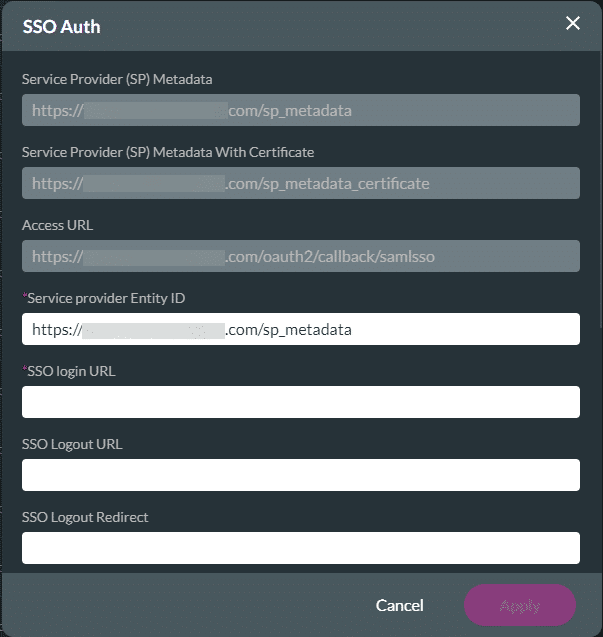
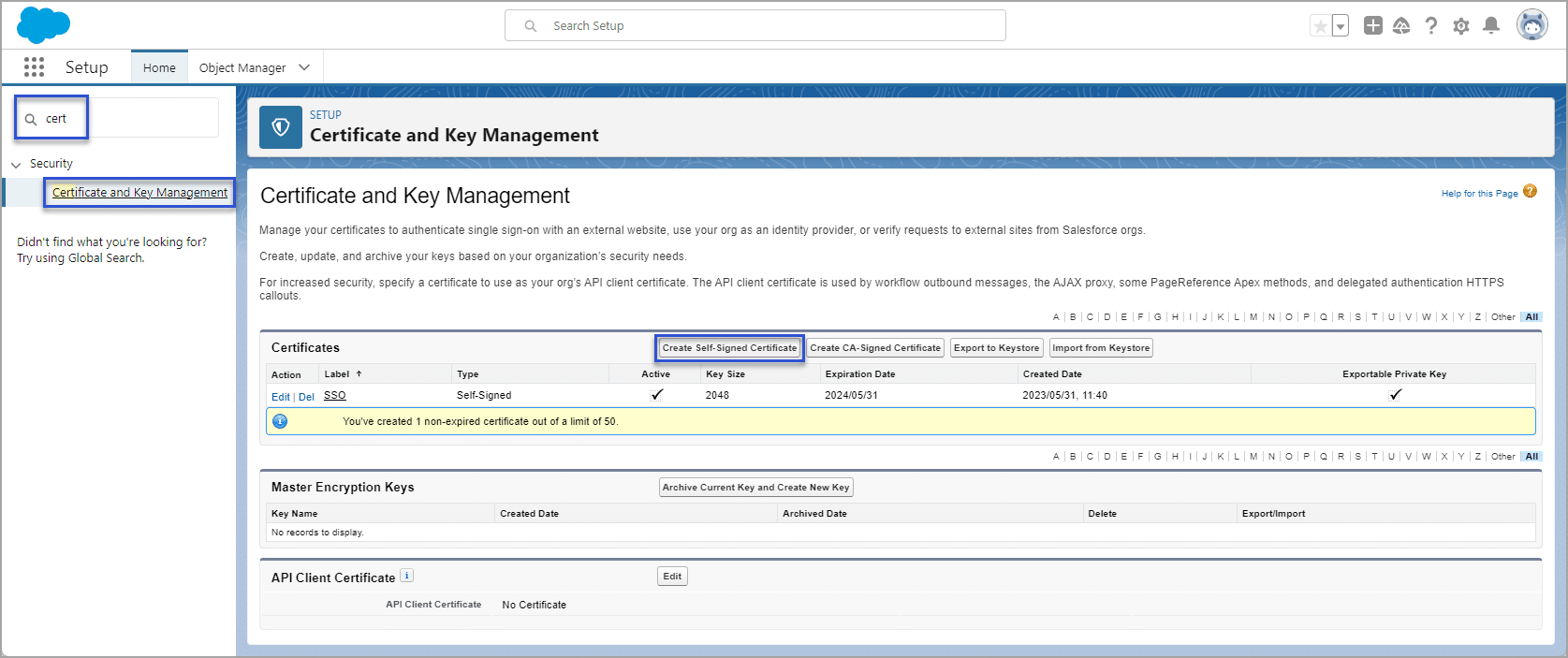
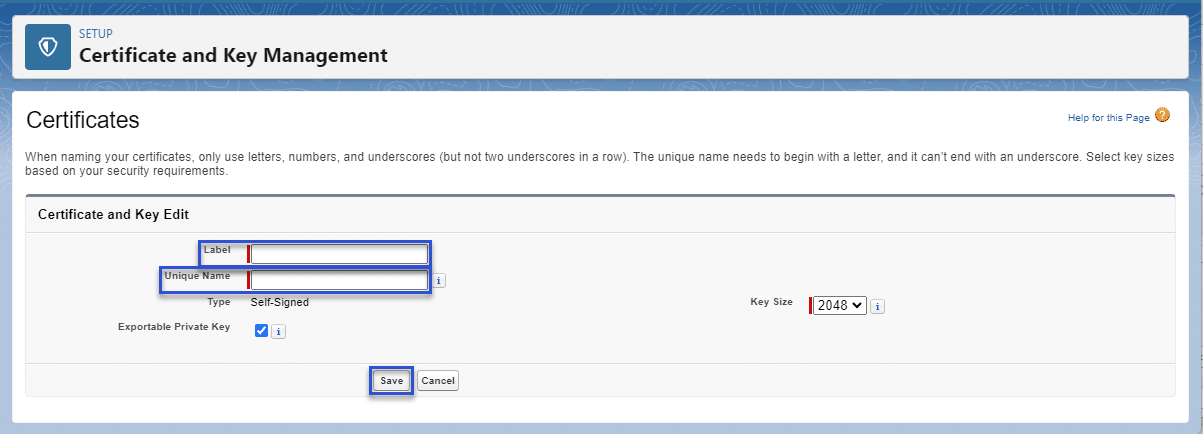
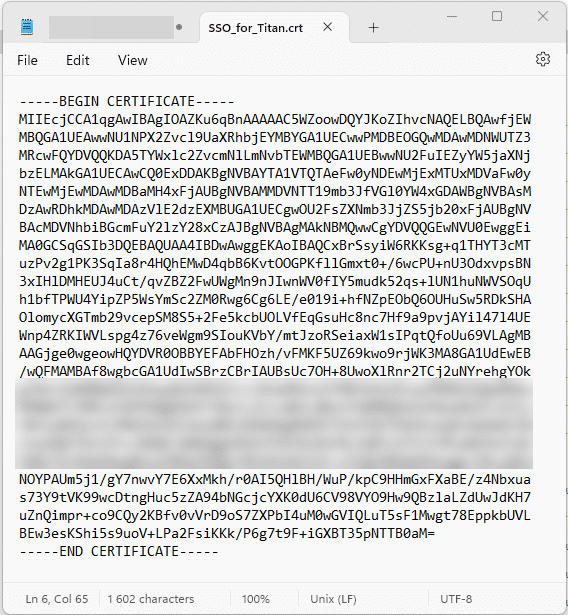
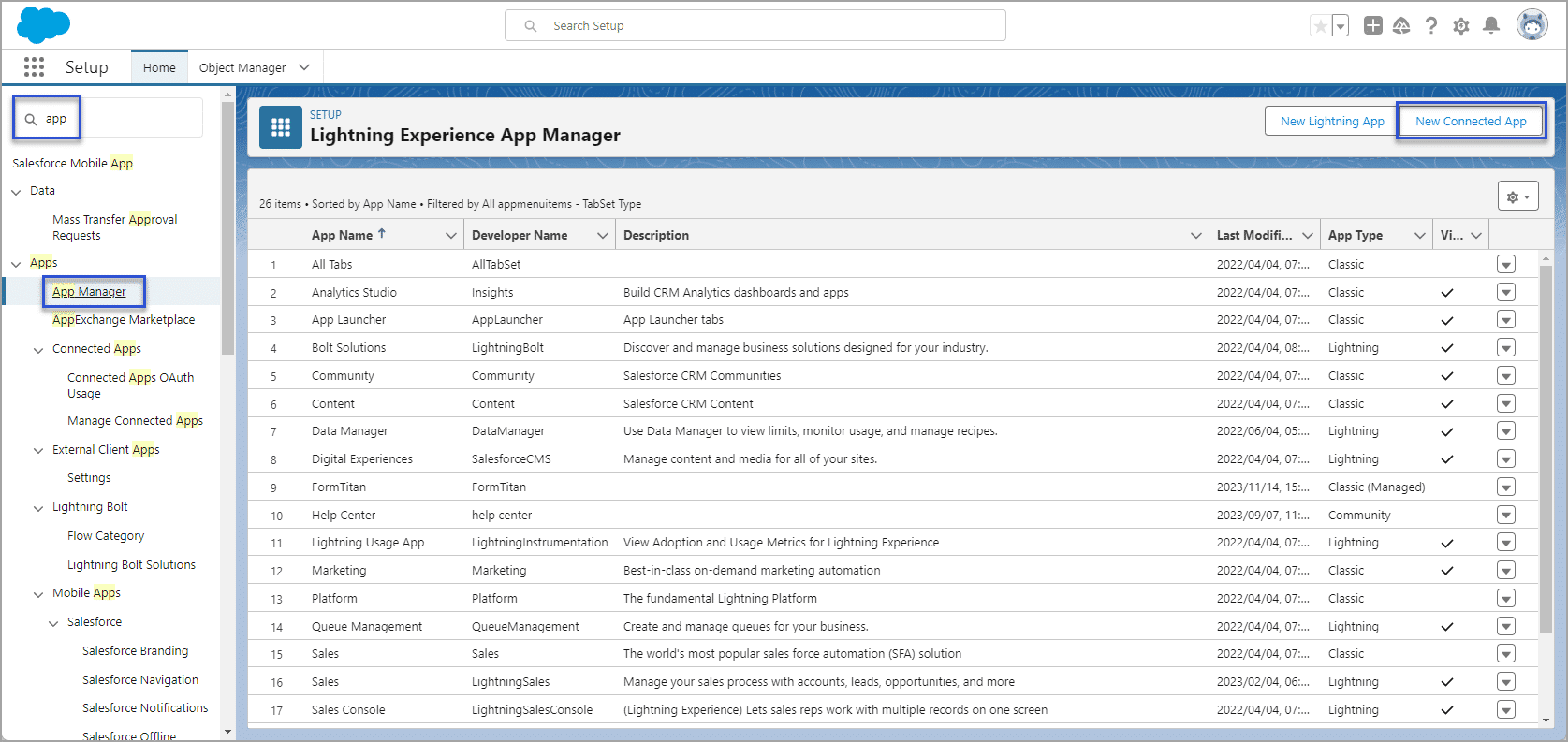
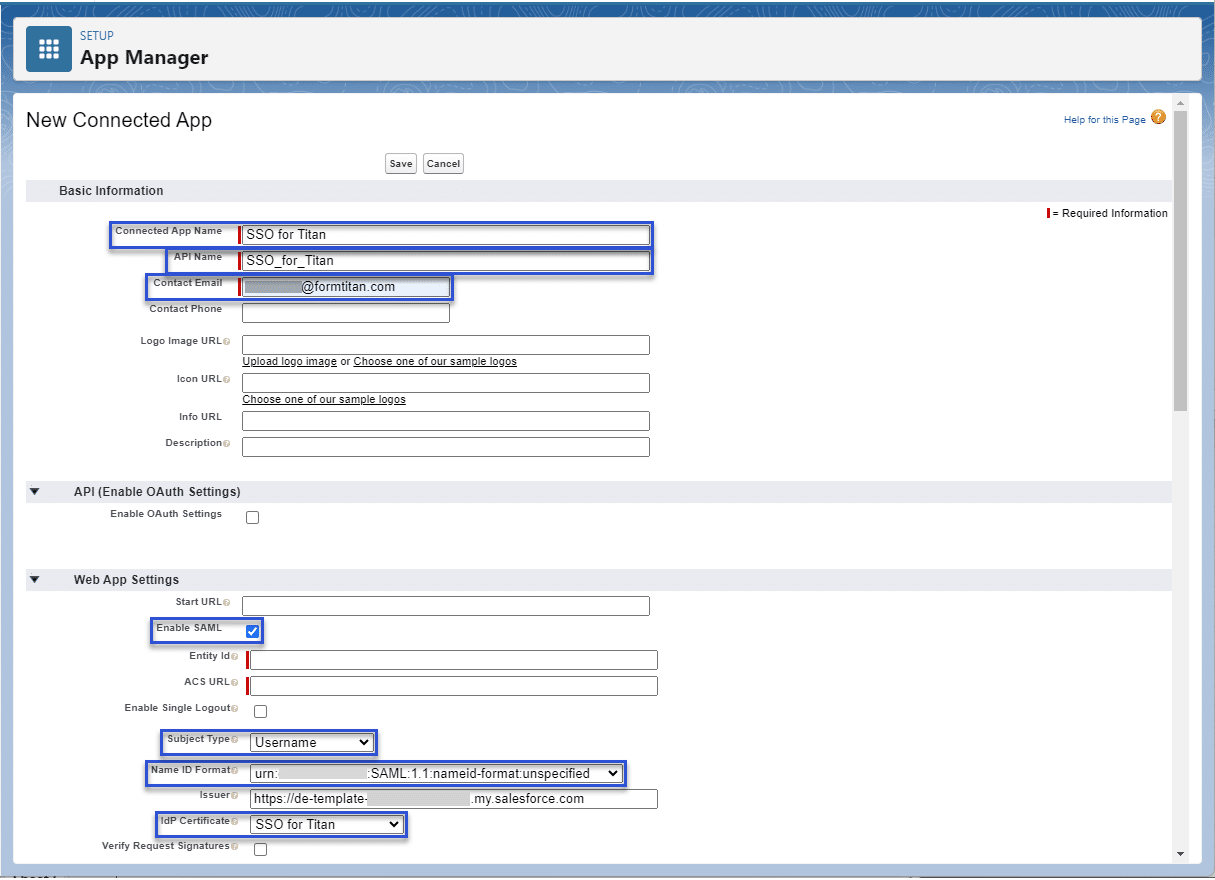
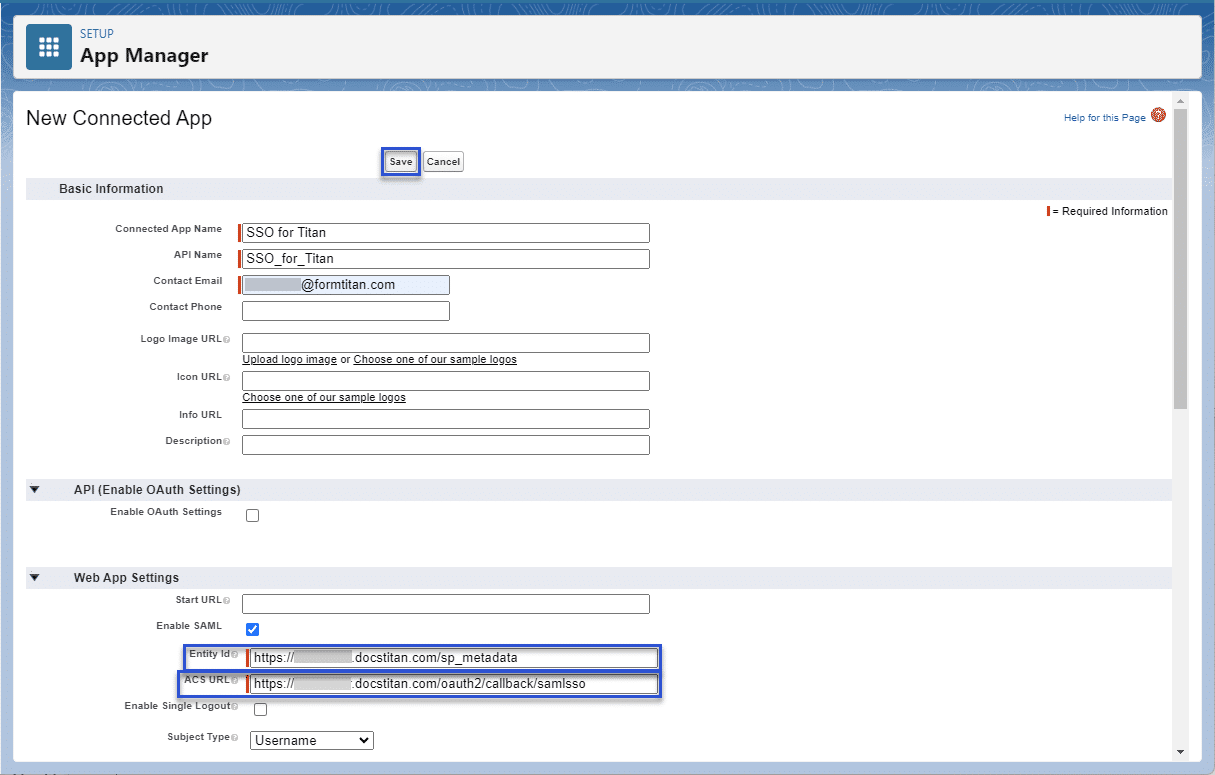
To complete the following screen, do the configuration in Salesforce.



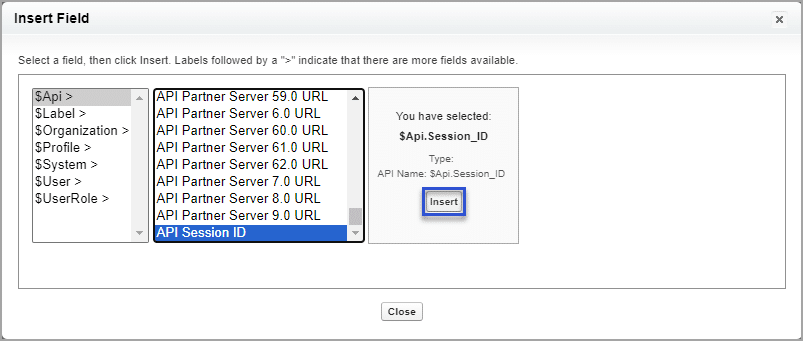

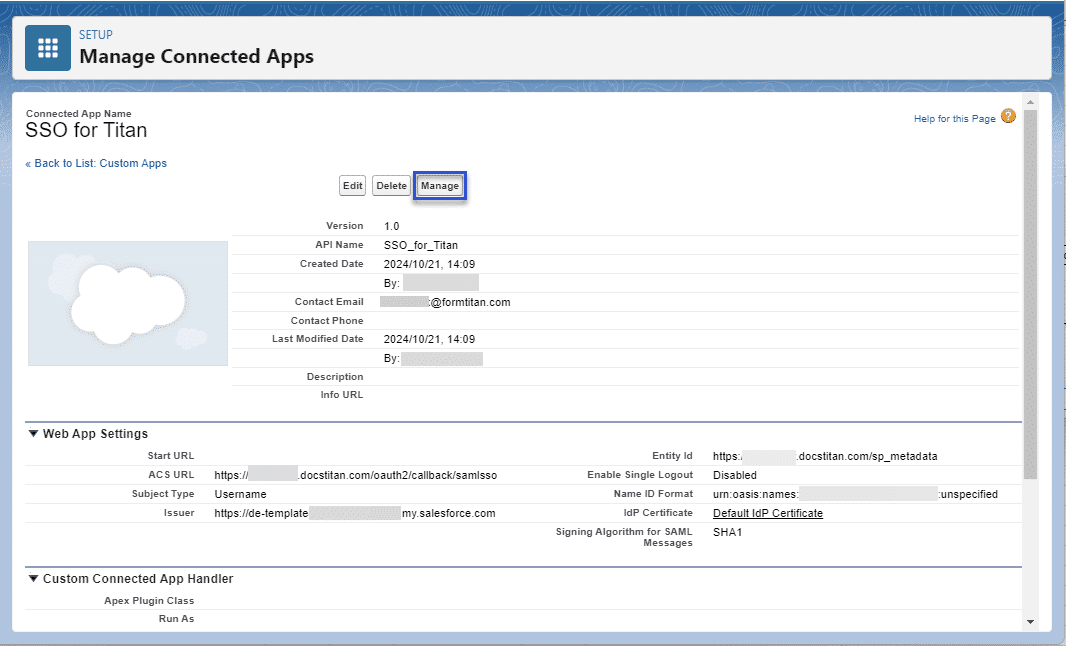
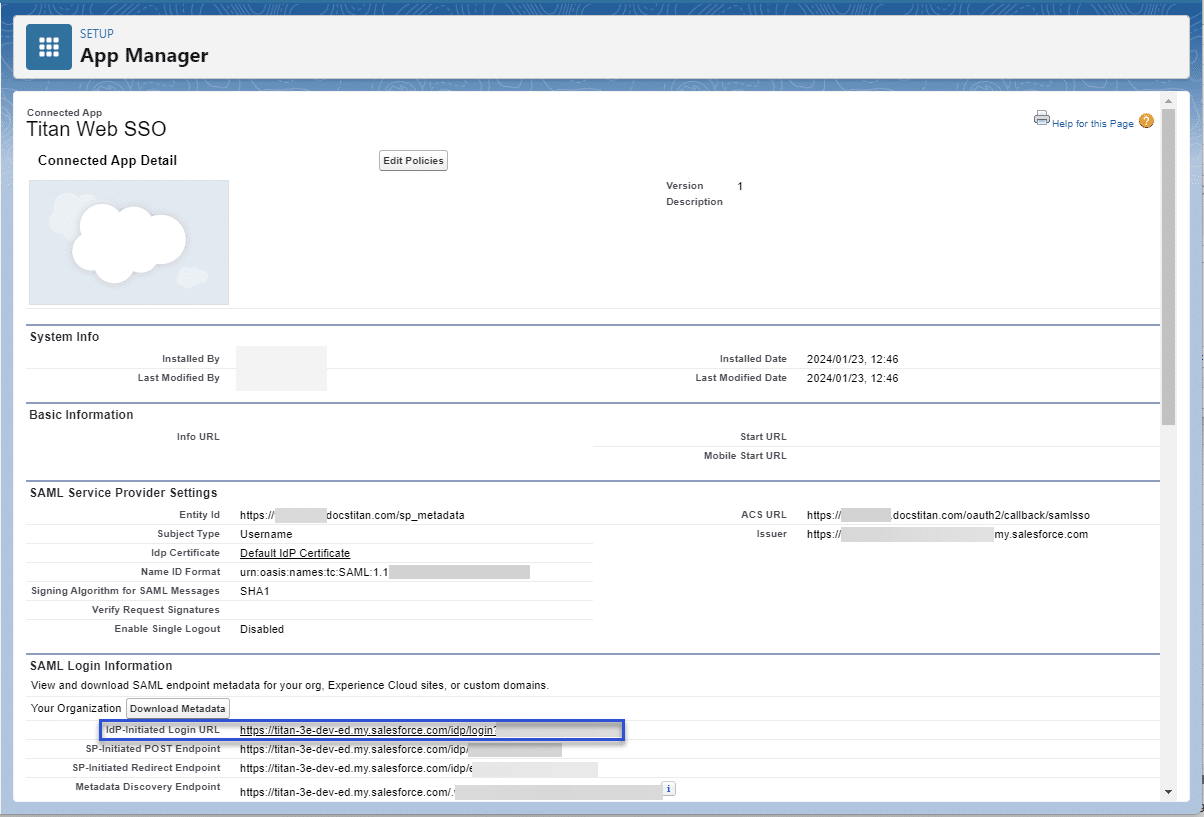

Note:
When you authenticate a community, make sure to select a valid community and log in on the community screen.
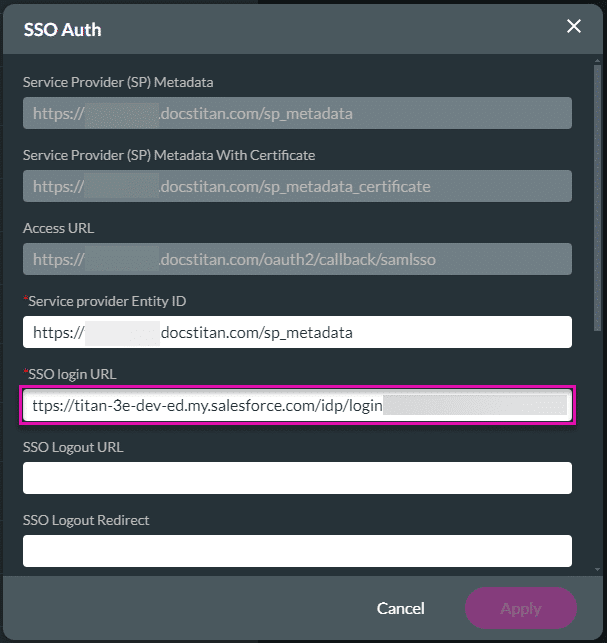
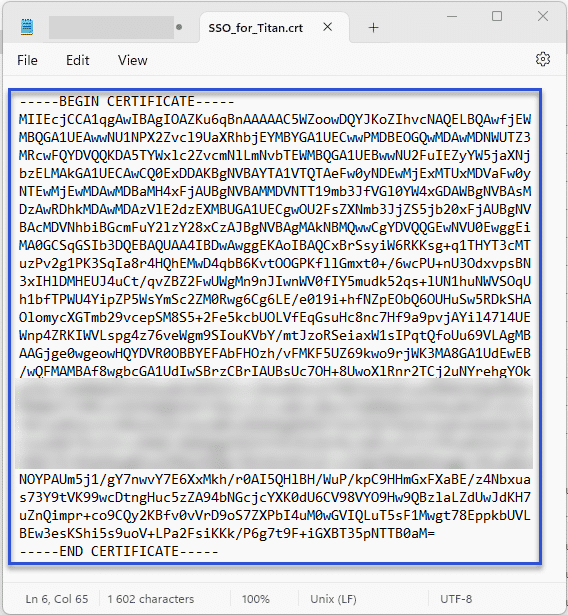
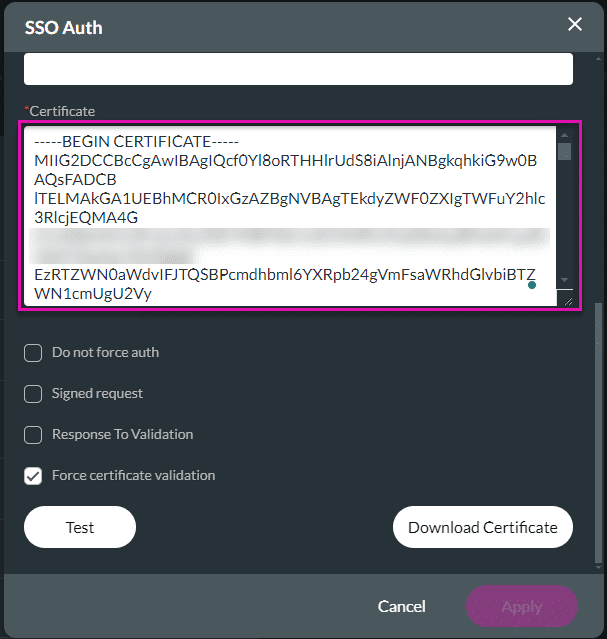


You will be asked to log in first to access your project. A verification code will be sent to your email address to verify your account. You can also set pages in your project to public (available to anyone) or SSO enabled (authenticate verification).
You can edit the SSO settings by clicking the Edit button.

On this page









