How can we help you?
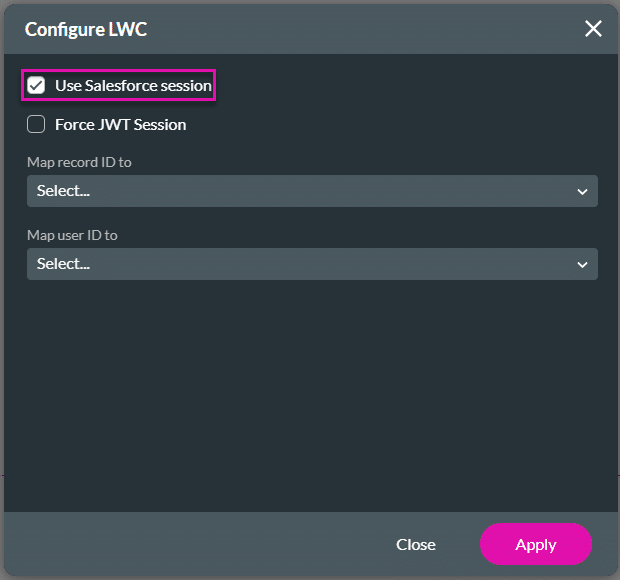
This is useful when you want users to complete forms, update records, or work through a process while staying on the relevant Salesforce page. The logged-in Salesforce user’s session is used, so Salesforce permissions still apply. Users can only view, edit, or create the objects and records they are allowed to access in Salesforce.
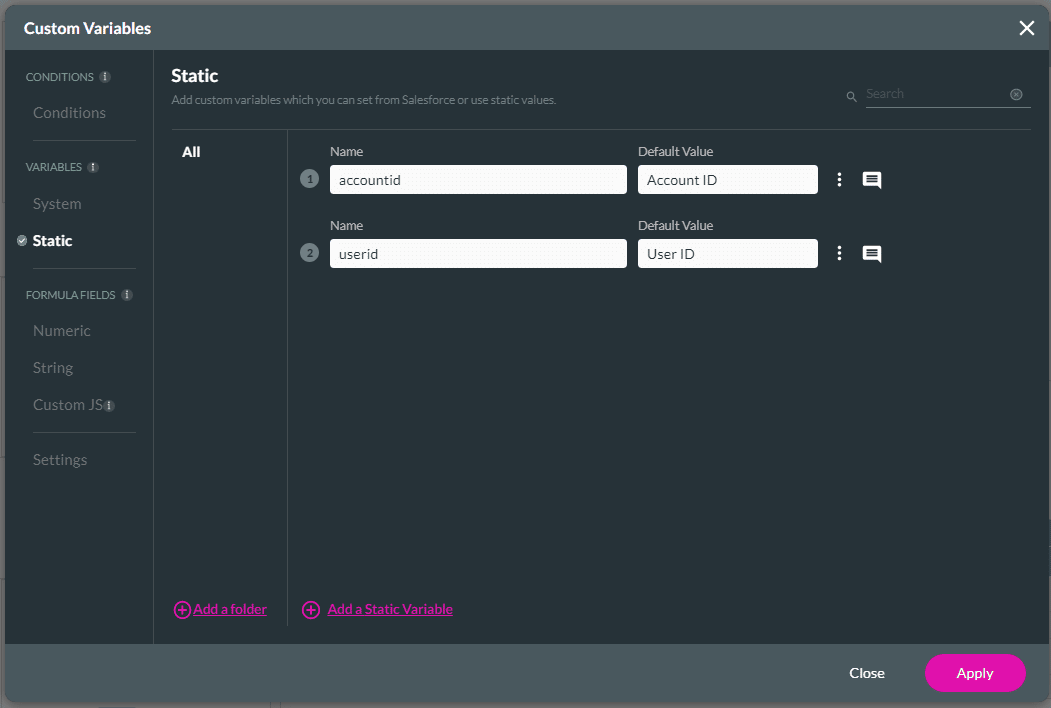
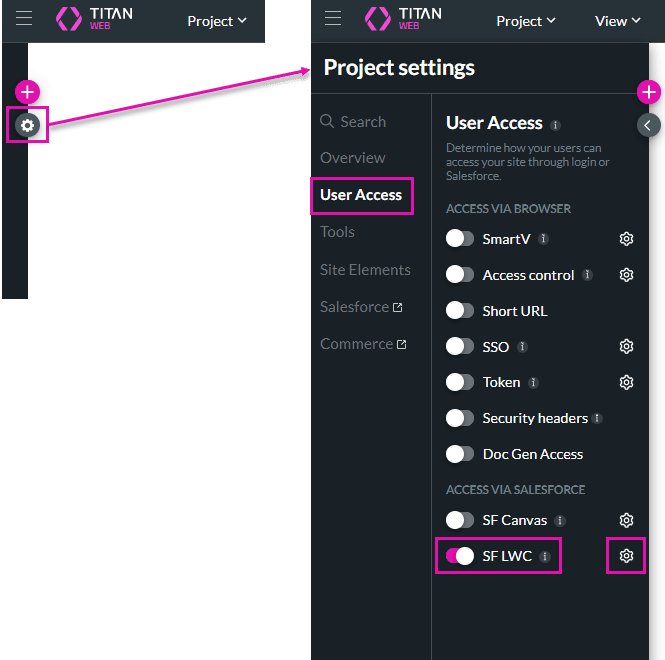
Titan lets you embed an external project in Salesforce using a Salesforce Lightning Web Component. This allows Salesforce and community users to access the project from the relevant Salesforce page.
A project embedded through Salesforce LWC can only be accessed from Salesforce. When users open the project via the LWC, their Salesforce permissions apply to supported actions and data access.
Collaborator usage may apply when users access the project through Salesforce LWC.


Note:
You can have community or standard users in Salesforce with different profiles. Any Salesforce Push or Get will run on the logged-in user’s profile. For instance, if a community user creates a new contact in Salesforce, the contact will be created with that user’s profile details. If the logged-in user doesn’t have the permissions to create a new user, they will not be able to do so. It is suggested that you ensure users who have access to the Web project in Salesforce also have the necessary permissions to use all objects.
Note:
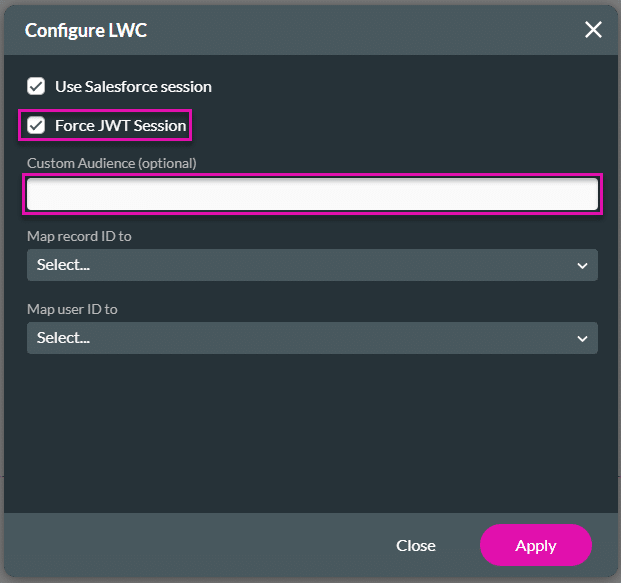
The JWT* enables the sharing of identity and security information across security domains. Salesforce validates the JWT using a previously configured certificate and additional parameters. Assuming that the JWT is valid and that the connected app has prior approval, Salesforce issues an access token. Titan authenticates on the server side between Salesforce Experience Cloud and Titan, and uses a JWT to run the user’s session.
* JSON Web Tokens

Note:
If there is a warning message: “Select an insertion point for the component, either in an empty region or before or after another component,” click the OK button.


On this page









