How can we help you?
When you build a web project, you should ensure that everyone can perceive, understand, navigate, and interact with your content. This includes people who use screen readers, keyboard navigation, touch controls, or other assistive technologies.
Accessibility elements help you create a better experience for people with visual, auditory, physical, cognitive, neurological, speech, and other disabilities. They can also make your project clearer, easier to use, and more consistent for everyone.
Accessibility is important because it helps you avoid excluding people based on ability or technology needs. It may also support compliance with accessibility standards and regulations that apply to public, educational, or commercial digital services.
Titan supports accessibility across its products and continues to improve how accessible projects are built and used.
You can configure accessibility elements to provide text alternatives for non-text content, support assistive technologies such as screen readers, and enable users to interact with controls via keyboard, mouse, touch, or other input methods.
Titan also supports accessibility needs such as clear content structure, distinguishable colors, and appropriate contrast, making your web projects easier to navigate and use.
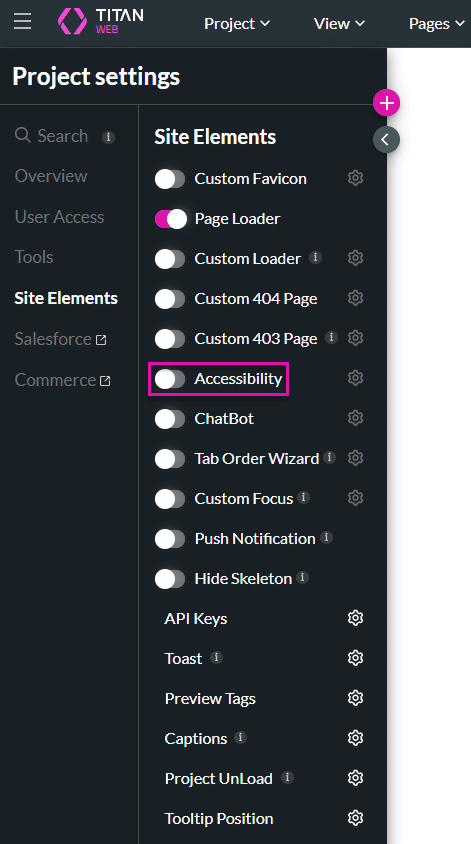
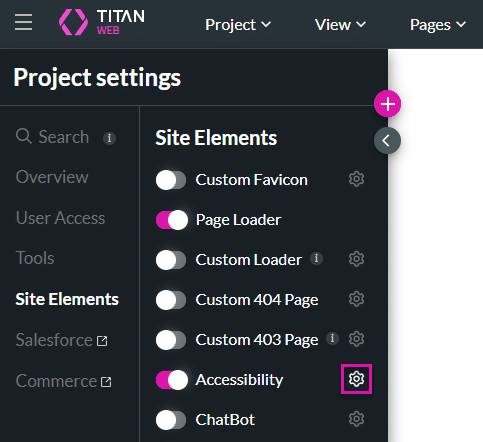
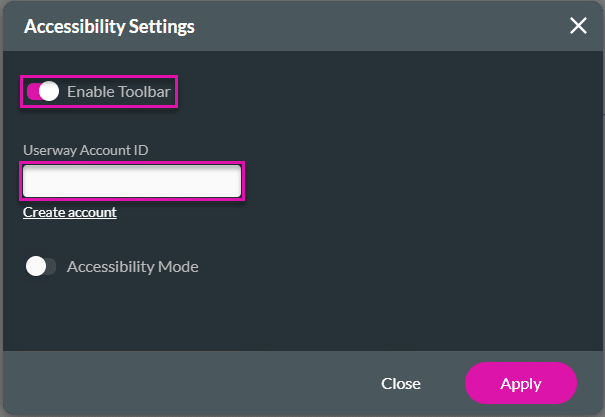

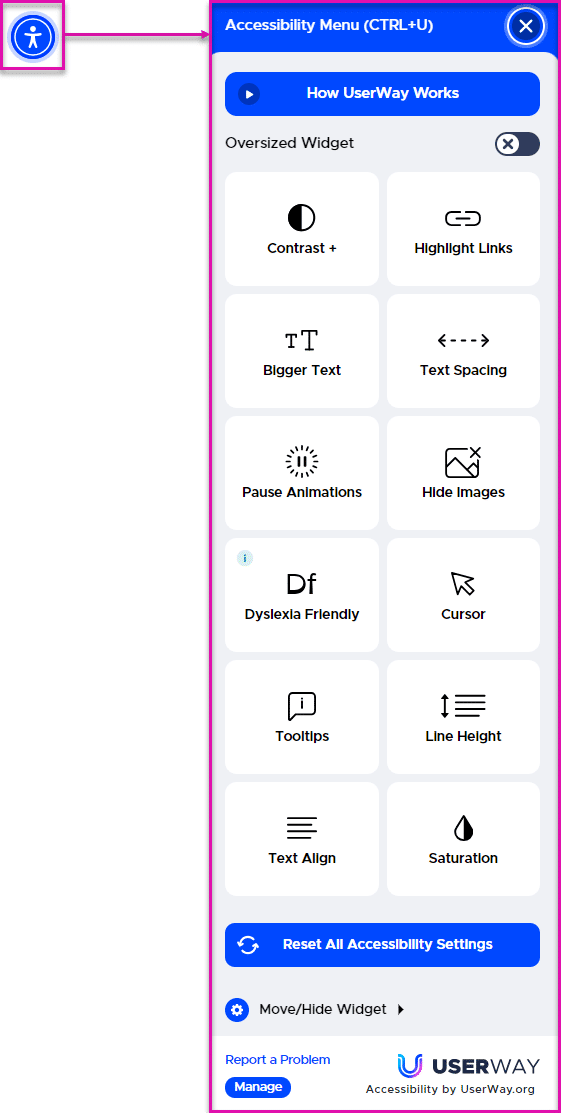
When the Toolbar is enabled, an Accessibility icon is added to the web project. When a user clicks the icon, the Accessibility Menu opens, and the user can select the relevant options.
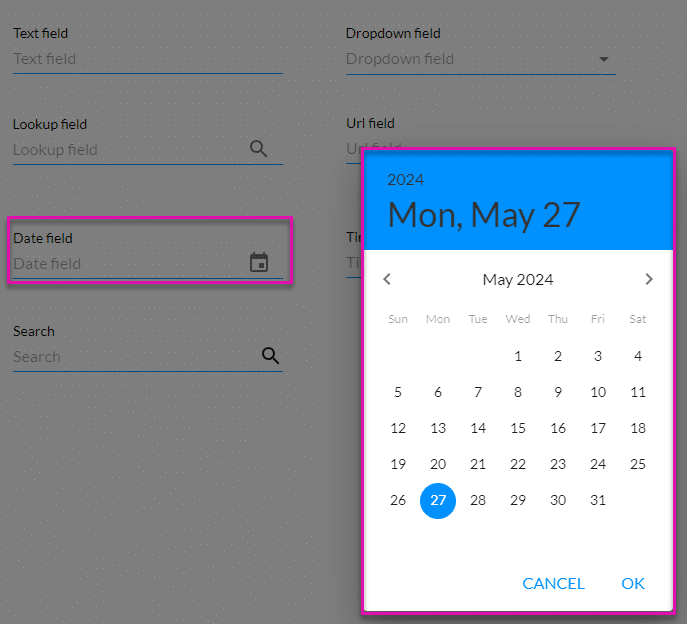
When Accessibility mode is disabled, the date field looks as follows:
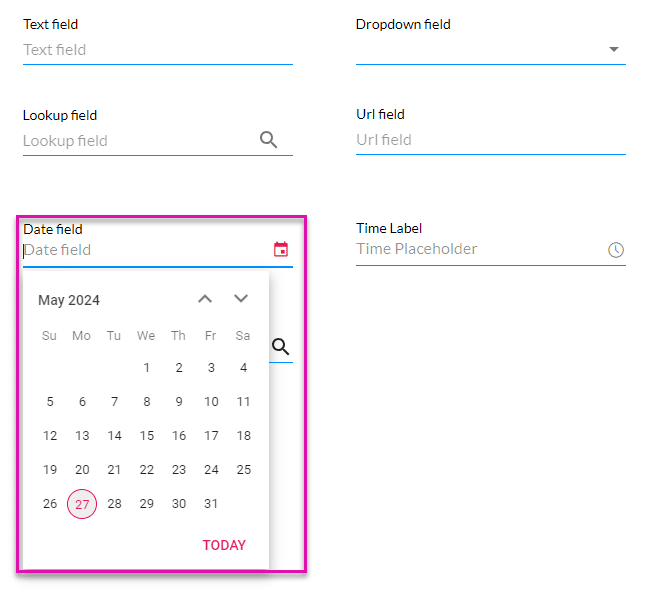
However, when Accessibility mode is enabled, modals are no longer used to display the information, and the user can use the arrows on the keyboard to select a date:
On this page









