

Generate, Sign, and Automate Salesforce documents with real-time sync

Build portals, apps, and forms directly in Salesforce with Dynamic data flow and adaptability

How can we help you?
Power Tables allow you to display multiple objects from a Salesforce record automatically. Titan Web offers your business simple yet intuitive tools to style your power table drill-down actions smartly.
Titan Web enables you to change settings in a power table to hide the expansion arrow, allowing you to use a button or icon. You can create a custom icon and style.
There is an option to hide the expansion arrow on a component in a power table. If you want to use a button or icon to expand the column instead of the arrow, you can now remove the arrow to make it look less cluttered. This could encourage users to click the icon or button instead of the arrow.
Path:
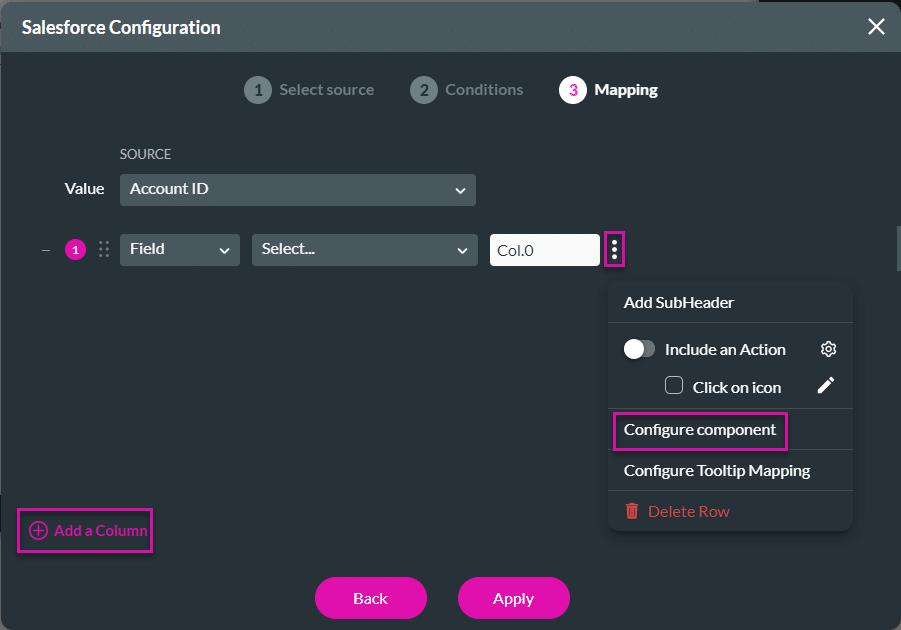
Gear button > PowerTable Settings > Content > Edit Mapping > Configure Component
Note:

Difference between visible expansion arrows and no expansion arrows

On this page
The Only Forms Solution Built 100% in Salesforce.


