How can we help you?
Connect Titan to Salesforce to read, create, and update Salesforce data from your Titan projects. Once authenticated, you can use Salesforce records across Titan Web, Forms, Docs, Survey, Sign, and Flow.
The integration allows Salesforce to remain your system of record, while Titan provides the forms, portals, documents, surveys, signing experiences, and automated processes associated with those records.
The Titan Salesforce integration creates a secure connection between your Titan account and Salesforce organization. Titan can use this connection to perform actions based on the permissions assigned to the Salesforce user who authenticates the integration.
For example, you can:
This connection eliminates the need to manually transfer information between Titan and Salesforce, helping you keep records accurate and up to date.
Make sure you have:
Note: Your Titan user permissions determine whether you can configure the integration. The authenticated Salesforce user’s permissions determine what Salesforce data Titan can access.
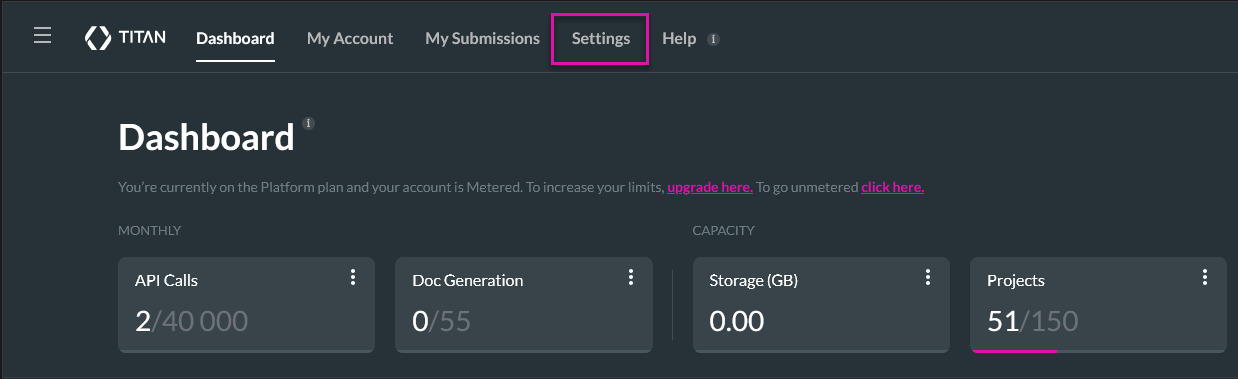
You can authenticate your Salesforce organization from the Titan Dashboard. This creates an account-level connection that can be used across your Titan projects.
The Settings area contains account-level configuration options and integrations. Connecting Salesforce here allows your Titan projects to use the authenticated Salesforce organization.
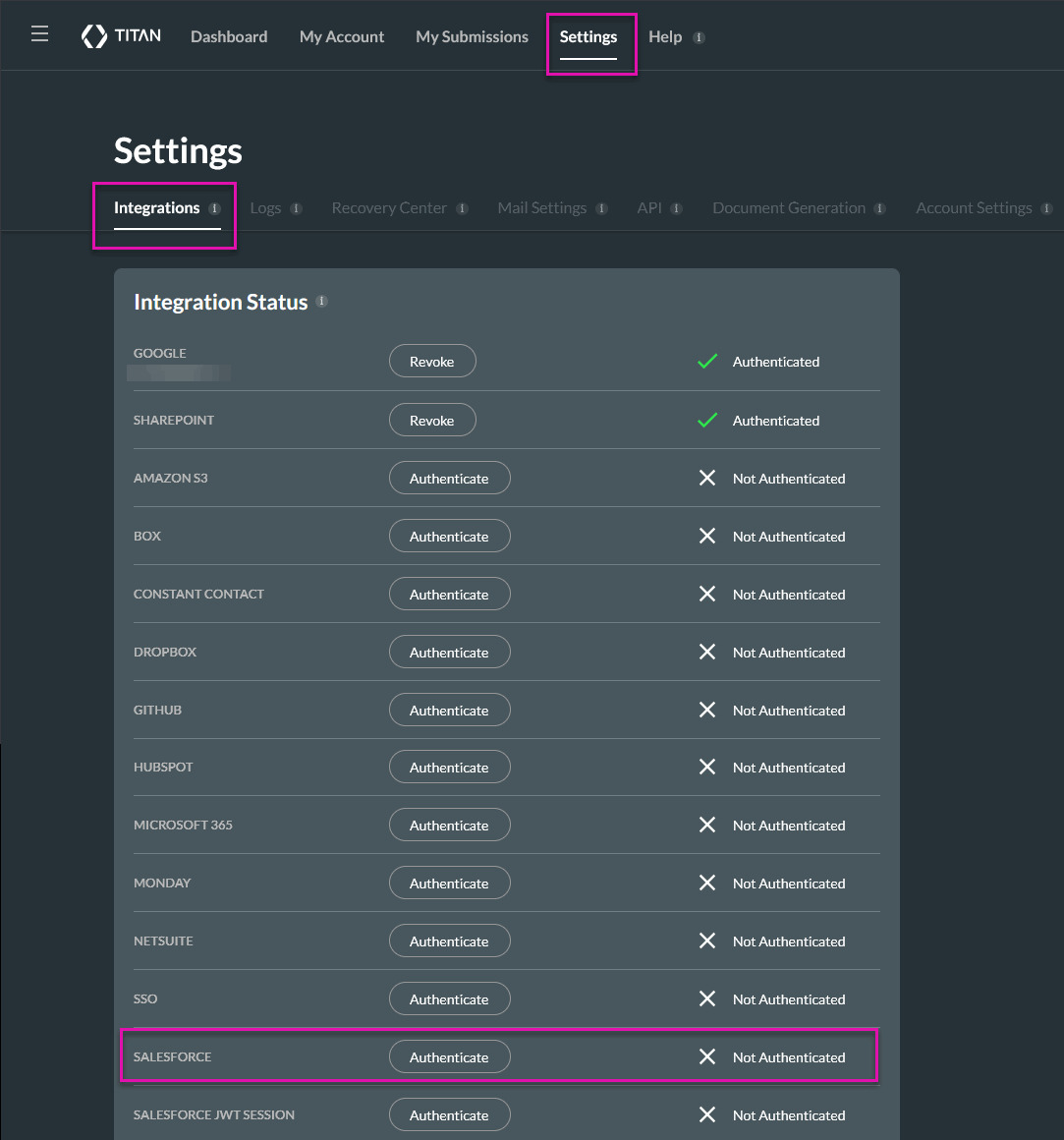
Selecting Authenticate starts the Salesforce login and authorization process.
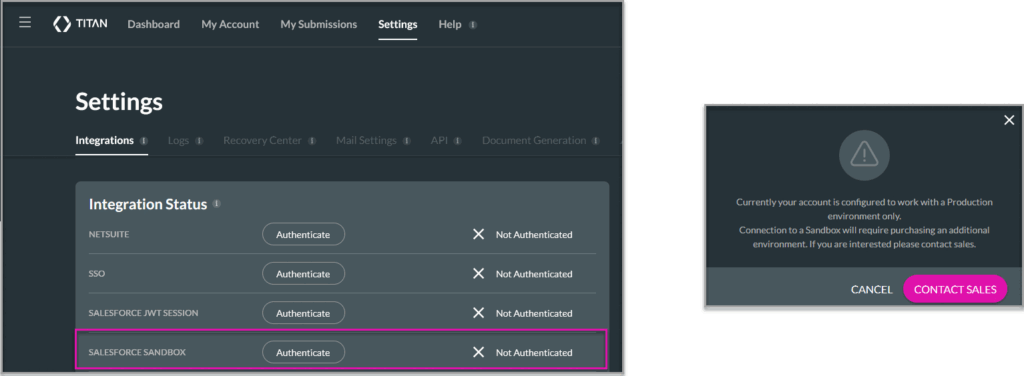
Note: When you authenticate with Salesforce for the first time, Titan prompts you to choose the environment you want to connect to. Select Production or Sandbox, depending on the Salesforce organization you use. If an environment is already connected and your account does not include another environment, Titan prompts you to contact Sales before adding one.
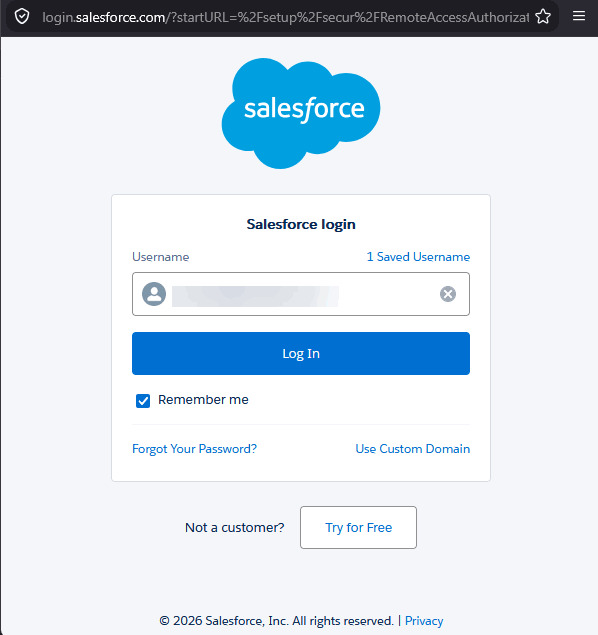
Salesforce manages the login process. Titan does not receive or store the Salesforce user’s password.
Use the Salesforce account that has access to all the objects, fields, and records required by your Titan projects.
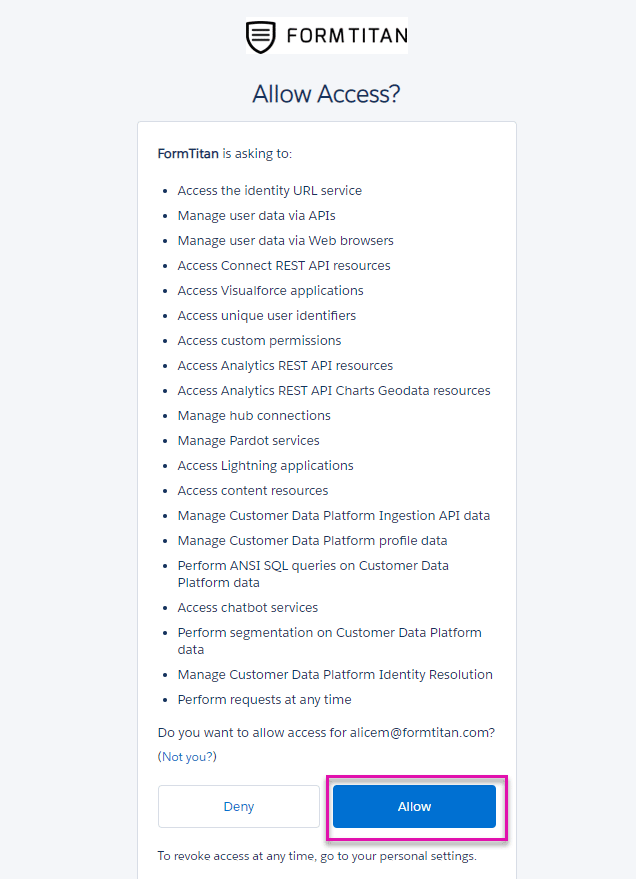
Review the access request if Salesforce asks you to authorize the Titan connected app, and then select Allow.
This grants Titan access according to the permissions already assigned to the authenticated Salesforce user. It does not give Titan access beyond that user’s existing permissions.
The authorization screen may not appear if the connected app was previously approved for your Salesforce organization.
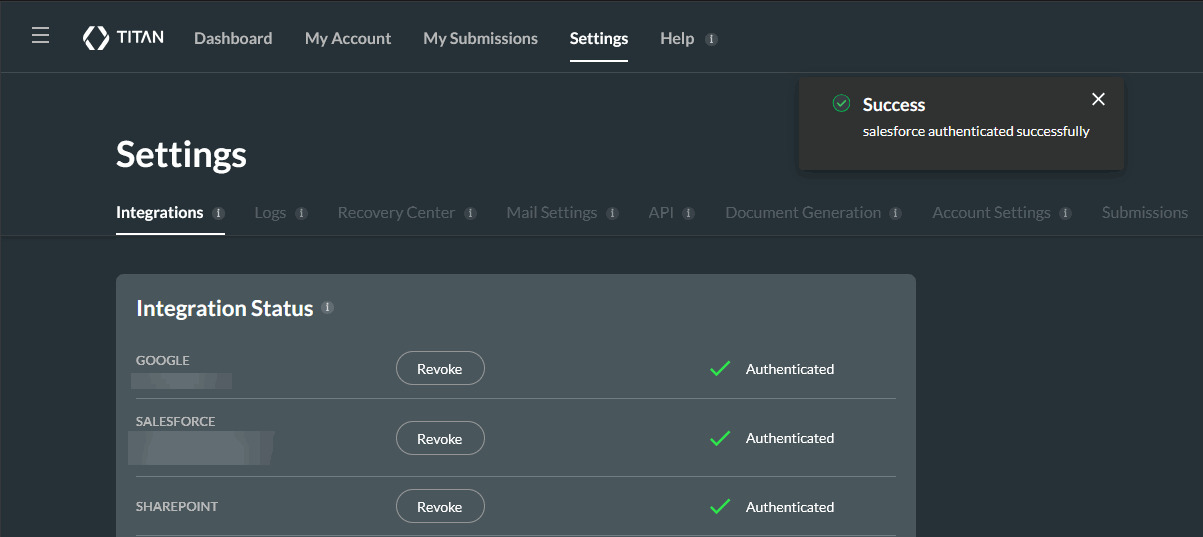
After authentication, Titan returns you to the Integrations tab. A success notification appears, and the Salesforce integration status changes to Authenticated.
Confirming the status helps you verify that Titan can communicate with the selected Salesforce organization before you configure Salesforce actions in your projects.
The Salesforce user selected during authentication controls which Salesforce data and actions are available to Titan.
Titan follows the user’s:
For example:
Use a Salesforce user with the access required by your Titan projects. Avoid assigning unnecessary permissions, but confirm that the user can work with every object, field, and record the project needs.
Tip: Consider using a dedicated Salesforce integration user. This can make permissions easier to manage and prevent disruptions to the connection if an employee’s Salesforce account is deactivated.
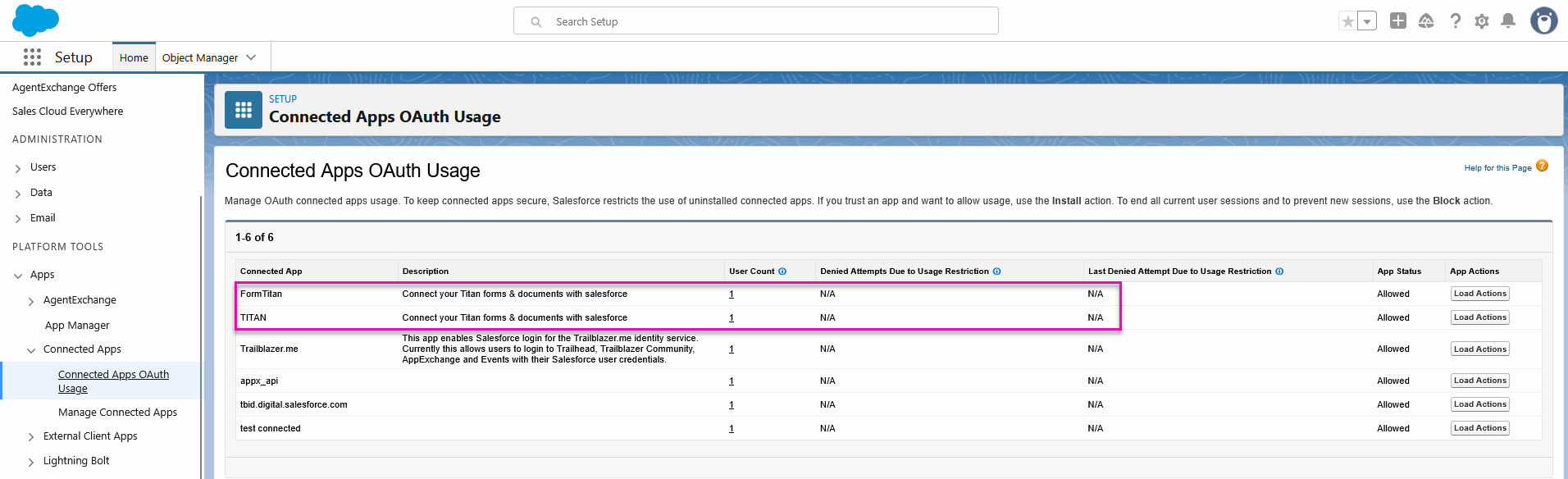
After authentication, you can view the Titan connected app in Salesforce.
This page allows a Salesforce administrator to confirm that the connected app is authorized and review its OAuth usage.
Once the connection is active, you can configure your Titan projects to work with Salesforce data. Your next steps may include:
Use a Salesforce user with access to every object, field, and record required by your Titan projects. Titan follows that user’s Salesforce permissions, field-level security, sharing rules, and record access.
A dedicated integration user is recommended because their permissions and account status can be managed independently of an individual employee.
Yes. Use the Salesforce Sandbox authentication option when connecting to a Sandbox organization. This lets you build and test Salesforce-connected projects without changing production data.
The authenticated Salesforce user may not have permission to access the object or field. Check the user’s object permissions, field-level security, permission sets, and assigned profile in Salesforce.
After updating the permissions, return to Titan and check whether the object or field is available.
The authenticated user may not have access to the record because of Salesforce sharing settings, ownership rules, or record-level permissions. Confirm that the record is visible to the user directly in Salesforce.
Also, check that the Salesforce Get conditions use the correct object and field values.
The authenticated user may have permission to view the record but not edit it. Check that the user has the required object, field, and record-level permissions for the attempted action.
The update may also fail if Salesforce validation rules, required fields, flows, or other automation prevent the record from being saved.
No. Salesforce manages the login process, and Titan does not receive or store your Salesforce password. Salesforce provides the authorization Titan needs to communicate with your organization.
Titan does not store a separate copy of Salesforce data retrieved through a Salesforce Get or sent through a Salesforce Push. A Get retrieves the Salesforce data required by your project, while a Push sends collected data to your Salesforce organization.
Go to Settings and open the Integrations tab. Revoke the current Salesforce connection, then re-authenticate with the required Salesforce user.
Before changing the user, confirm that the new account has access to everything used by your existing Titan projects.
Titan may no longer be able to access Salesforce data through that connection. Reauthenticate the integration using an active Salesforce user with the required permissions.
Using a dedicated integration user can reduce the risk of authentication being interrupted when team members leave or change roles.
Open Settings and select Integrations. The Salesforce integration should display an authenticated status.
You can also configure a Salesforce Get in a Titan project and confirm that the expected Salesforce objects and fields are available.
Install the Titan Managed Package in Salesforce
Install the FormTitan Package for Salesforce
On this page









