How can we help you?
Improve transparency in communication, especially in collaborative or group settings, by showing all recipients who else receives the document. Seeing the full list of recipients can provide context and help recipients understand the broader audience or purpose of the document.
With Titan Sign, you can show all the recipients’ names on the sign user interface, whether signers or reviewers.
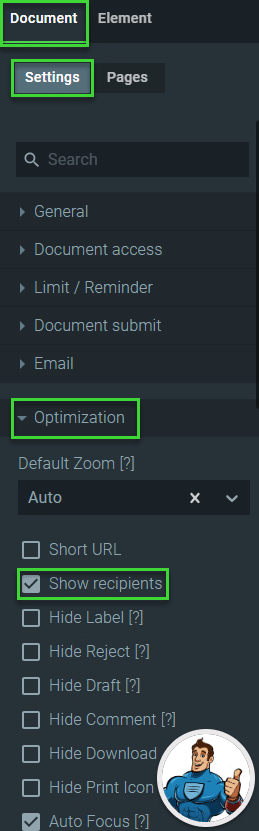
When the signers and reviewers receive the document, they can click the Recipients button on the right of the sign user interface. The number of recipients is shown at the top with a list of the names and email addresses below that.

Learn more about Titan’s native integration with the Salesforce Experience Cloud.
Easily share, manage, and track the progress of e-signatures directly from Salesforce using Titan’s sign solution.
Create automated and connected contract lifecycle processes for Salesforce using Titan’s zero-code CLM application.
On this page









