How can we help you?
You can add dynamic signers to your MS Word templates in a sign section. You can dynamically assign signers to form fields rather than statically defining them in advance. This ensures greater flexibility in managing form workflows, as signers can be added, removed, or replaced on the fly as needed. This will enable you to send the document to an unknown number of signers.
Dynamic signers can be assigned based on various criteria, such as user roles, form field values, or other custom conditions. This allows for complex approval workflows to be easily managed and tracked within the Titan Docs platform. In addition, there is a complete audit trail of all document activities, including who has viewed, edited, or signed the document, as well as any comments or annotations made by users.
The Titan Word add-in has a feature where you can add a signer section to a section, configure as many input fields and signatures as you need, and send the document to an unknown number of signers.
There are two scenarios where you can use dynamic signers.
This simple setup saves time and effort, and Titan will ensure that all the signers with email addresses receive the document to sign.
Titan gives you the functionality to sort the signers. You can also add conditions that will let you send the document to a specific subset of signers that meet the specified criteria.
You can add these to the footers in a Word document as well.
You must add a section to the template. Everything in the section will repeat the number of times that there are results in Salesforce or per your condition.
Prerequisite:
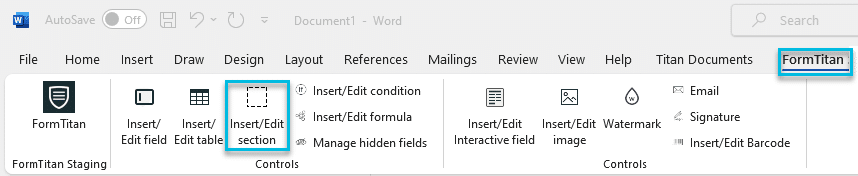

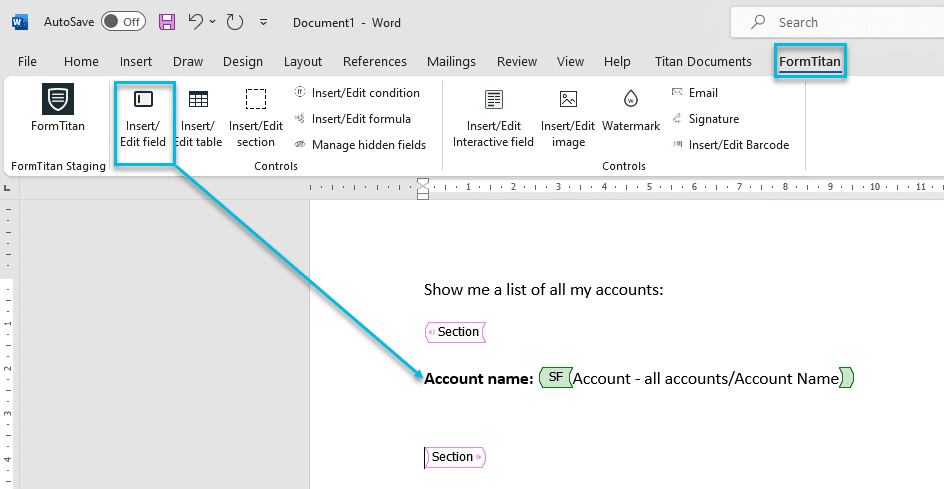
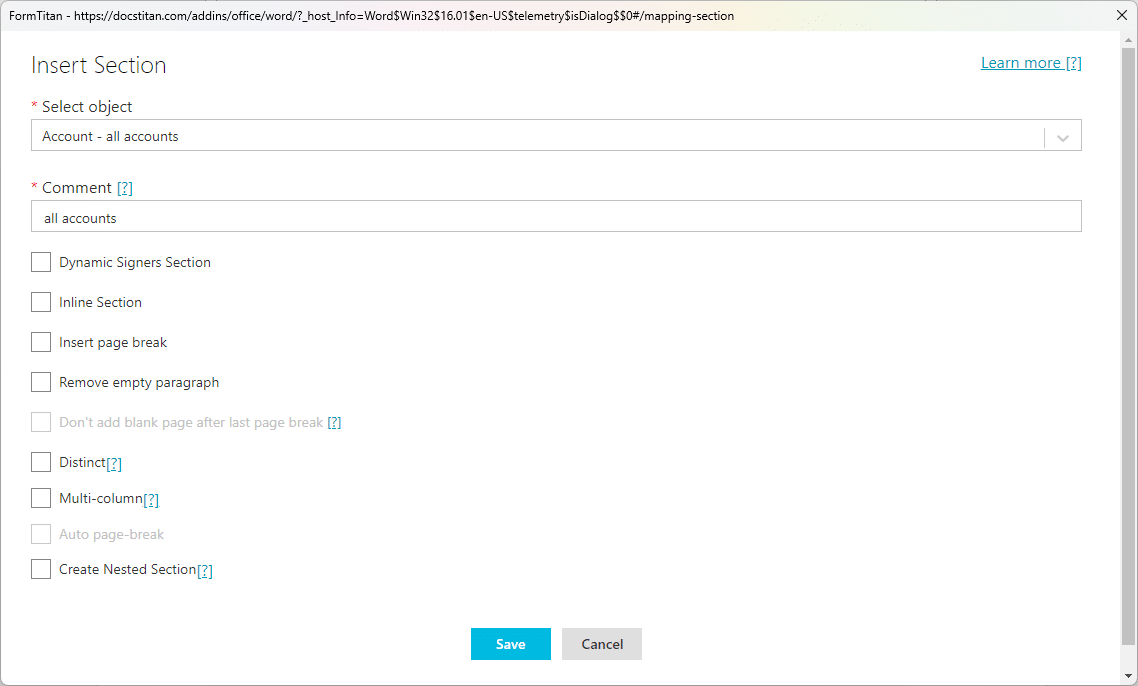
In this example, the document is sent to an unknown number of contacts linked to an account in Salesforce.
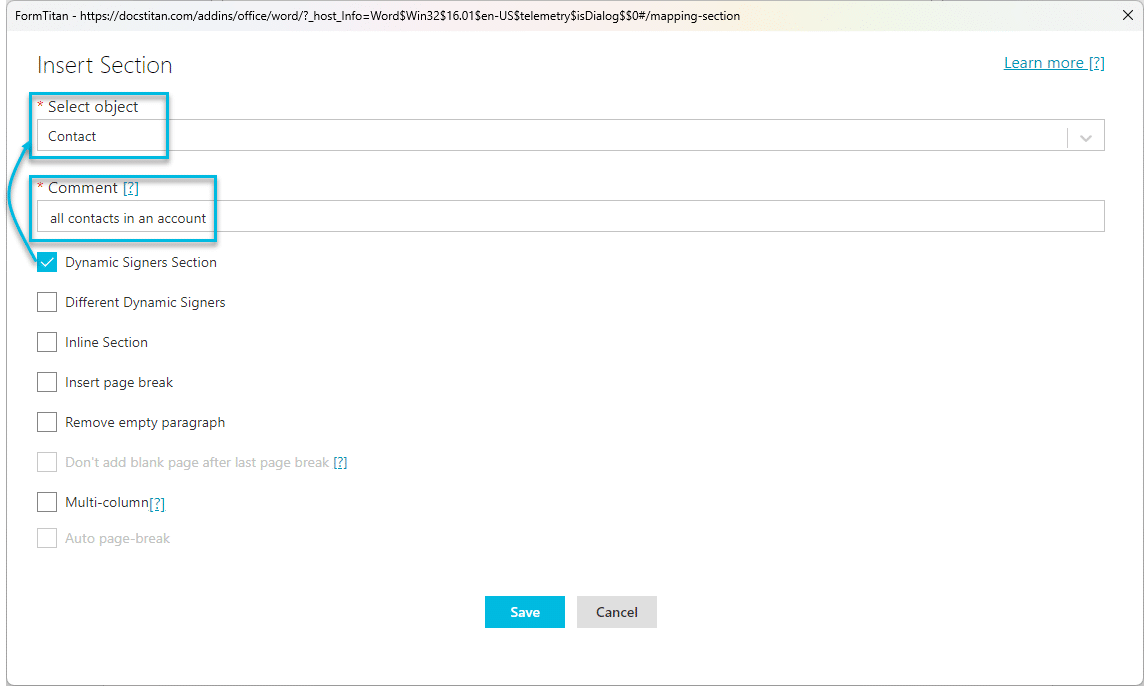
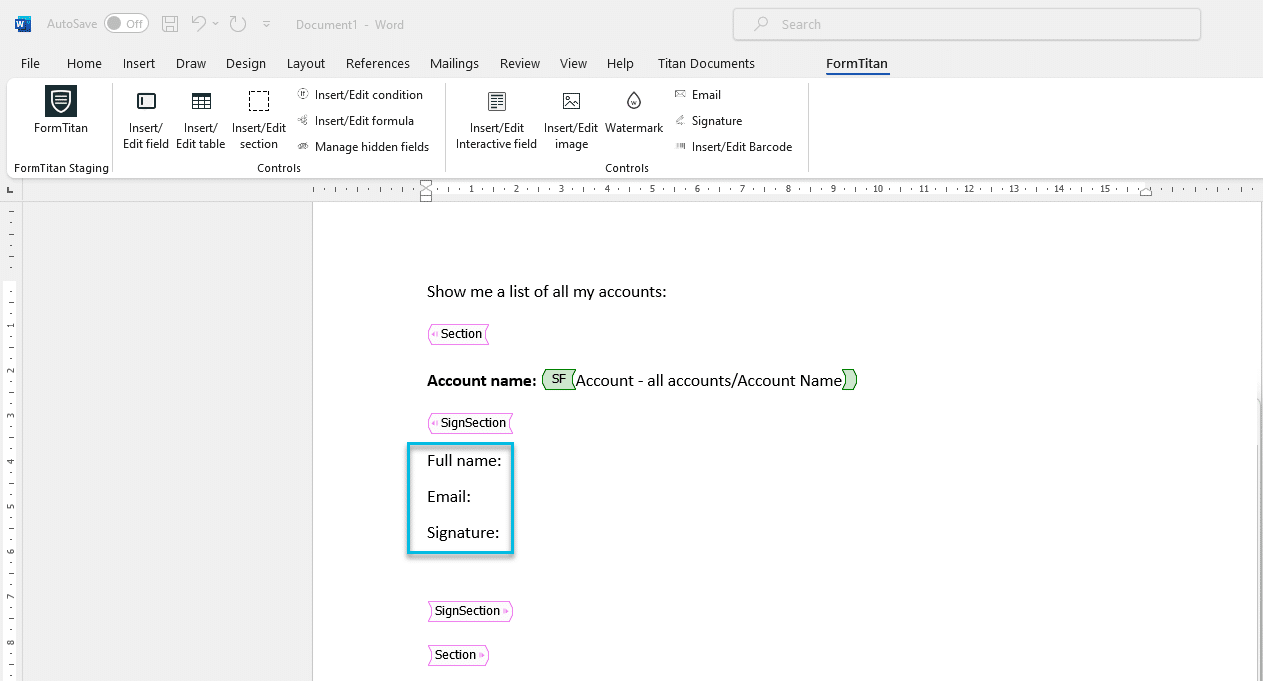
A SignSection is added to the document. You have to add at least one signature field to a sign section.

The interactive and/or signature fields in the Sign Section will be repeated for each contact linked to the account when the document is configured in Titan Sign, and each contact will have to complete the fields and sign the document.
When you add an empty interactive field, the signer must complete the field. The field is editable.
When you add an interactive field linked to a Salesforce field, the field is automatically populated with data. The field is editable.

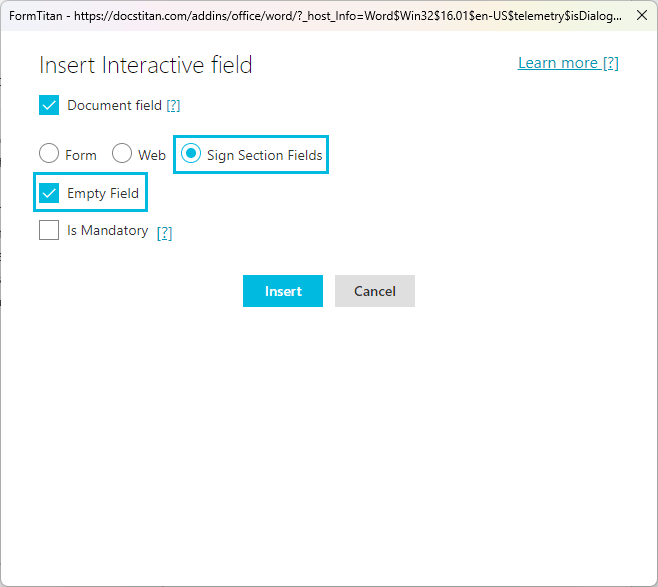
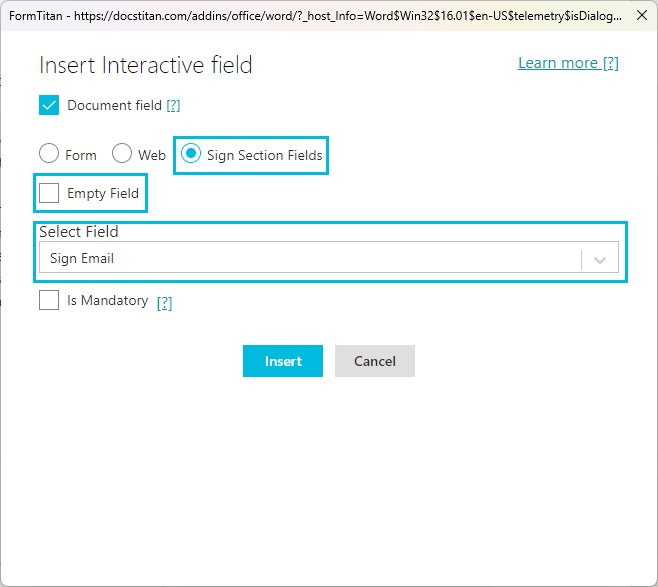
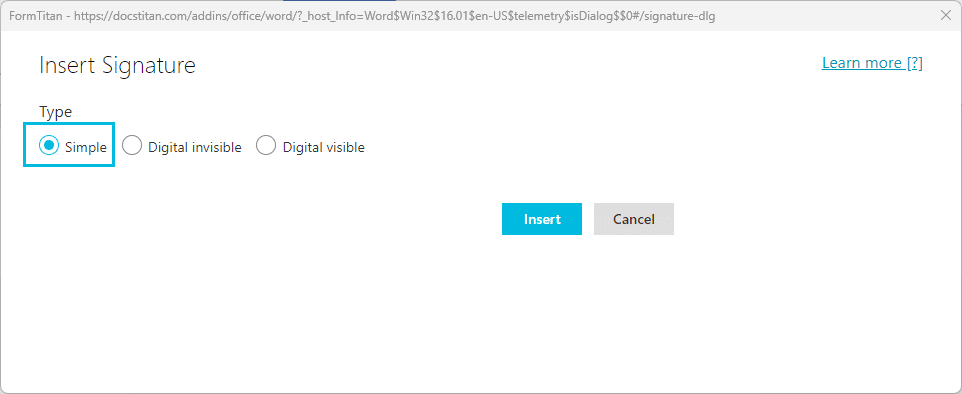
The fields are added to the document:

You can add multiple sign sections using different objects in each section.
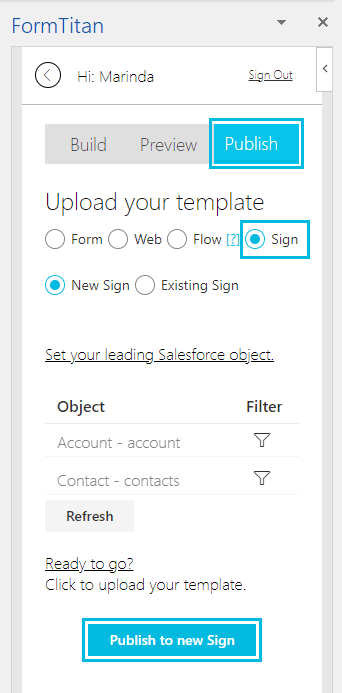
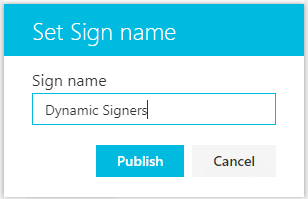
A message “Uploading Document” is shown and changes when the document is uploaded successfully.
The same two signers sign in each section.

In this example, the document is sent to an unknown number of contacts linked to different accounts in Salesforce. The sign section is dependent on the object selected for the parent section.
Prerequisite:

A SignSection is added to the document. You have to add at least one signature field to a sign section.
The result is that there are different signers sign in each section. Each signer is specific to its parent index.

Use the sign sections in Titan Sign.
You can also use two sign sections.









