How can we help you?
FTGenerateMultiplePDF allows you to generate multiple PDFs for a number of records via a list view. It is through creating this Visualforce page that you are able to create a button from which to generate multiple PDFs. By default, the FTGenerateMultiplePDF page comes with all standard objects. You can also choose to use it on a custom object in Salesforce.

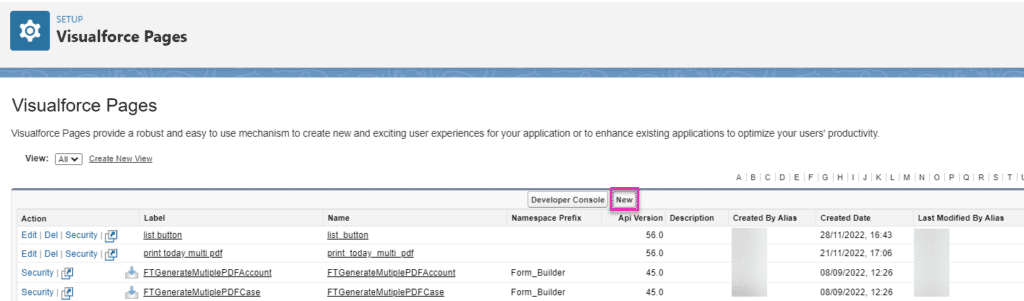

<apex:page standardController="yourCustomObjApiName__c" recordSetVar="recVar" sidebar="true" lightningStylesheets="true" >
   <apex:includeLightning />
   <apex:form >
    <apex:pageBlock title="Generate Multiple PDF" >
       <apex:pageBlockButtons location="top">
            <apex:commandButton value="Back" action="{!cancel}"/>
        </apex:pageBlockButtons>
        <apex:outputText rendered="{!IF( selected ='' ,true,false)}">
            <apex:pageMessage severity="error" strength="1" summary="{!$Label.form_builder__please_choose_at_least_1_record}" />
        </apex:outputText>
    </apex:pageBlock>
    <div id="lightning" />
        <script>
            var recids = '{!selected}';
            recids = recids.replace(']','');
            recids = recids.replace('[','');
            recids =  recids.replace(/s/g, '');
            if(recids.length>0){
                $Lightning.use("Form_Builder:FTPDF", function() {
                 $Lightning.createComponent("Form_Builder:FTGeneratePDF",
                  { recids : recids }, "lightning",
                  function(cmp) {});
                });
            }
        </script>
    </apex:form>
</apex:page>

You are now ready to create a list button from which to generate multiple PDFs based on the Visualforce Page.









