How can we help you?
A document with multiple signature fields will take a long time to sign if the signer has to sign each field.
With Titan Sign, you can use our new one-click sign functionality, with which a signer configures their signature once. When they click any other signature fields assigned to them, that signature is added automatically.
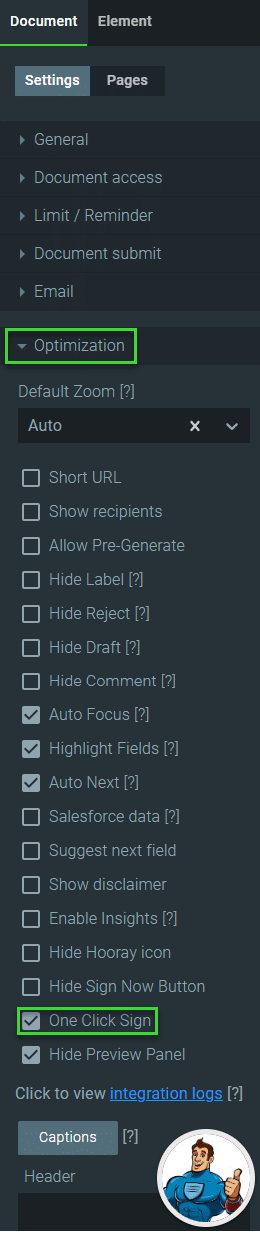
The Select Signature modal opens when the signer receives the document and clicks on the Sign now field.

The signer must add a signature using one of the following methods and click the Apply button:

When the signer clicks any other signature fields assigned to them, the signature is added at once, and they don’t have to use the Select Signature modal again.


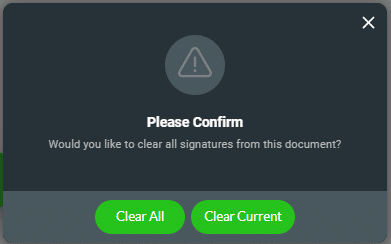
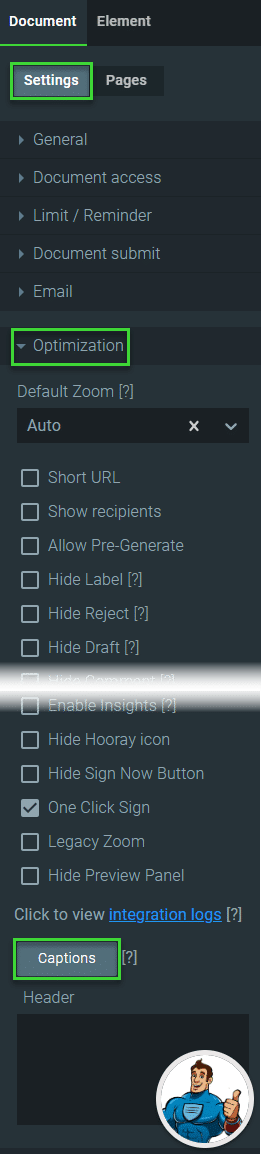
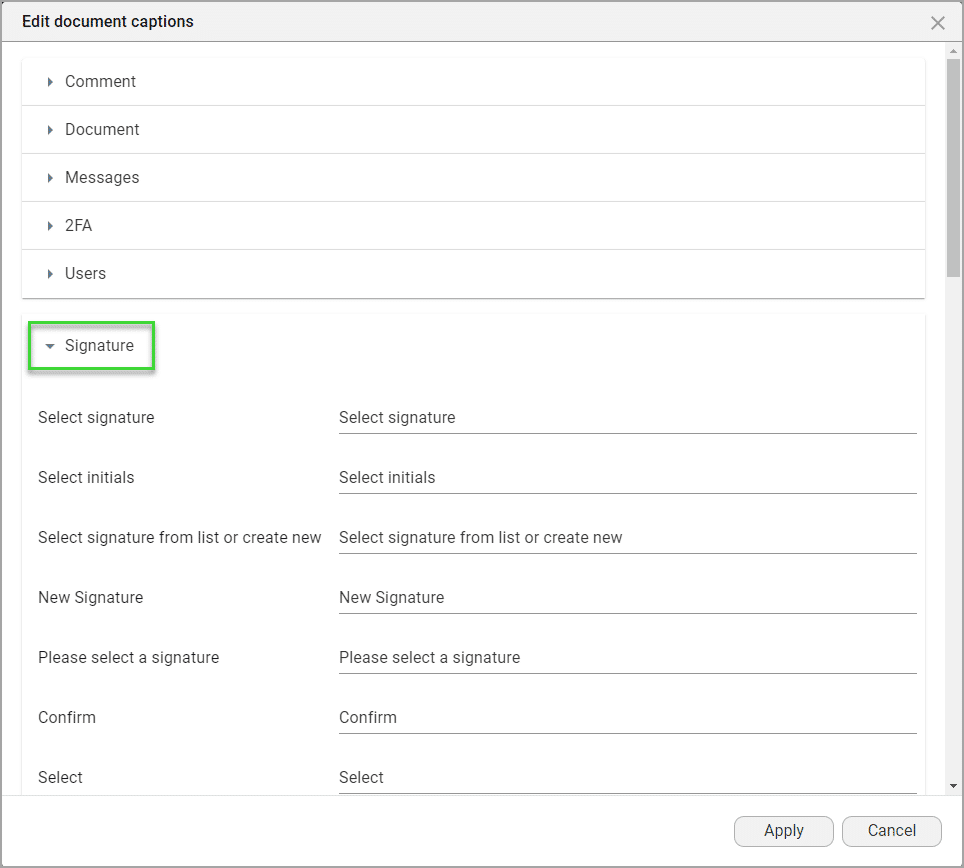
You can edit the question on the confirmation message under Optimization.
Learn more about Titan’s native integration with the Salesforce Experience Cloud.
Easily share, manage, and track the progress of e-signatures directly from Salesforce using Titan’s sign solution.
Create automated and connected contract lifecycle processes for Salesforce using Titan’s zero-code CLM application.









