How can we help you?
Configure your Titan Survey to include objects pulled directly from Salesforce for the most customized user experience.
You can add fields in your survey questions from the object that you will use when publishing the survey via List View, Object, Automation, or an externally identified user. For instance, you can add fields from a Contact if you are publishing the survey to Contacts.
You will not be able to select a different object than the one used in a question in the survey.
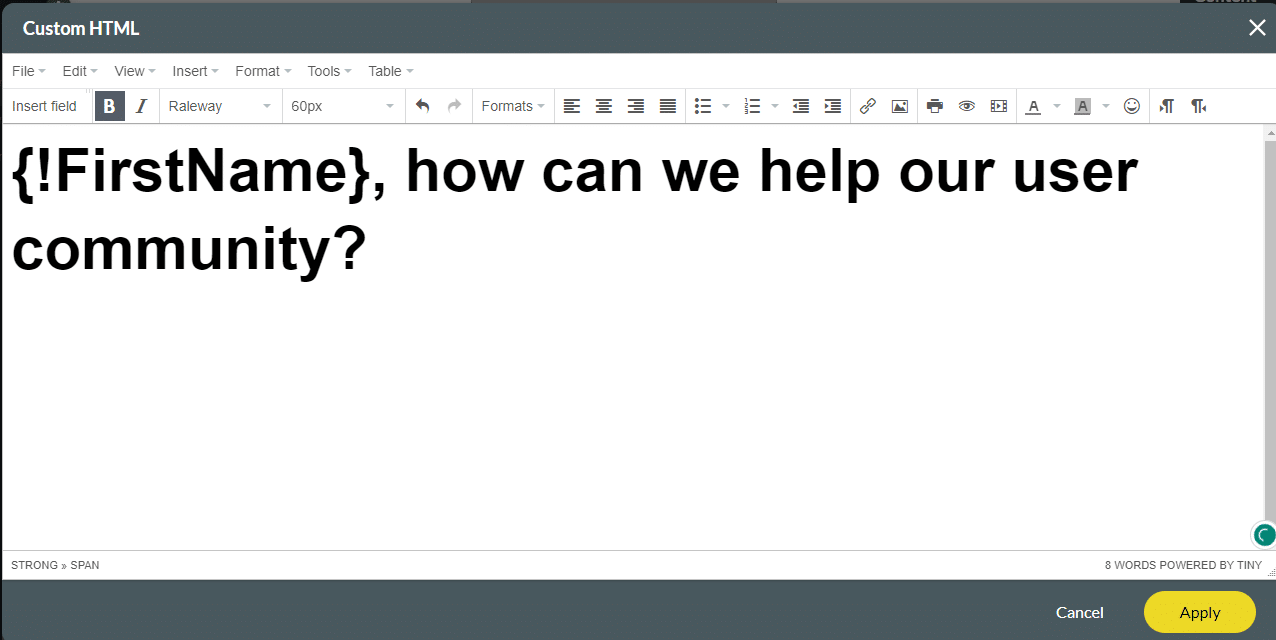
After creating a survey with all the necessary questions, you can insert Salesforce Merge Text Fields in your Survey.


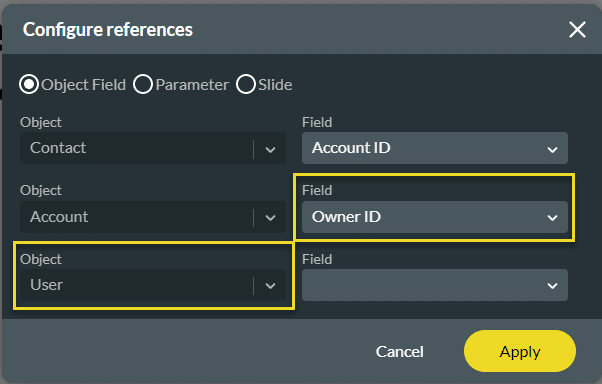
You can add lookup fields to other objects, for instance:
When you select the Account ID field for the Contact object, you can add a field from the Account object.

When you select the Use ID field for the Account object, you can add a field from the User object.
When you publish the survey via List View, Object, Automation, or an externally identified user, the object in Salesforce cannot be changed, and the field reflects the object that was selected in the merge field.

Interested in the Titan/Salesforce Integration? Try Titan Forms for Salesforce or Surveys for Salesforce.









