How can we help you?
The Dependent Picklist option is available for multi-select and drop-down elements. In this article, we show a drop-down element as an example. Set Dependent Picklists to display the relationship between picklists as defined in Salesforce.
Prerequisite:
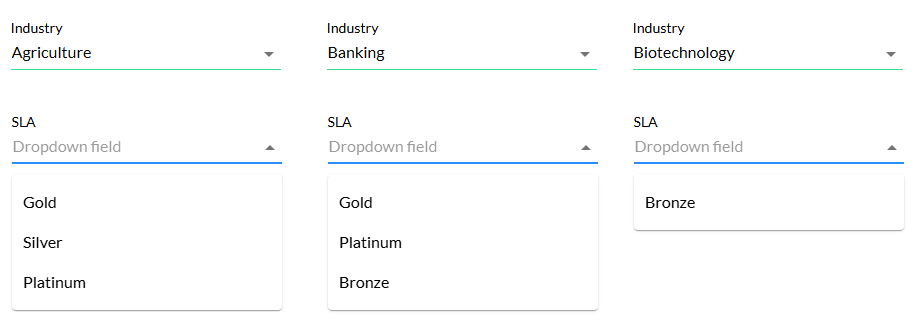
Refer to the included values of the SLA field dependency for each industry.


Dependent picklists are controlled by their parent. Titan automatically creates a picklist Get that will be triggered when the page loads.
A different picklist Get will be created per object. In other words, one picklist Get can hold all Dynamic values for the same object.
The options in the SLA drop-down list depend on the Industry selected.