How can we help you?
A power table is a beautiful and efficient way to show a lot of complex data. Filtering the data effectively adds to your business’s advantages.


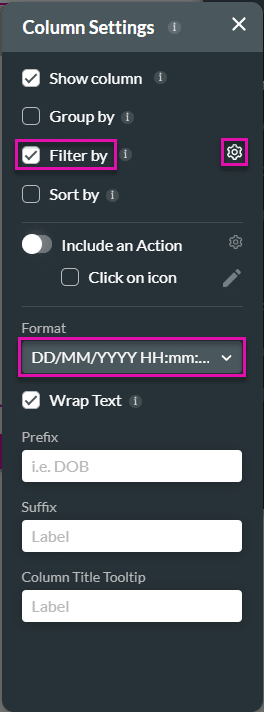

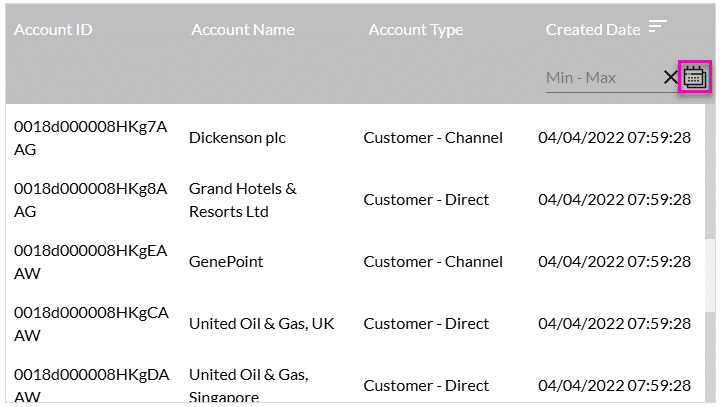
| Number | Label | Description |
|---|---|---|
| 1 | Today | Select this option to search today. |
| 2 | Yesterday | Use this option to search yesterday. |
| 3 | This Week | Select this option to search this week. |
| 4 | Last Week | Use this option to search last week. |
| 5 | This Month | Select this option to search this month. |
| 6 | Last Month | Use this option to search last month. |
| 7 | days up to today | Add a number in the field to search the number of days up to today. For instance, 40 days will search 40 days into the past, starting today. |
| 8 | day starting today | Add a number in the field to search the number of days from today. For instance, 40 days will search 40 days into the future, starting today. |
| 9 | From Month tab | Select this tab to choose the start date. |
| 10 | Month Back arrow | Select the back arrow to move one month into the past with each selection. |
| 11 | Month selector | Use the drop-down list to select a month. |
| 12 | Year selector | Use the drop-down list to select a year. |
| 13 | Month Forward arrow | Select the forward arrow to move one month into the future with each selection. |
| 14 | To Month tab | Select this tab to select the end date. |
| 15 | Day | Click a day in the calendar to select it. |










