How can we help you?
Filter the input of the drop-down element.


RegEx Match (short for regular expression match) describes the process of finding a specified patterns within a regular text string. It is used for pattern matching.
The regular expression ^[A-Z]+$ describes a pattern that matches a string that consists entirely of one or more uppercase letters from A to Z. It means that the user will only be able to input uppercase letters when searching.
It can be broken down as follows:
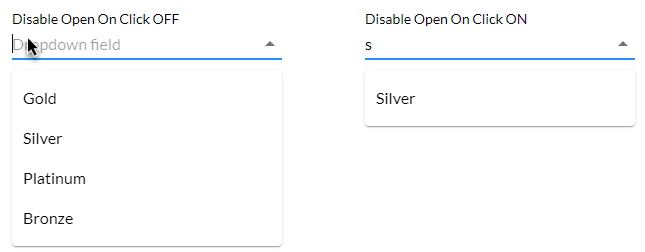
^ matches the start of the string.[A-Z] is a character class that matches any uppercase letter from A to Z.+ is a quantifier that matches one or more occurrences of the preceding element, which in this case is [A-Z].$ asserts the end of the string.When this option is off, the list expands automatically when the user clicks in the drop-down element. When this option is on, the user has to type in the field before the list is shown.
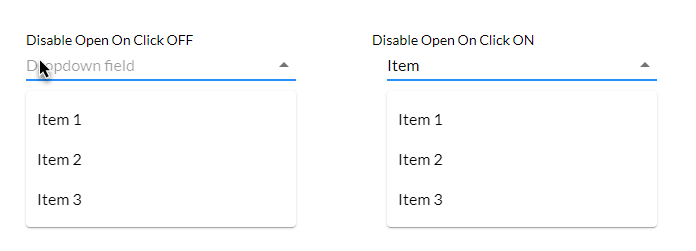
This means that the user will have to know what the possible options are, for instance, months, countries or service level agreements.