How can we help you?
Even with Titan’s intuitive drag-and-drop interface, configuring a form may still consume a considerable amount of time.
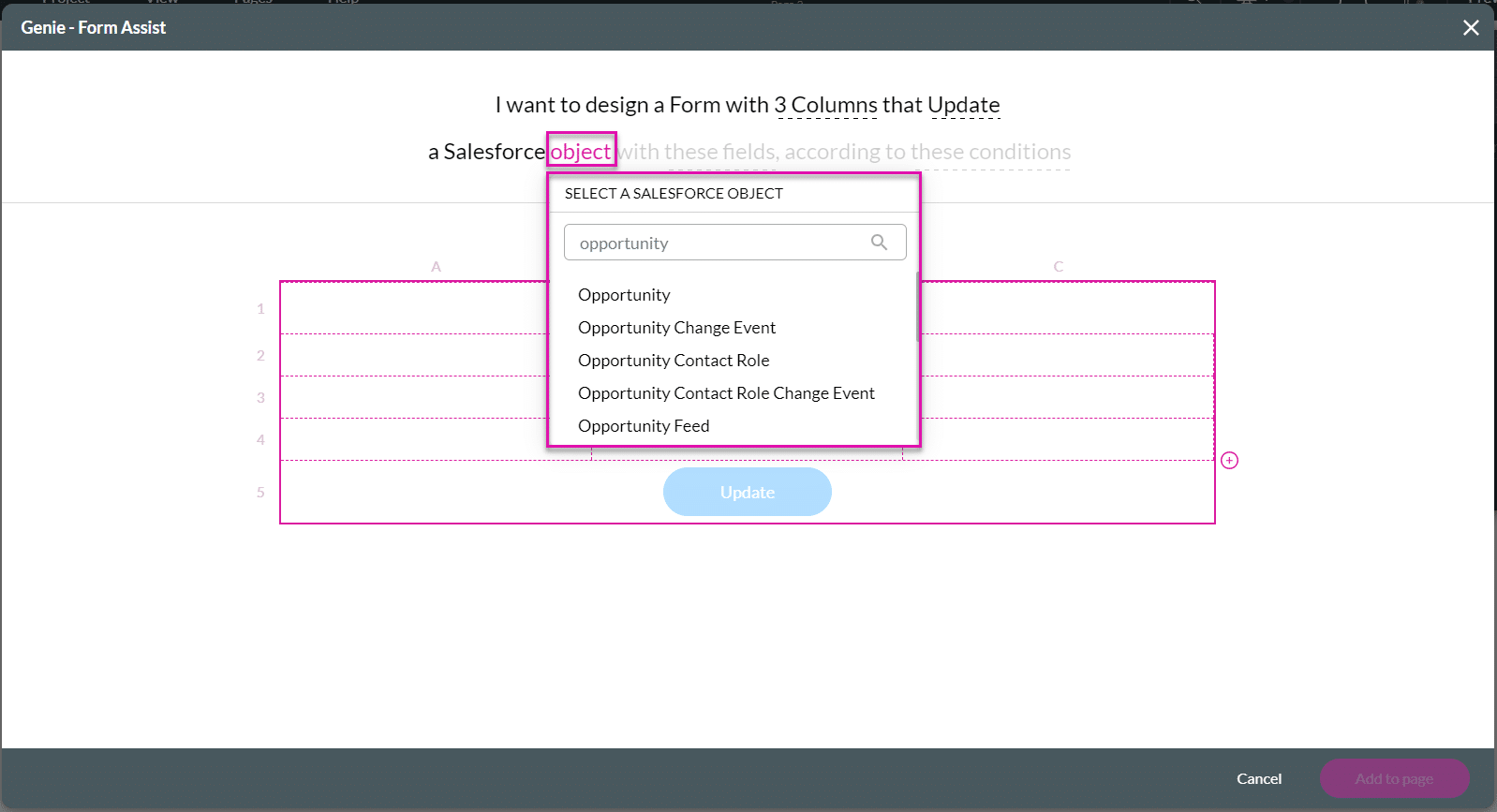
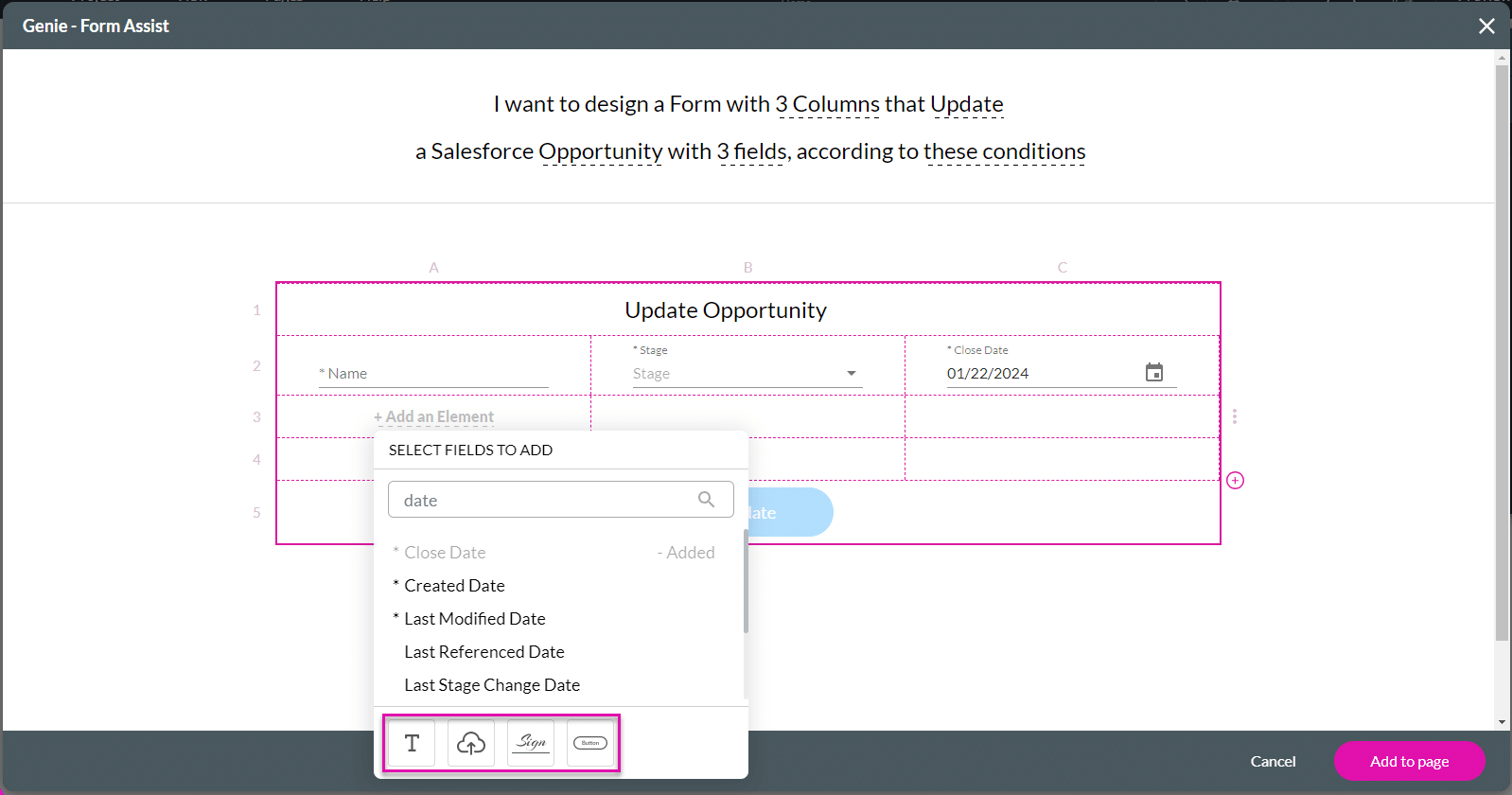
Save time and avoid human error by embracing Titan’s Genie. You will see the form materialize as you configure it in a few steps, complete with Salesforce integration.

You can watch an introduction video on how to use the Genie Form Assist by clicking the YouTube link on this screen.

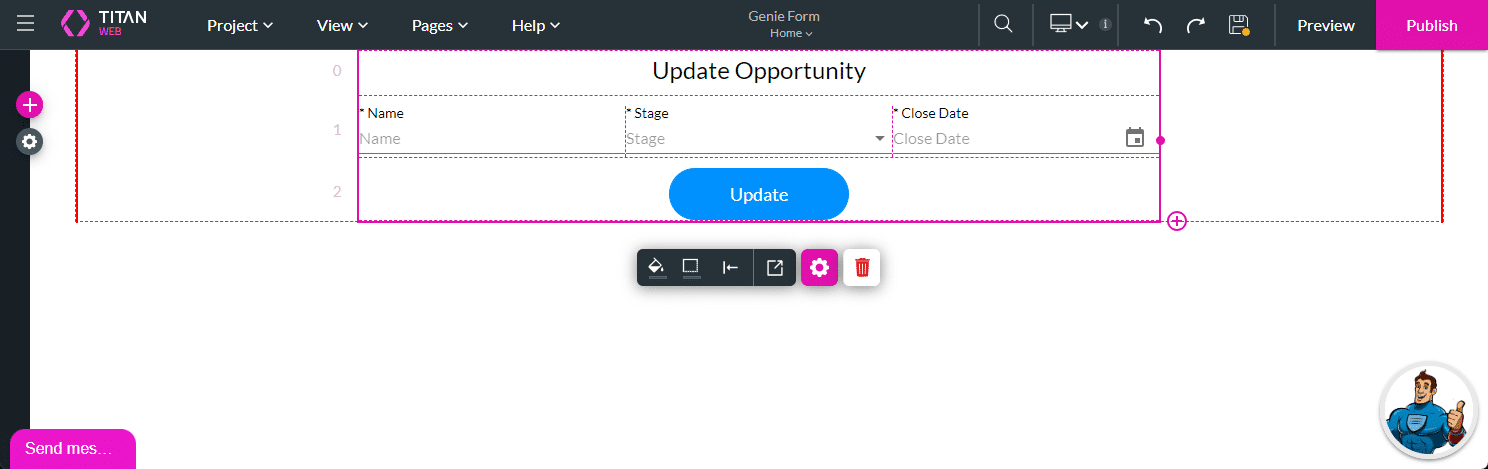
A form with five rows is added with a merged header row and, depending on the action selected, a button in the final row. You can add rows at any time.





You are shown a summary toast message of the automatically generated Salesforce integrations, as well as the saved clicks, keystrokes, and time. You can also click the Don’t show this next time checkbox, and the toast message will not be shown again in the future.