How can we help you?
Personalize your web projects with a custom logo or profile picture.
Titan lets you personalize your web projects with a custom logo or profile picture in a few clicks with no coding. Add a custom logo or profile picture to differentiate your projects and users from others.
Titan is linked directly to Salesforce, all images are synced from Salesforce, and any changes are synced to Salesforce.
Personalization allows you to add a logo or profile picture to a project.

If both options have been selected, the profile image will be used as the default. If the profile image cannot be found (for instance, the field in Salesforce is empty), then the profile icon will be used.
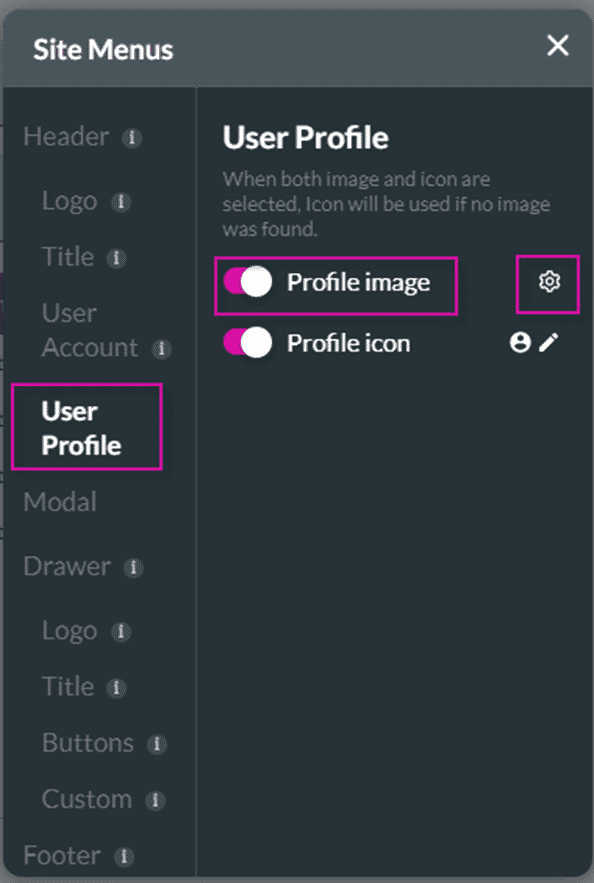

The profile picture is shown in the header at the top right of the page.

Prerequisite:
If you want a user to be able to show and edit the profile picture, the option Include a profile page on the SmartV wizard must be enabled.

Include a profile page enabled


The changed picture will be updated in Salesforce.

Use the styling options to style the Update profile image screen. Compare the following two images:
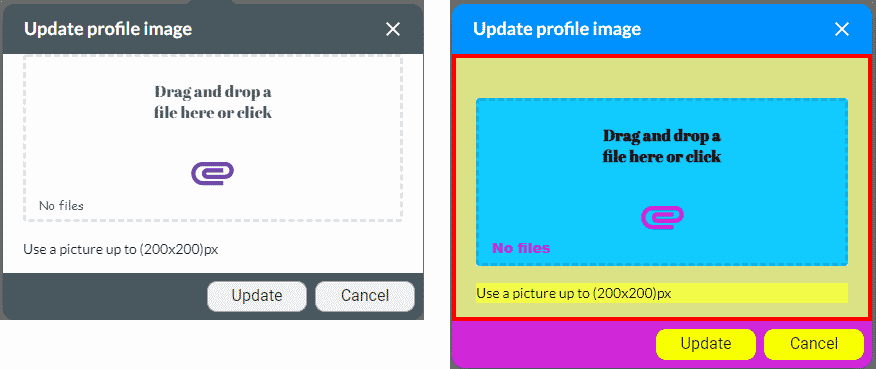
The image on the right has been styled using some of the options.









