

Generate, Sign, and Automate Salesforce documents with real-time sync

Build portals, apps, and forms directly in Salesforce with Dynamic data flow and adaptability

How can we help you?
Businesses rely on seamless data exchange between different web applications to enhance user experience and operational efficiency. Titan’s Post Message functionality enables precisely this by allowing embedded projects to communicate dynamically with their parent webpages or other embedded elements.
An example is a customer service portal that can embed a Titan-powered form in an iframe to collect feedback or issue reports without redirecting users away from the main site.
You can embed a Titan project in an iframe and post messages between the parent webpage and the iframe. Alternatively, you can embed an iframe in a Titan project and post messages between them.
Post messaging is a structured method of communication that enables data exchange between an embedded Titan project (iframe) and its host website (or vice versa). This technology facilitates real-time interactions, ensuring that users can submit forms, retrieve survey responses, or dynamically generate and display documents—all without leaving the primary interface.
With Titan, you can build interconnected applications, improve data synchronization, and enhance user engagement—all within an integrated, no-code environment that maximizes efficiency and adaptability.
However, it’s important to ensure that, if you use two Titan projects, both projects must be published after changes to reflect changes properly.
Not all sites allow content to be hosted in an iframe. Ensure you have checked that an iframe is supported before following these steps.
Prerequisites:
On the parent project, create a static custom variable. In this example, the static variables are as follows:


Not all websites can be hosted in an iframe.
Websites with specific embed capabilities can be successfully integrated into an iframe, however, numerous popular websites implement restrictions that prevent their content from being displayed this way for security and usability reasons.
In this example a Titan Web project URL is used.


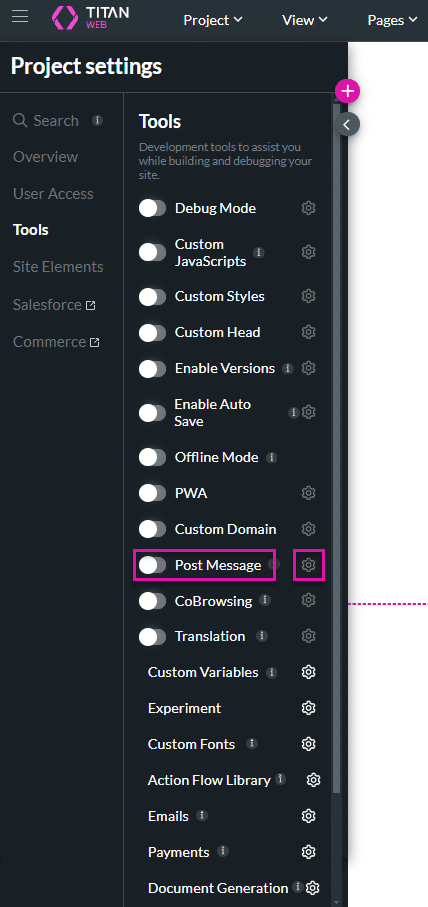
You can enable a constant listener in Titan so that whenever a post message is sent, it will receive and store the data in a pre-defined location.

The Only Forms Solution Built 100% in Salesforce.


