How can we help you?
Web applications frequently generate data that needs to be stored as a fixed, non-editable document. Producing this type of output directly from a web interface can be unreliable because client-side rendering varies based on browser engine, device size, zoom level, and user settings. These inconsistencies make it difficult to guarantee a PDF with consistent formatting, complete content, and accurate layout.
AutoPDF provides a server-controlled rendering process that eliminates these variables. It converts any selected Web page into a predictable, uniform PDF, regardless of the user’s device or environment. This ensures data integrity and reduces formatting errors across downstream processes such as Salesforce record generation, automated email delivery, electronic signatures, and audit-ready document storage.
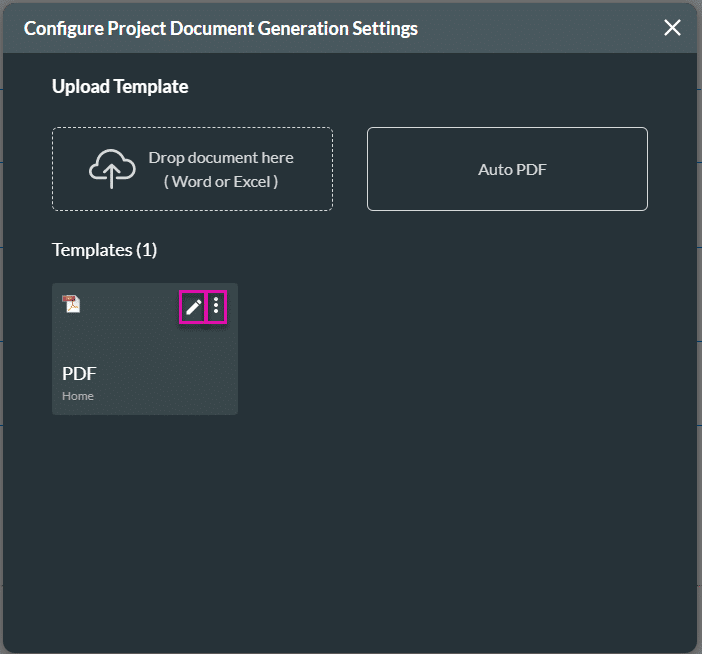
Project Settings > Tools > Document Generation > Gear icon
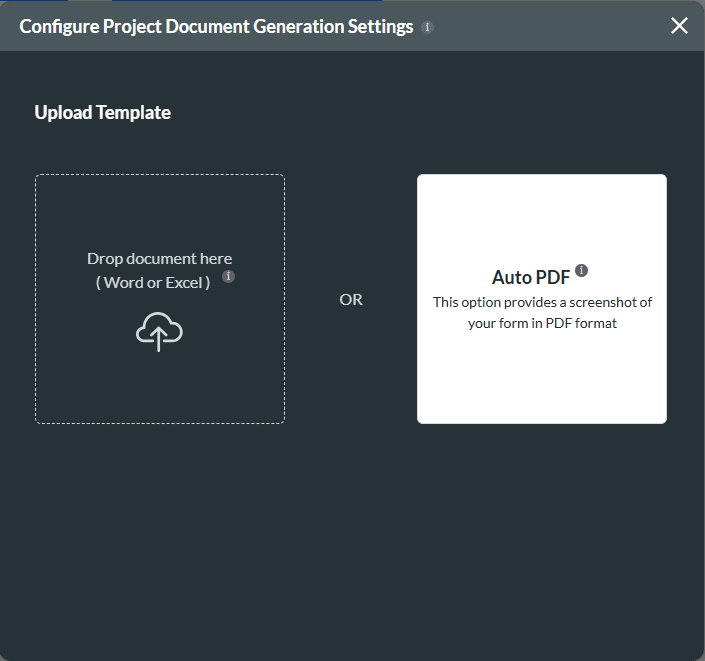

The options on the left of the screen under General depend on the options you selected on the previous screen.
You can add options:

Limitation
When using AutoPDF with Pagination enabled, projects that use steppers, tabs, or multi-step layouts will only include the first step or tab in the generated PDF. Additional steps or tabs are not included.


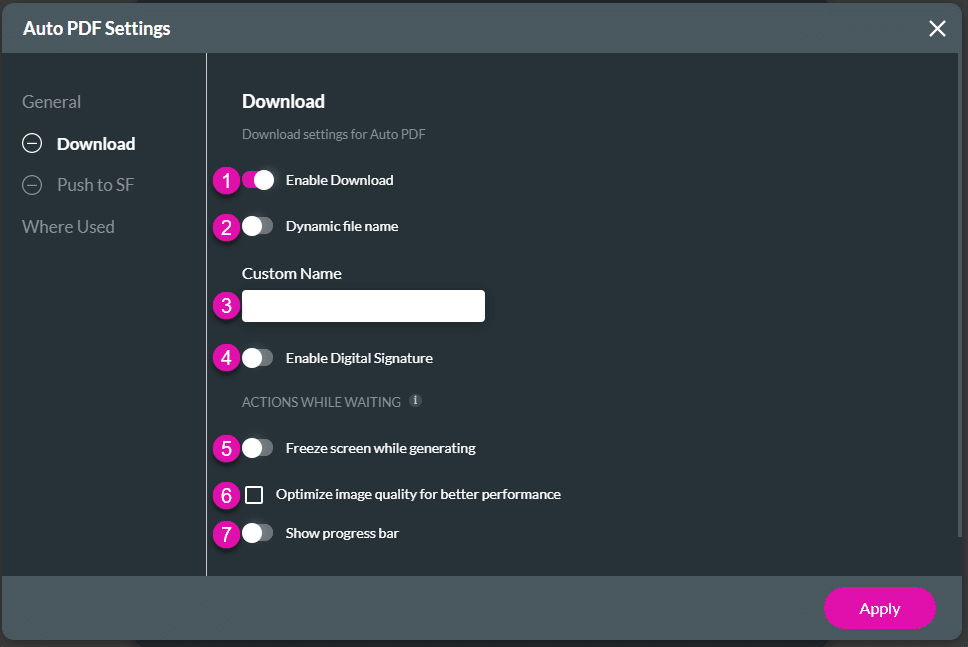
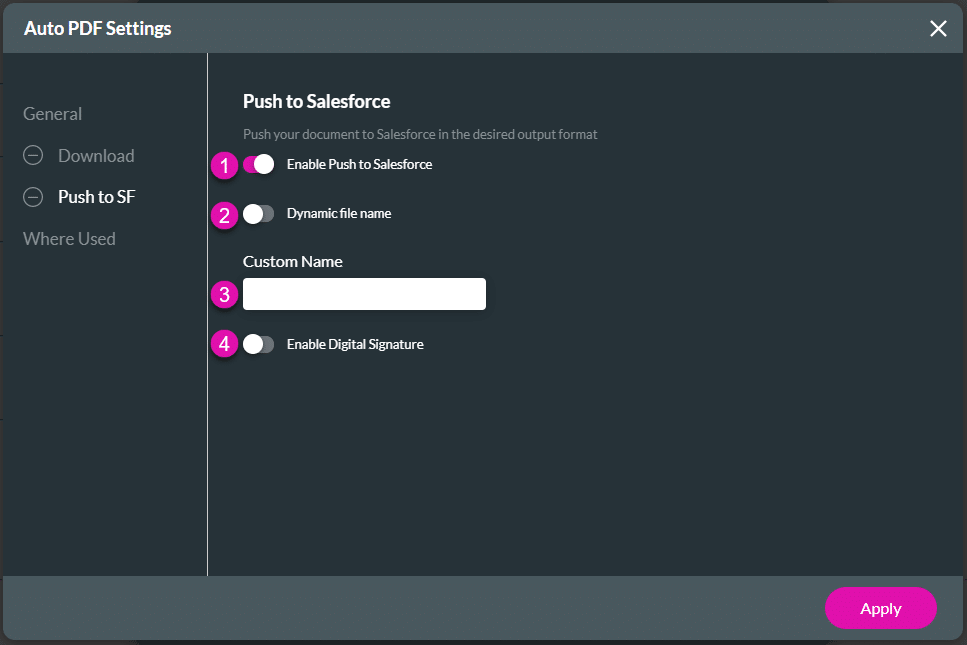

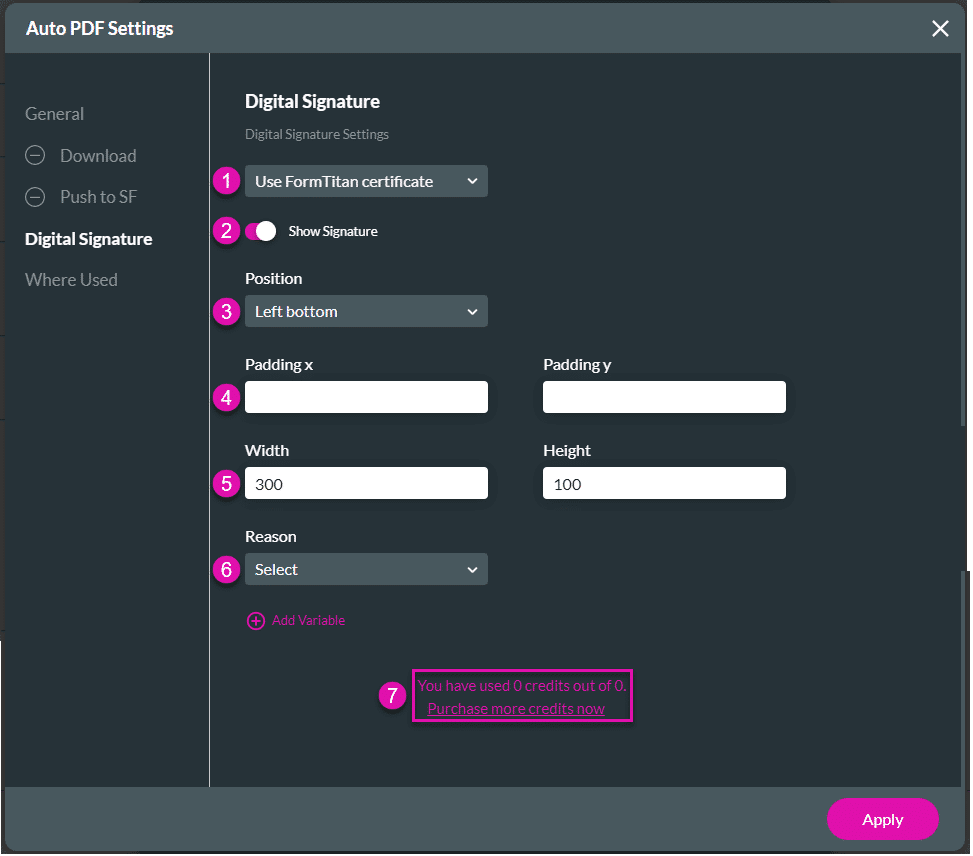
Make sure that you used the toggle switch to enable a Digital Signature, either under the Download, Push to Salesforce or Email option.