How can we help you?
Create custom tab orders in Titan Web to intentionally set or alter the sequence in which users navigate through interactive elements using the Tab key.
By default, tabs are ordered according to the sequence in which an admin added them to the layout.
The Tab Order Wizard custom tab order overrides the browser default.
The Tab Order Wizard lets you set the tab order per page as either automatic (the order that you added the inputs to the page) or custom.

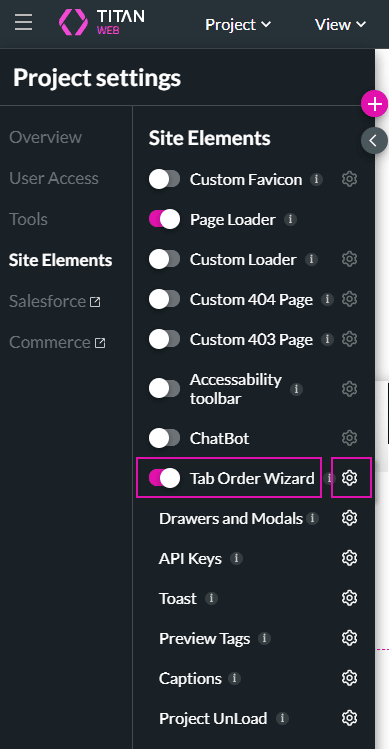
Project Settings > Site Elements >Tab Order Wizard toggle button
You can use values greater than 0 or use values 0 and -1.
Here you will use values greater than 0.
For illustrative purposes, the elements were numbered by using the Placeholder fields and Metadata tags.
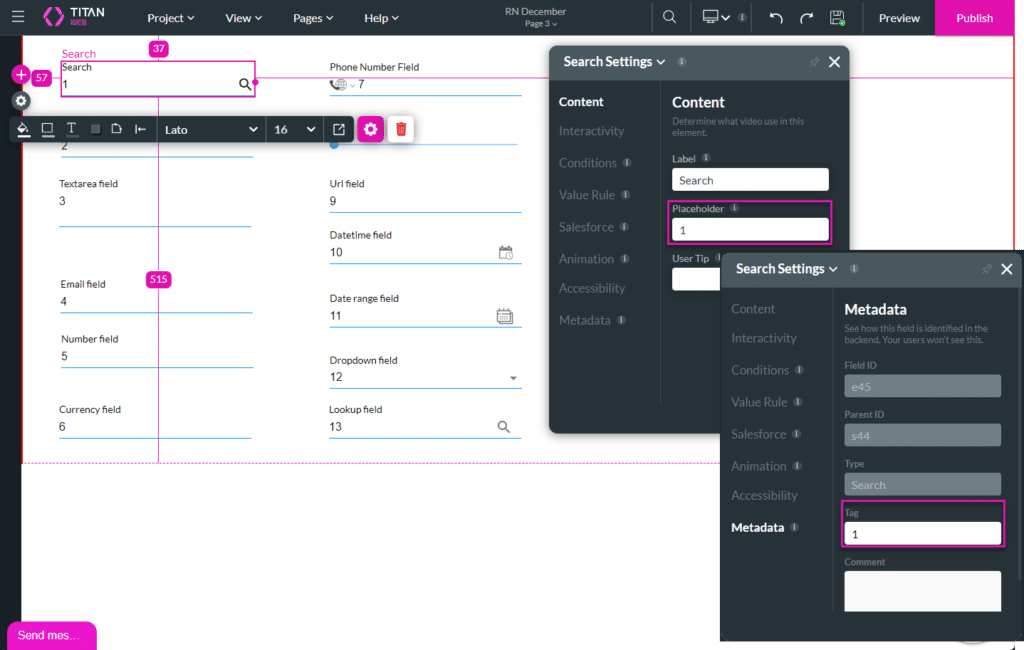
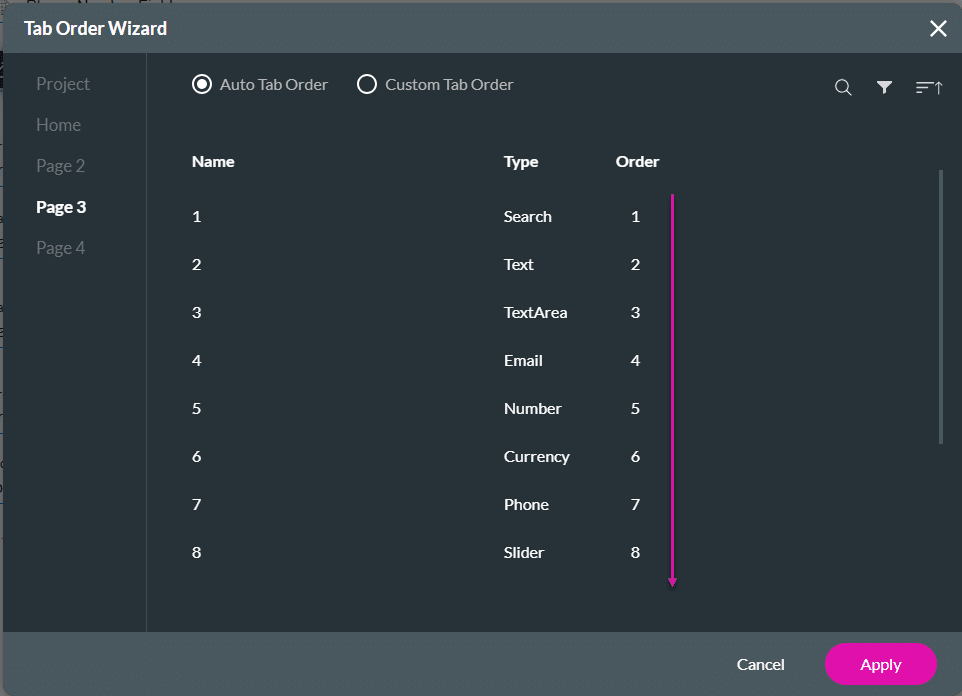
The tab order will be from 1 to the last number, in this instance, number 13. When the user presses the Tab key on the keyboard, this is the order that the tabbing will be done.
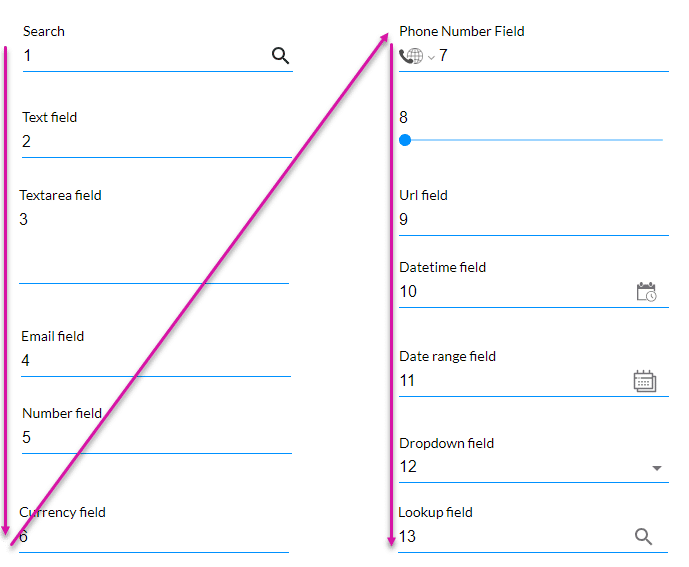

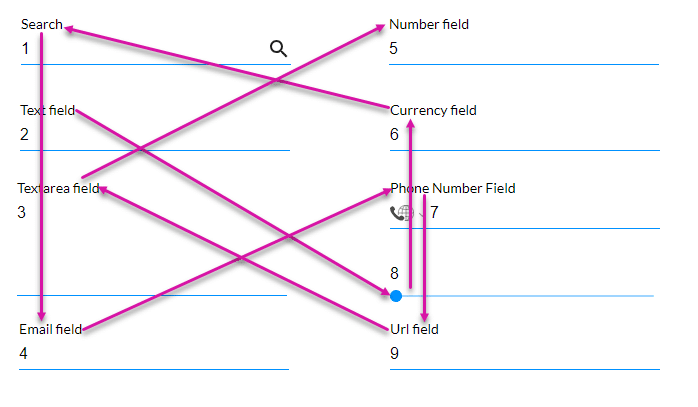
When the user presses the Tab key on the keyboard, this is the order that the tabbing will be done:
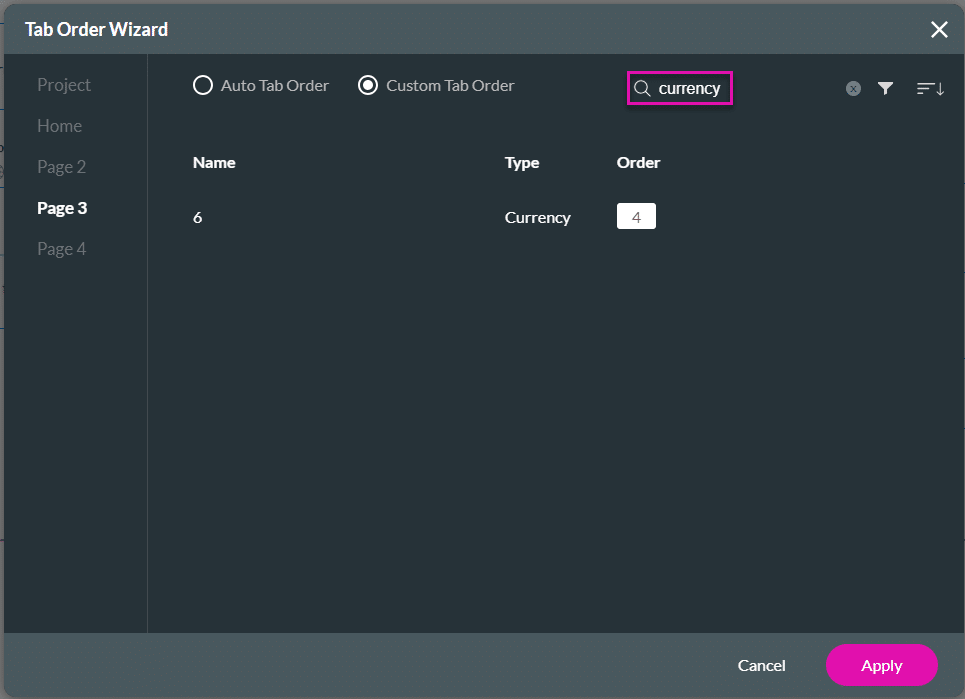
You can search for elements using the Search field.
To ignore specific input fields when a user uses the Tab key on the keyboard, you can set a 0 and/or -1 value.

The value 0 will be ignored, and the web browser’s default tab order (last tab) will be used. The value -1 will be ignored completely.
In this example: Text field (2) > Email field (4) > Number field (5) > Currency field (6) > Phone Number field (7) > Slider (8) > URL field (9) > Search field (1=0).
The Textarea field (2 = -1) will be ignored.

When the user presses the Tab key on the keyboard, this is the order in which the tabbing will be done.
The search field (1) is skipped at first because the number is equal to 0. The tab order will go to the search field (1) after the other fields are tabbed to, in this instance, after the URL field (9). A 0 value will ignore the tab order set up by the wizard and will use the default order of the web browser.
The textarea field (3) is skipped completely because the number is equal to -1.









