How can we help you?
Do you want to add payment types to your Web project? You can add YaadPay as one of the options to configure payments into your platform or marketplace and integrate them with Salesforce.
YaadPay offers a comprehensive payment gateway supporting various transaction types, including credit/debit card payments, recurring billing, and tokenized transactions. It caters to both online and in-person payments, providing flexibility for businesses of all sizes. It provides security measures, such as PCI DSS compliance, SSL encryption, and advanced fraud detection systems. These features ensure secure processing of transactions and protection of sensitive customer data.
To enhance the user experience, add YaadPay as a payment option on your website. You can seamlessly integrate YaadPay with your Salesforce account.
You can add the following:
You can configure different actions on payment:
Prerequisite:


You can select “Dynamic” to provide a flexible currency, according to what the customer needs.
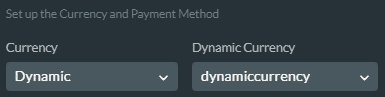
Add the dynamic value as a variable. Use the following numbers:
YaadPay will reject any other values.
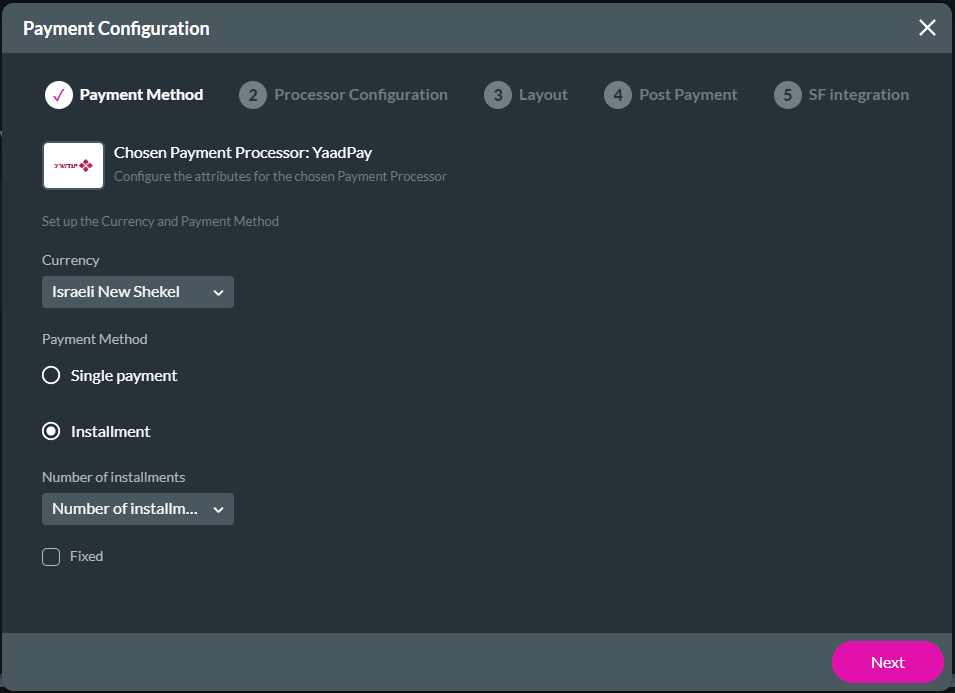

Configure the following as necessary:
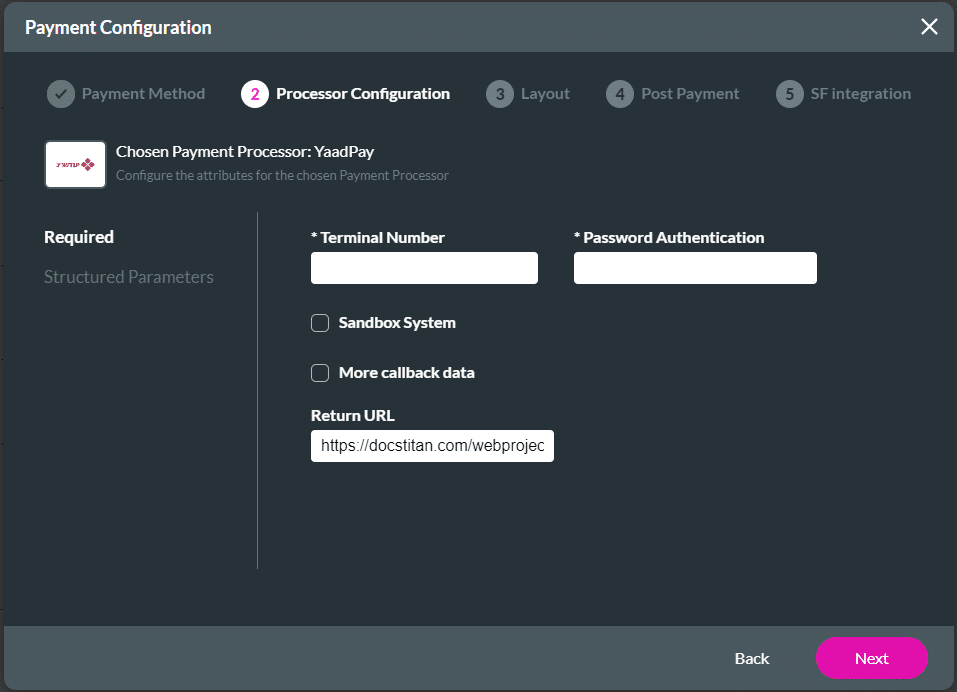
| Label in Titan | Label in API | Type | Remarks |
|---|---|---|---|
| Terminal Number | Masof | 10 digits | Required |
| Password Authentication | PassP | Value from client service | Required |
| More callback data | MoreData | Return more data on the transaction | Optional |
Define a permanent recurring setting using 999 as the number of payments. Otherwise, select any number between 2 and 998 to set up a certain number of payments.

You can filter the parameters. Just type a word or part of a word in the Filter field. You can select to show the following:


Info is a mandatory parameter.
| Label in Titan | Label in API | Type | Remarks |
|---|---|---|---|
| First Name | ClientName | VarChar | Required |
| Last Name | ClientLName | VarChar | Optional |
| ID | UserId | You can send 9 zeros if the credit card company doesn’t require the ID | It is recommended that the customer fill this field on the payment page without having to send it. If a request is submitted to open a template in English, UserId = 000000000 or UserId = L Customer number must be sent. This parameter appears on the invoice in the default format. |
| Invoice Description | heshDesc | Text/ Number or items values | Optional |
| Street | street | VarChar | Optional |
| City | city | VarChar | Optional |
| Zip Code | zip | VarChar | Optional |
| Phone | phone | Number | Optional |
| Cellular | cell | Number | Optional |
| Send invoice by SMS | sendHeshSMS | Checkbox | True or False. It will be displayed if cell was filled. |
| Optional | |||
| Send invoice in mail | SendHesh | Checkbox | True or False. It will be displayed if email was filled. |
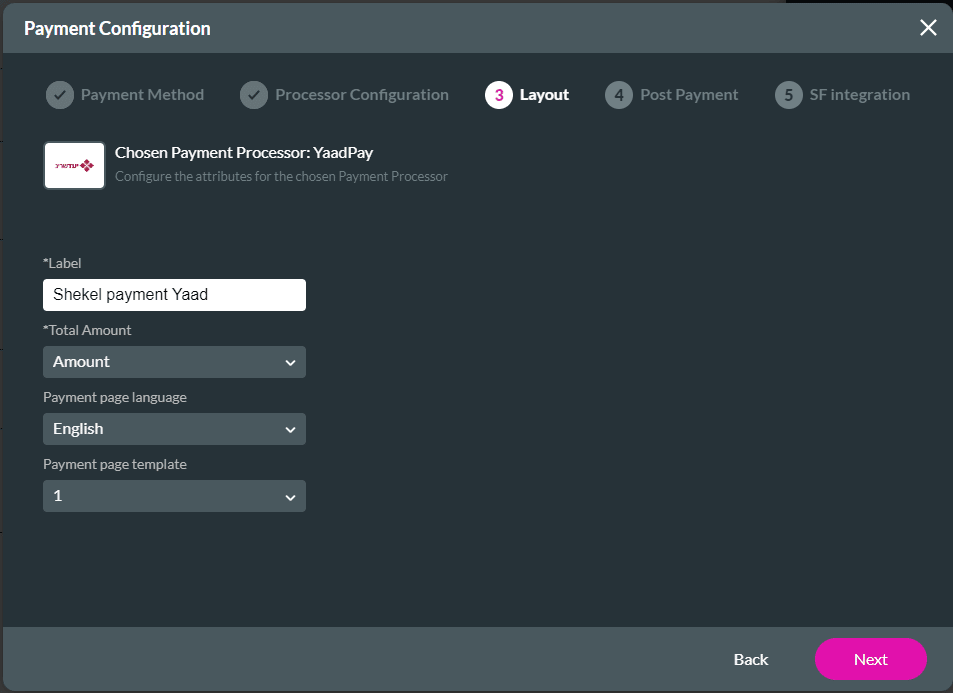
You can do the following:











