How can we help you?
Create the FT Document Generation button and add it to your page layout in Salesforce. In most standard objects, the FT buttons are created automatically for you by Titan; however, if you want to add an FT button to a custom object page for Salesforce document generation, you must first create the button and then add it to the layout.
Add the FT Doc Gen button to your object.
There are two types of FT Doc Gen buttons you can add:
Prerequisite:
1. On the Titan Forms project, make sure that you configure the Word mapping.
2. Click the Configure button under the Salesforce button.
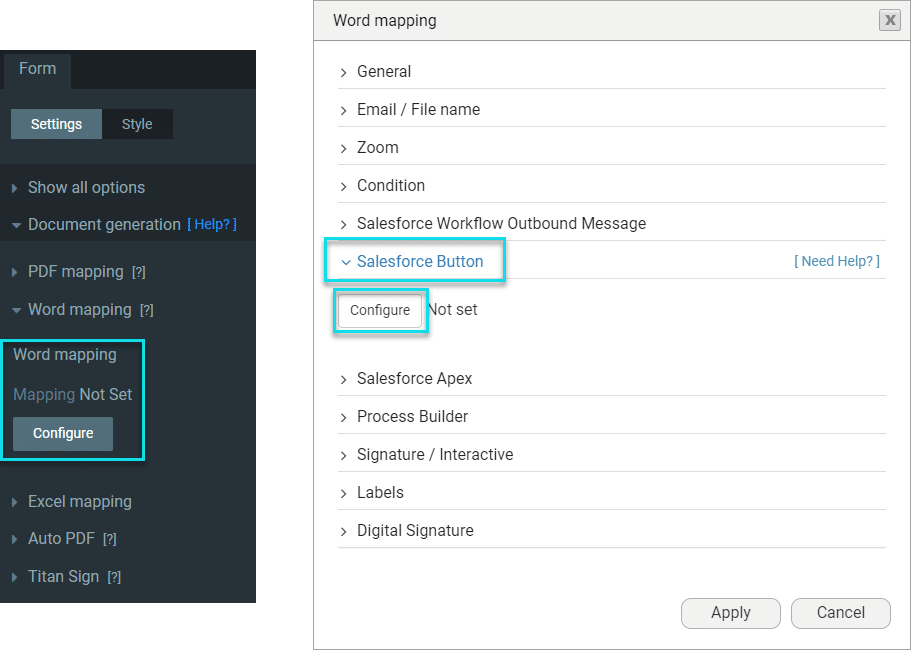
3. Select an object and map the record ID to the Form.

Add the button to the record view in an object.


When the user clicks the button, the Document Generation modal opens with a list of the templates to which the specific user has access.

The height of the modal in this example is 780 px.
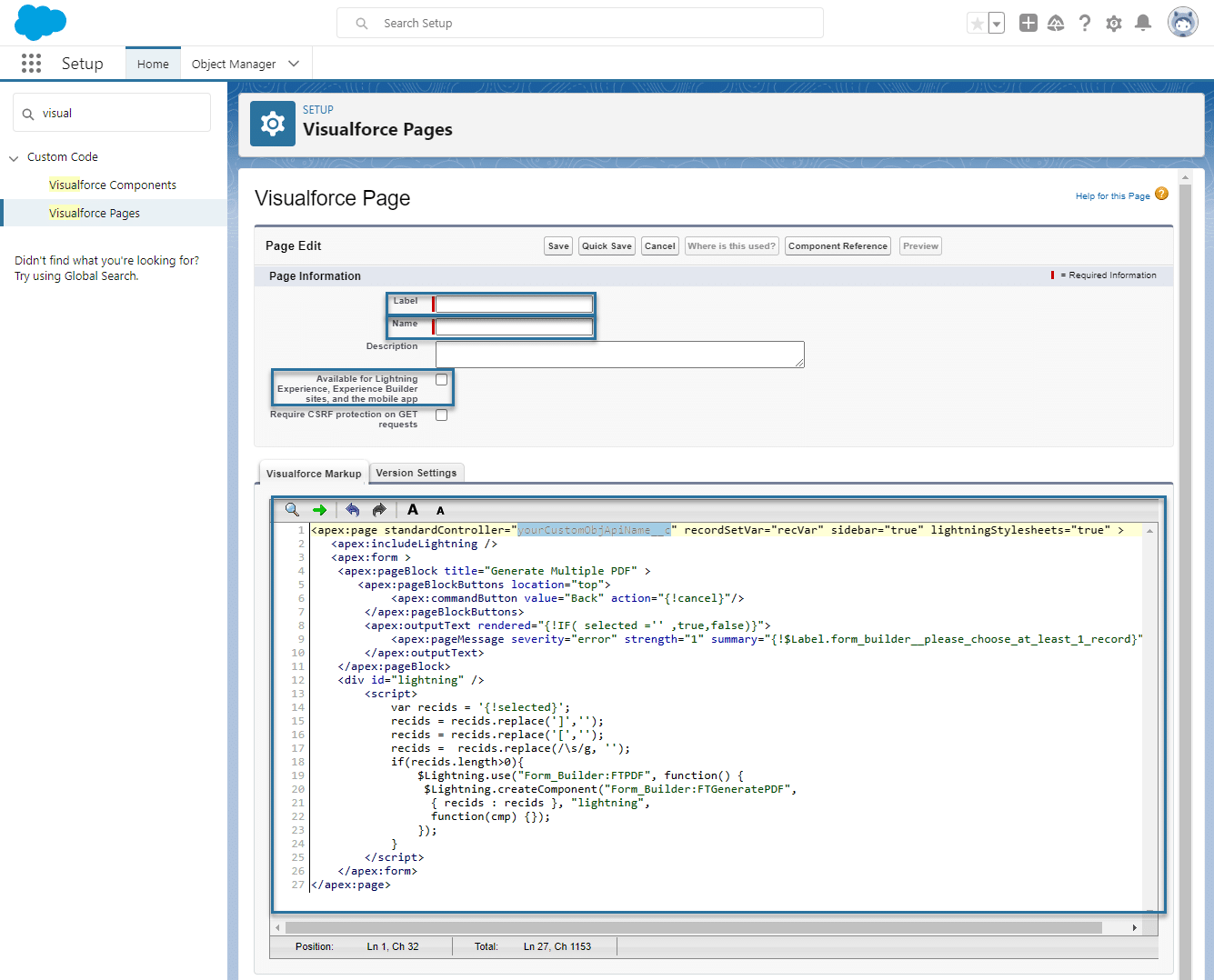
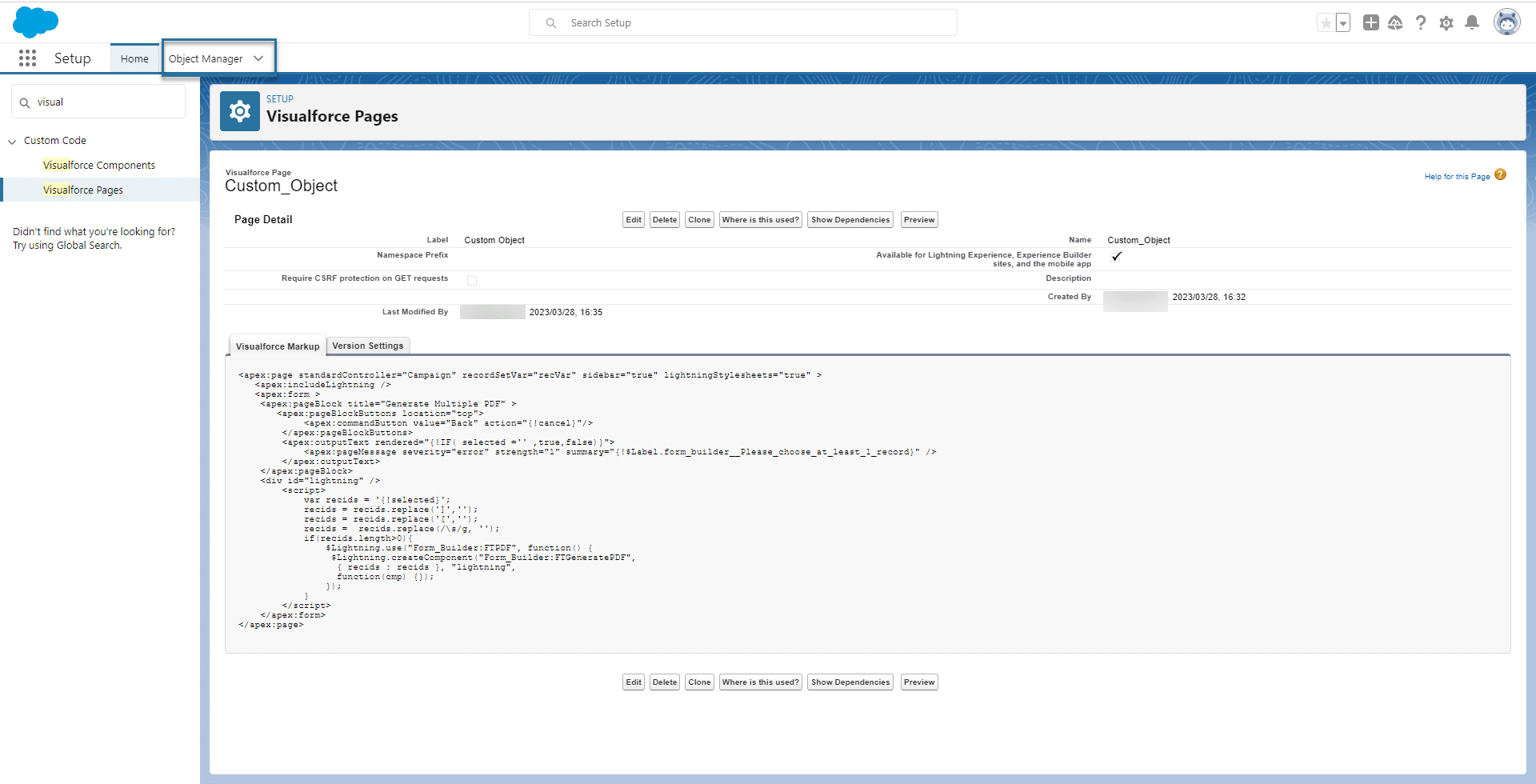
Add the button to the List View.


<apex:page standardController="yourCustomObjApiName__c" recordSetVar="recVar" sidebar="true" lightningStylesheets="true" >
   <apex:includeLightning />
   <apex:form >
    <apex:pageBlock title="Generate Multiple PDF" >
       <apex:pageBlockButtons location="top">
            <apex:commandButton value="Back" action="{!cancel}"/>
        </apex:pageBlockButtons>
        <apex:outputText rendered="{!IF( selected ='' ,true,false)}">
            <apex:pageMessage severity="error" strength="1" summary="{!$Label.form_builder__please_choose_at_least_1_record}" />
        </apex:outputText>
    </apex:pageBlock>
    <div id="lightning" />
        <script>
            var recids = '{!selected}';
            recids = recids.replace(']','');
            recids = recids.replace('[','');
            recids =  recids.replace(/s/g, '');
            if(recids.length>0){
                $Lightning.use("Form_Builder:FTPDF", function() {
                 $Lightning.createComponent("Form_Builder:FTGeneratePDF",
                  { recids : recids }, "lightning",
                  function(cmp) {});
                });
            }
        </script>
    </apex:form>
</apex:page>
Makes sure that you use the API name of the custom object and not the name.

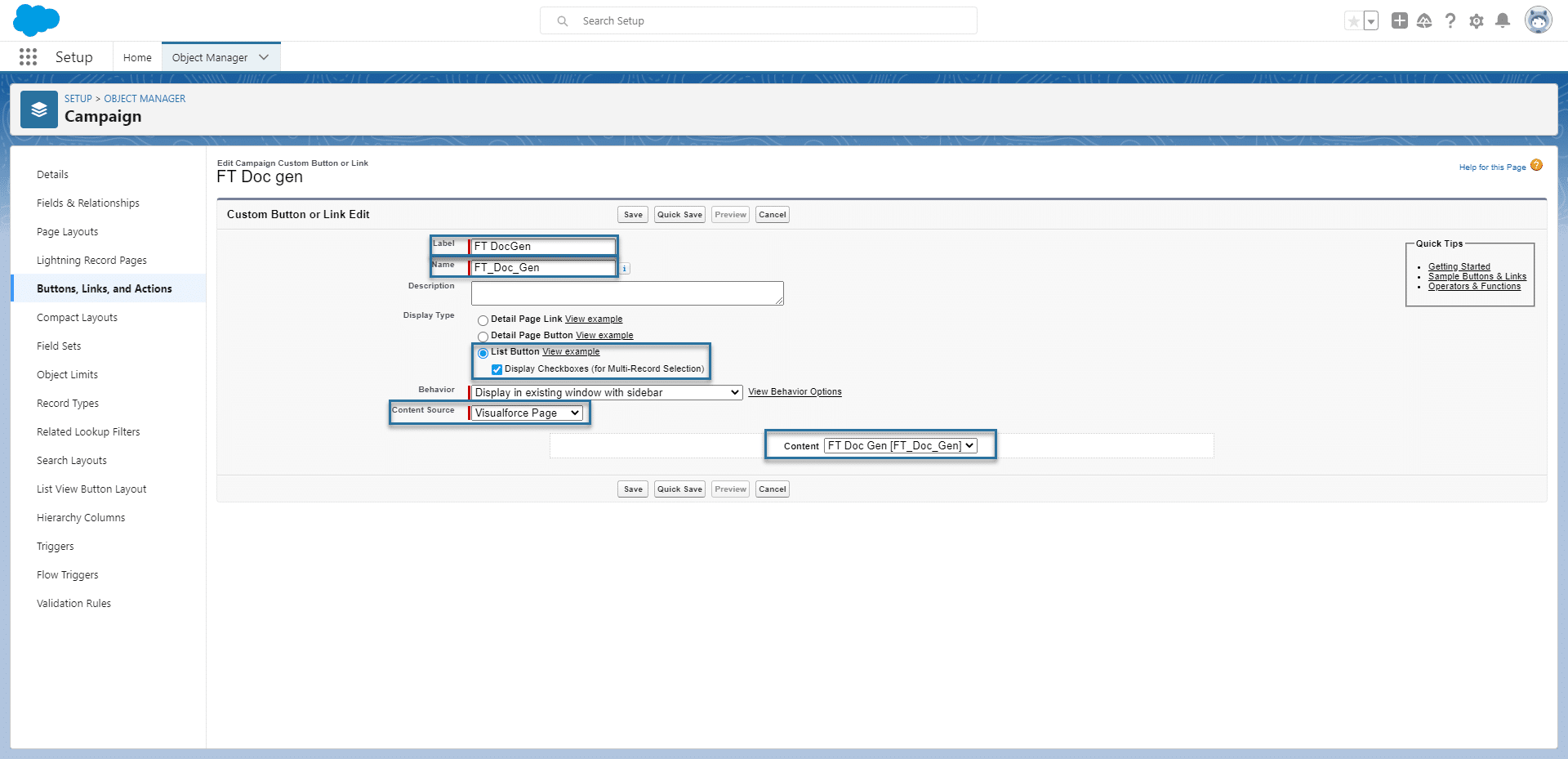
After you have created a new button, it will be available in the list to select. Buttons that are part of the Titan package will also be listed here.
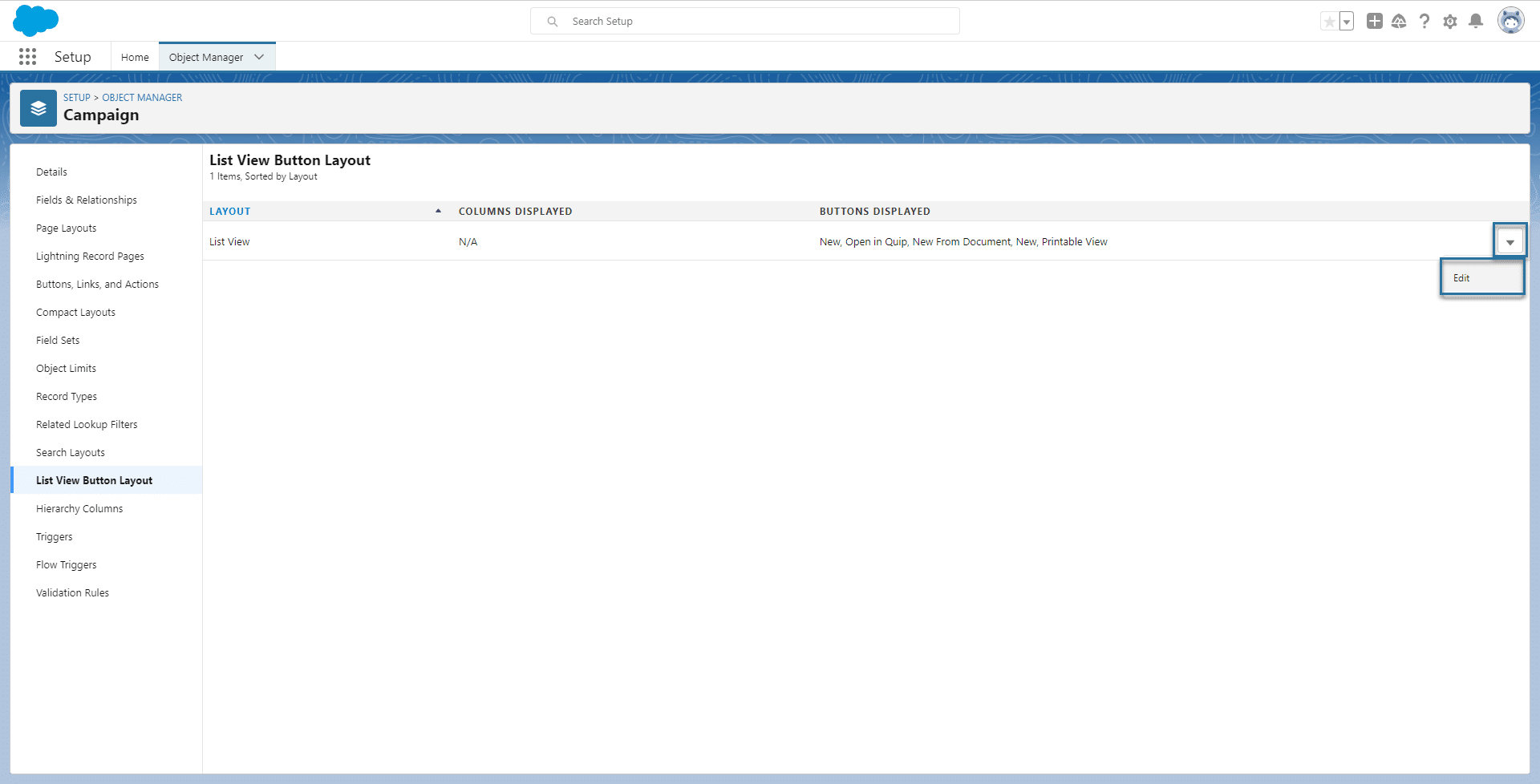
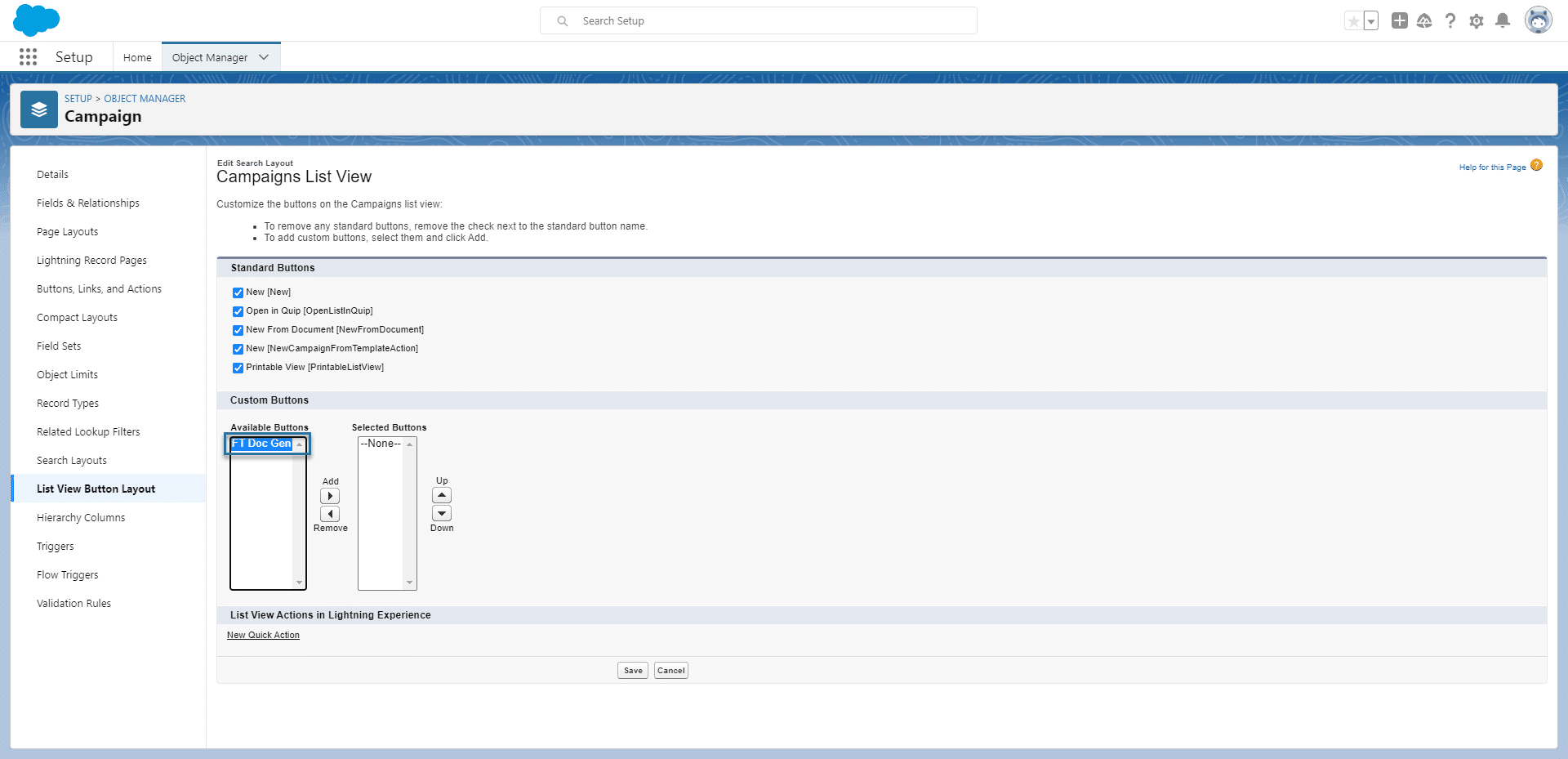
The button is added to the List View layout.

You can now use the button on the object.

If you cannot see the button in Salesforce, use the drop-down arrow and click the FT Doc Gen option.

If you are interested, check out our Salesforce document generation article for a comparison of the 10 best tools in the market.









