How can we help you?
Use the scroll fade feature on the tracker widget to add a faded effect that will be shown when the user scrolls the widget.
Make sure that you added a scrollbar to the widget before you add and style the scroll fade.
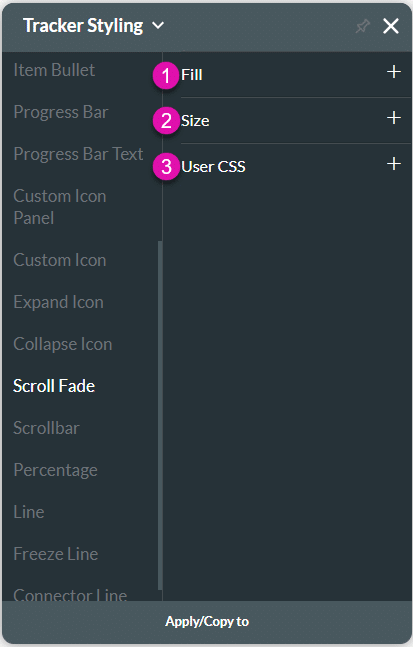
| # | Option | Function |
|---|---|---|
| 1 | Fill | The fill is used the configure the color for the scrollbar fade. |
| 2 | Size | This option enables you to set the size of the scrollbar fade in pixels. |
| 3 | CSS | CSS (Cascading Style Sheets) allows the user to apply styles on the tracker widget with CSS code. Note: For Project styling, CSS is accessed via the Tools menu, which you can read about in our Style Elements Using User CSS article. |
Let’s look at how you can style the scroll fade. Alternatively, contact us today if you have a specific business use case in mind.
Remember that you have to add a scrollbar to the widget before you add and style the scroll fade.
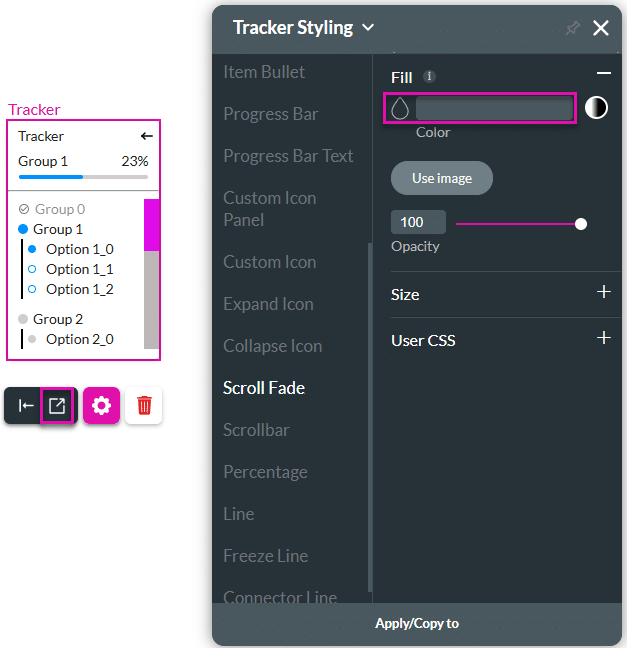


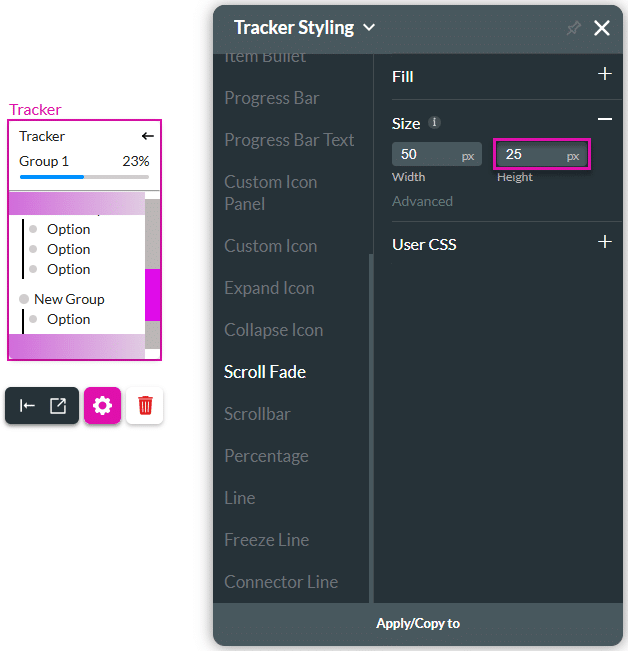
When the user scrolls the widget, the fade is added at the top and bottom. When the scrollbar is at the top, there is a fade added to the bottom of the widget.
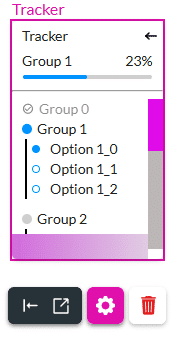
When the scrollbar is at the bottom, the fade is at the top of the widget.










