How can we help you?
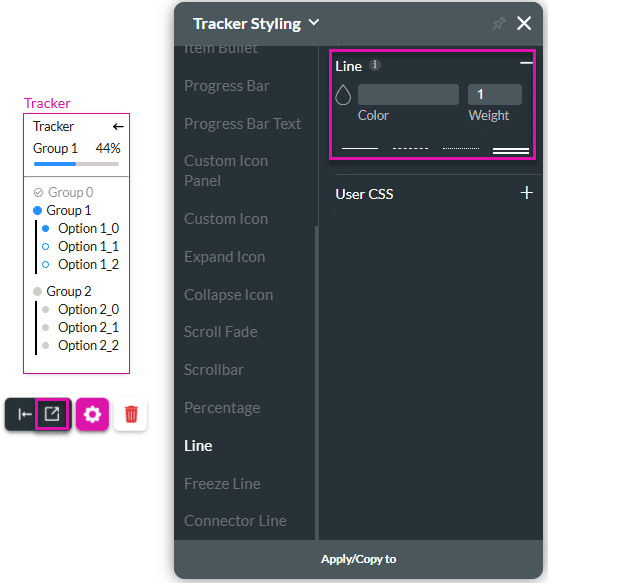
Use this option to style the line separating the tracker title block (with the progress bar and percentage) from the rest of the tracker widget.
There are four different line styles.
Use the Line option to customize the tracker widget.
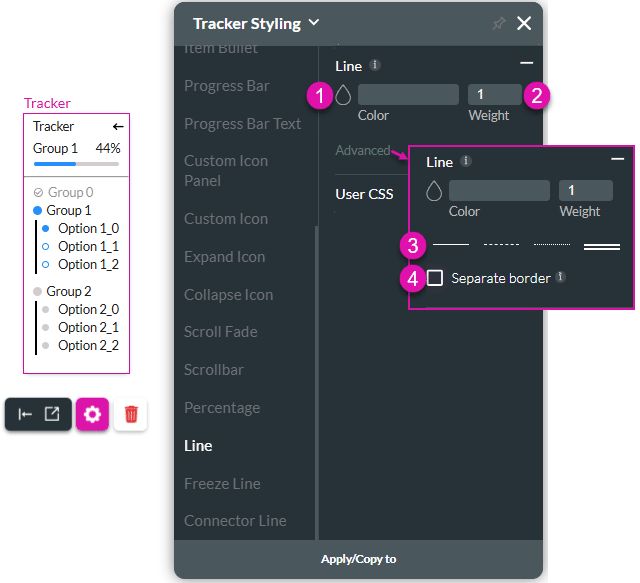
| # | Option | Function |
|---|---|---|
| 1 | Color selector | Choose the color display of the border by selecting the color palette. |
| 2 | Weight | This option allows you to adjust the weight of the element’s border. |
| 3 | Line style selector | Use this option to select one of the styles: solid line, dashed, dotted or double line. |
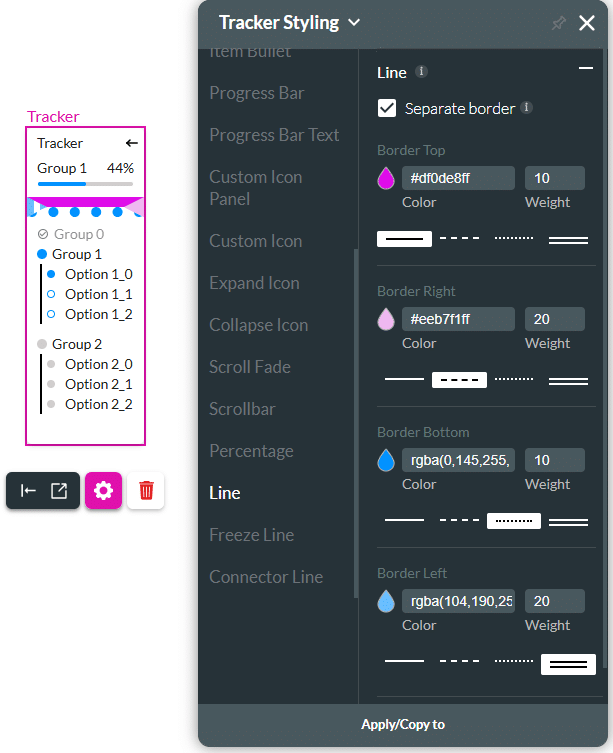
| 4 | Separate border checkbox | Click the checkbox to style each side separately. You can change the color, weight, and style of the separate borders. |
Join us as we look at two of the many ways you can style the line. If you need any assistance, please feel free to contact Titan Support.