How can we help you?
When working on a contract, a user may want to save it as a draft and return to it at a later stage. This is more convenient than completing edits in a single read or, alternatively, making changes from scratch when re-opening a document.
Titan CLM enables a user to work on a contract draft and save it in Salesforce. The draft’s progress is fully tracked in the user’s CRM. The user can return to the document at any time and make the desired changes before passing it to the next collaborator. The user has the option to enable email notifications of the drafting process.
Follow the steps below:


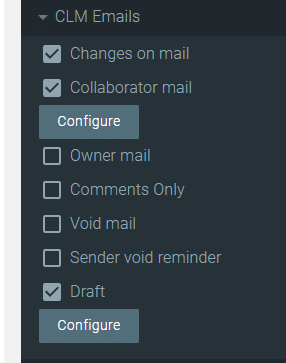
If CLM Emails are not configured, you can simply save the project URL and return to it later.


Note:
You can hide the ability to draft a template from end users.









