How can we help you?
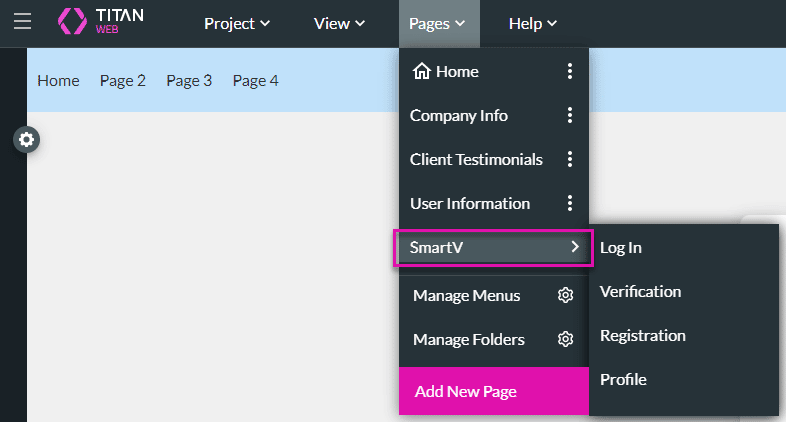
Add validation to the fields of the Login and Profile screens. For instance, you can define that an email field must contain an @ sign or that a name field may not contain numbers.
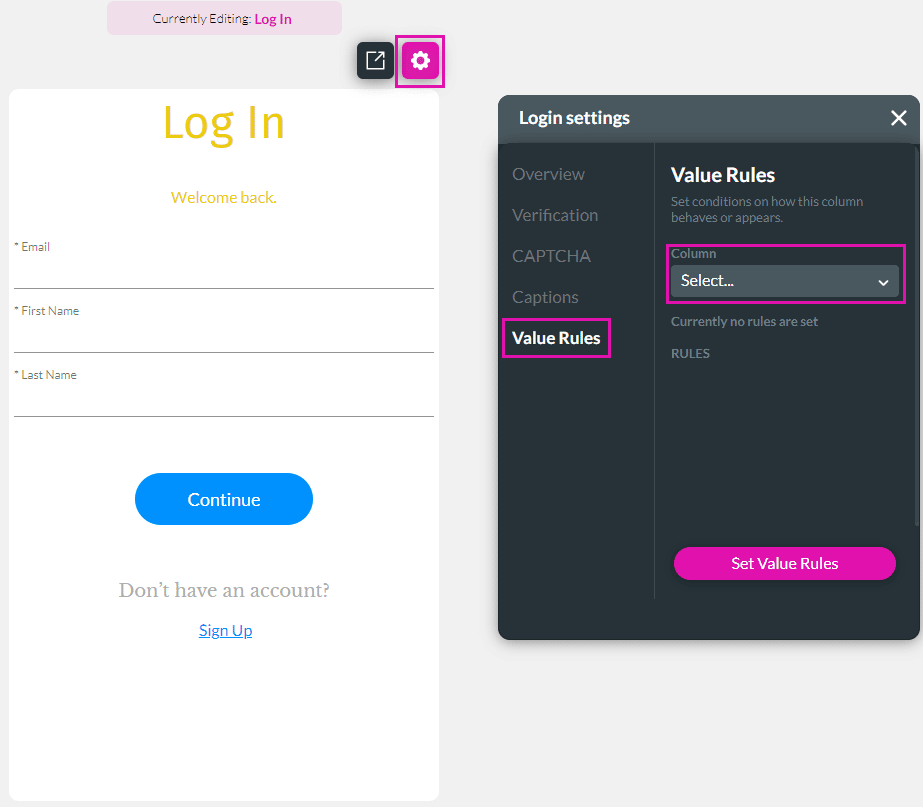
Use the Set Value Rules function to set the acceptable values for an input field, this can improve the efficiency and accuracy when capturing information.

Note:
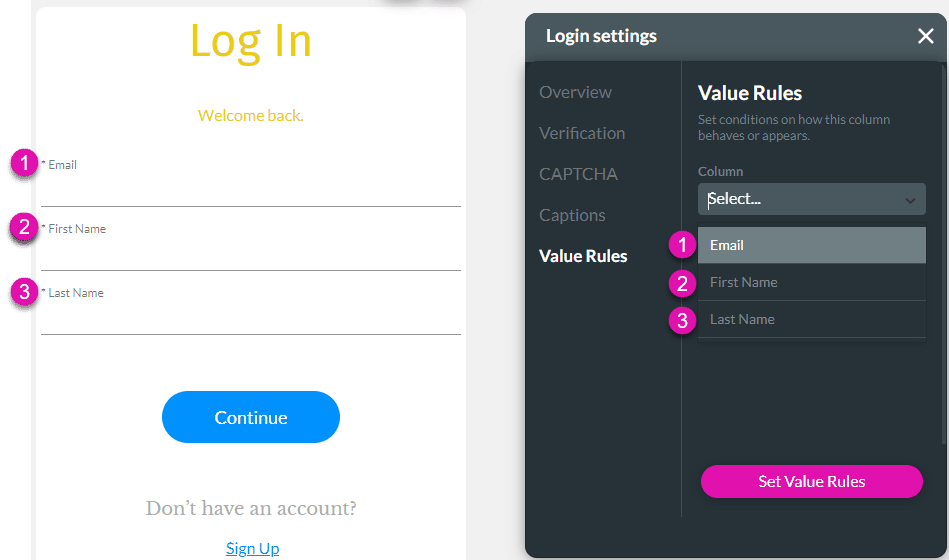
The options in the drop-down list corresponds with the fields that you added when configuring the Login screen.

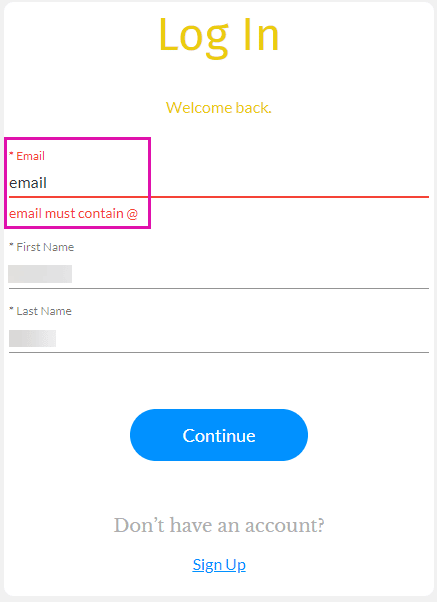
When the user adds an email address without an @ sign, the error message will be shown.