How can we help you?
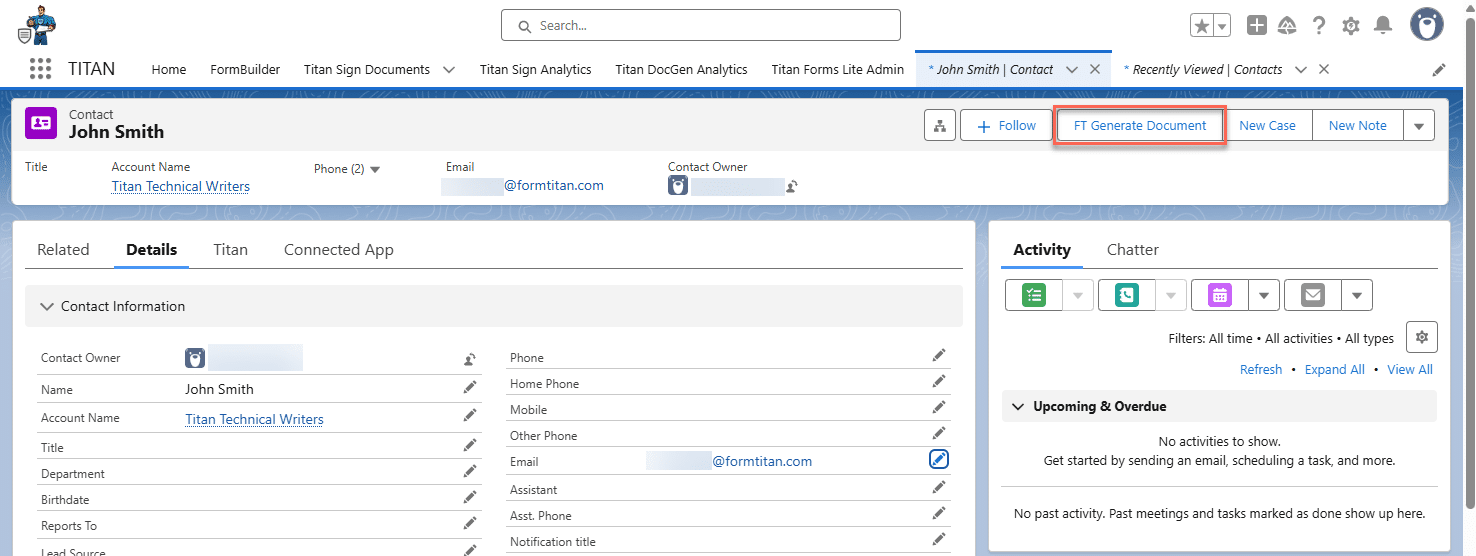
Use the FT Generate Document functionality in Salesforce or a Salesforce Flow to trigger CLM and signing processes. In addition, the Salesforce user can now edit the document online before starting the collaboration and approval process.
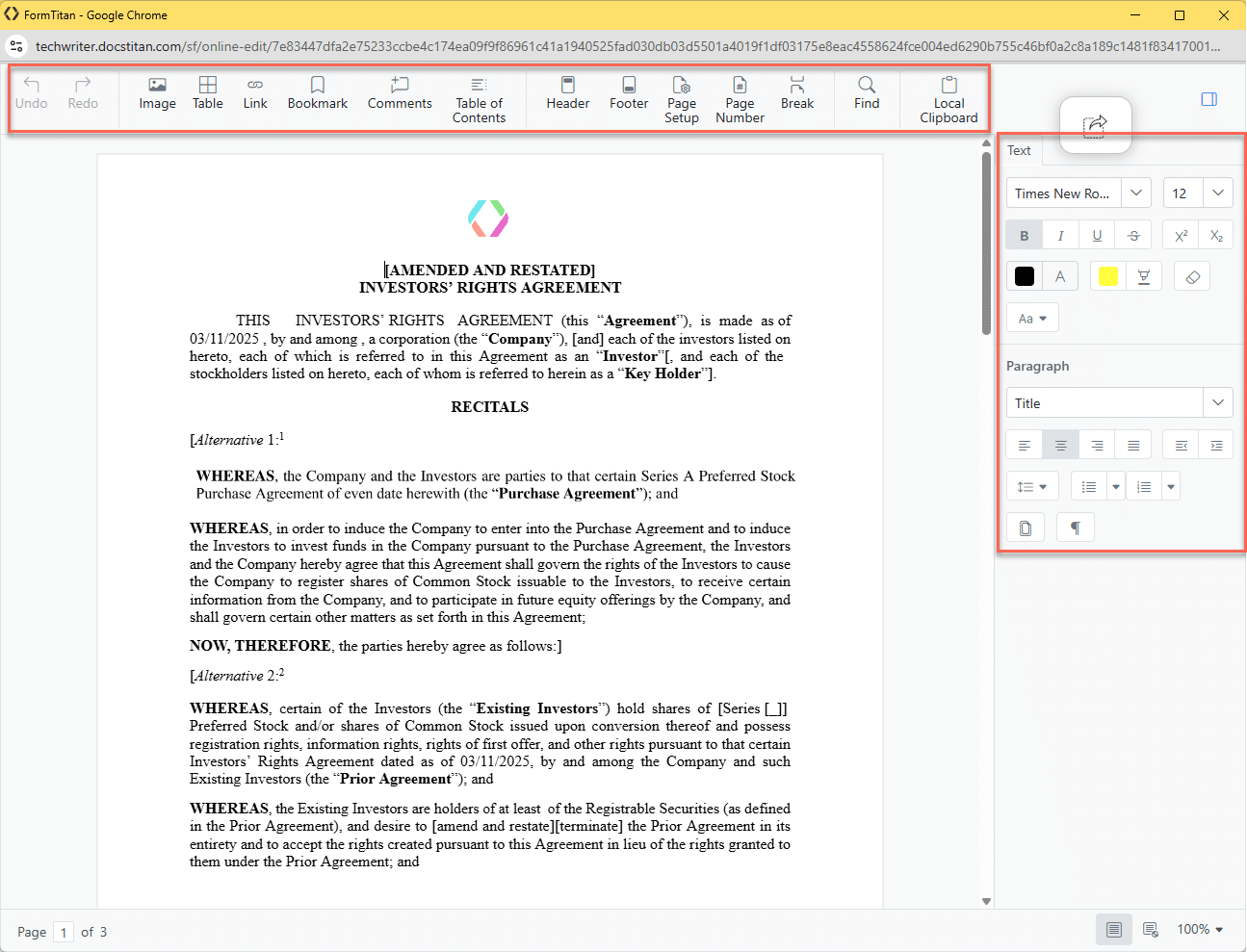
Titan lets you edit the document online from Salesforce before sending the document for the CLM process. You can, for instance, add or change text, add images or tables, or change the font family or color.
The changes are not made to the template but only to the edited document version.
There are two methods to do this:

Note:
None of the changes are being tracked (or redlined).


Note:
Prerequisite:
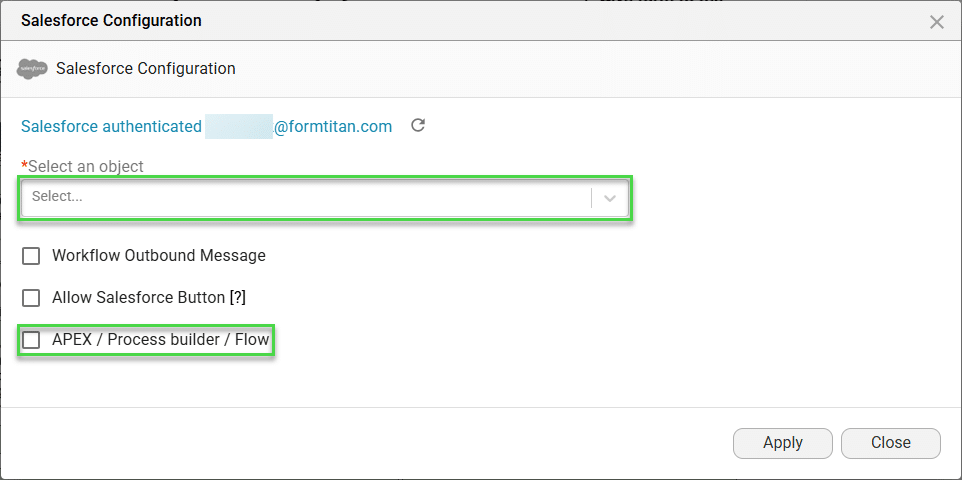
Make sure that you have text area field (with lenght of 1024 or more) that can hold the Instant URL on the record. You will need the API of this field to configure the flow.

Note:
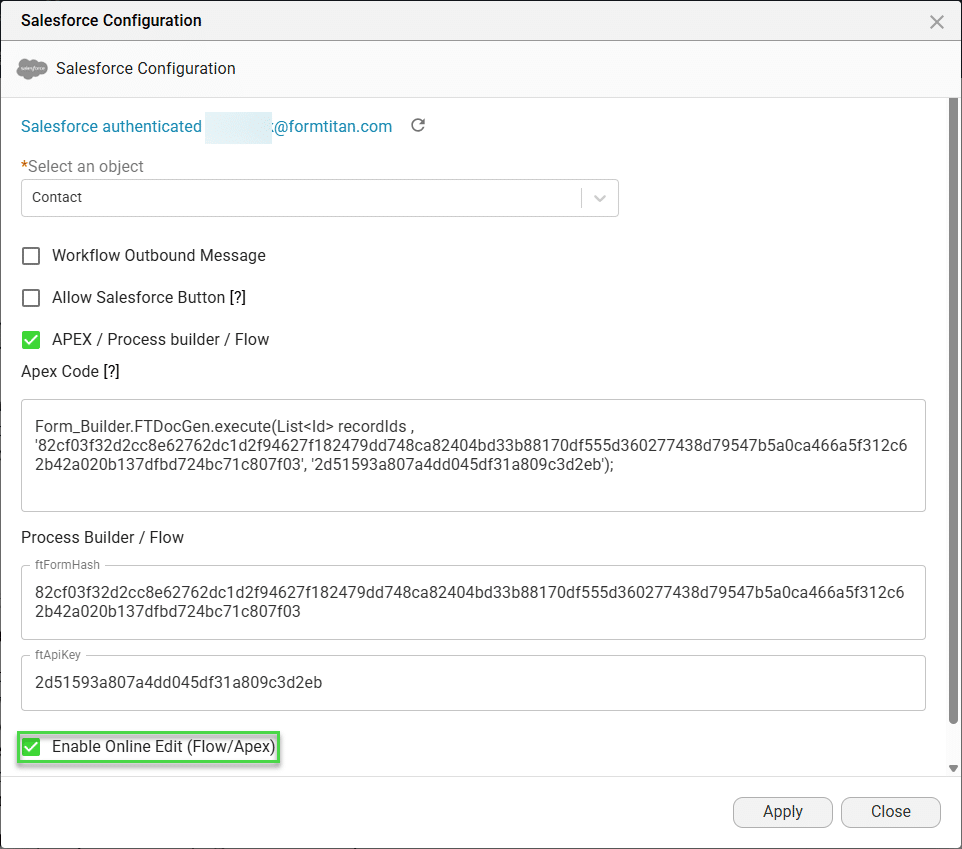
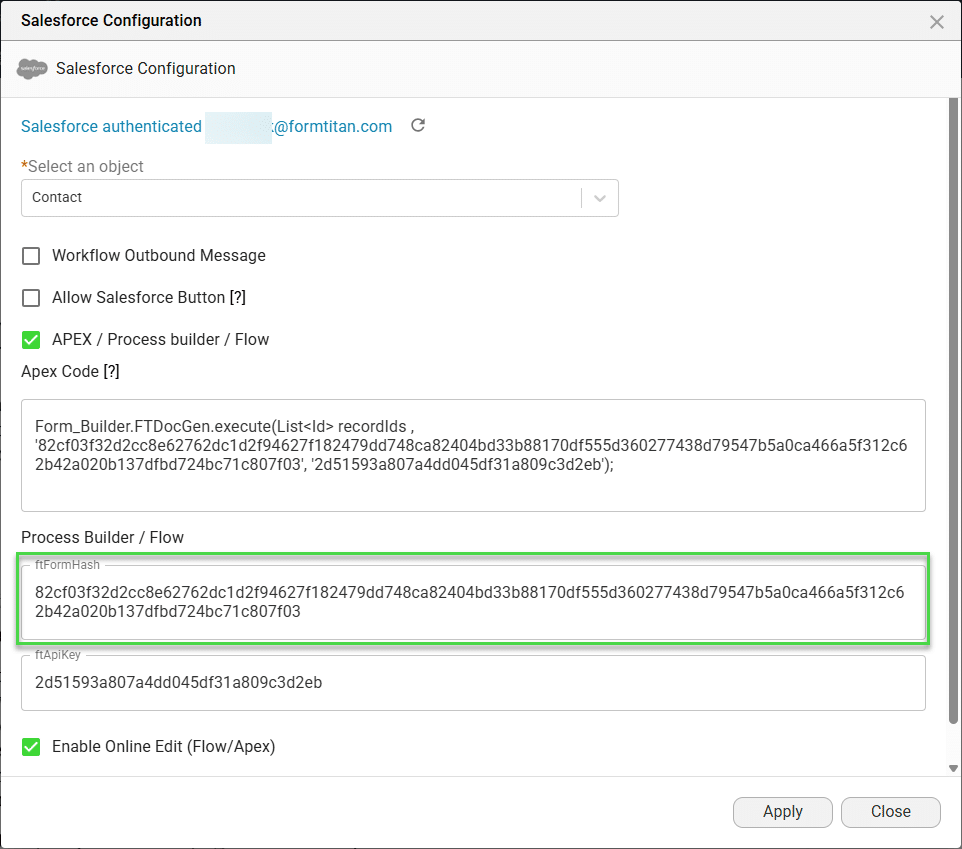
Take note of the ftFromHash. You will need it to create the flow in Salesforce.
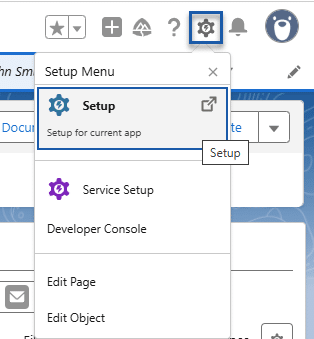
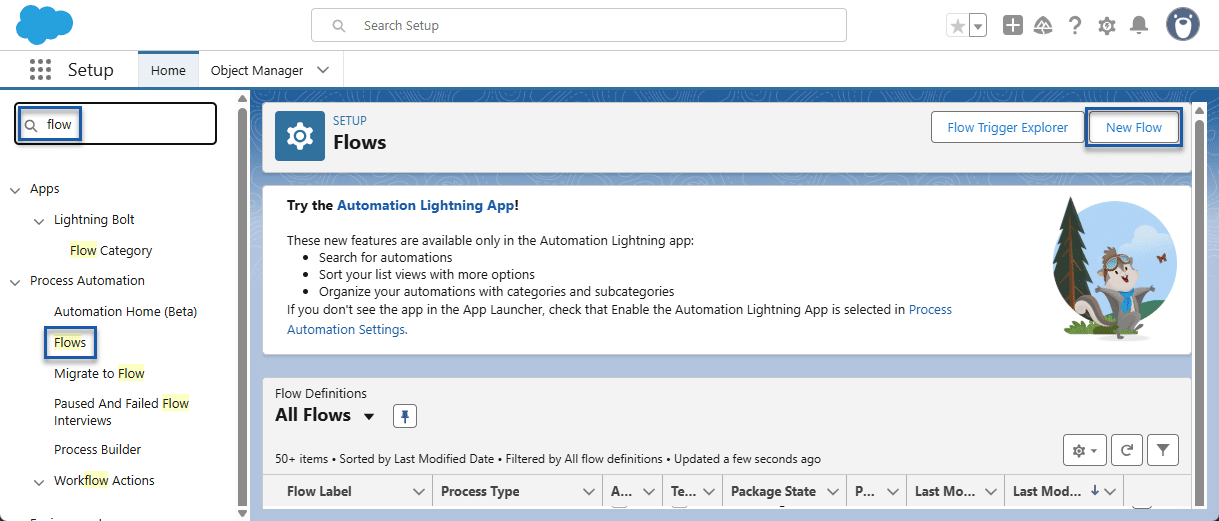
Note:
You can create a flow to suit your business needs. The process described here is only one example of how to do it.
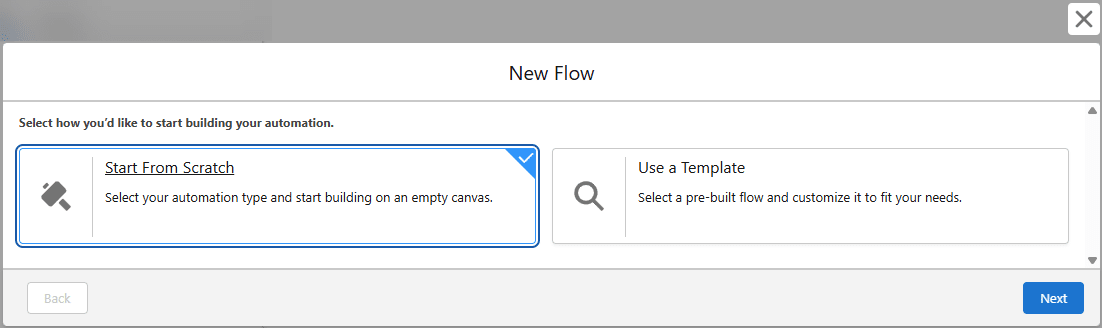
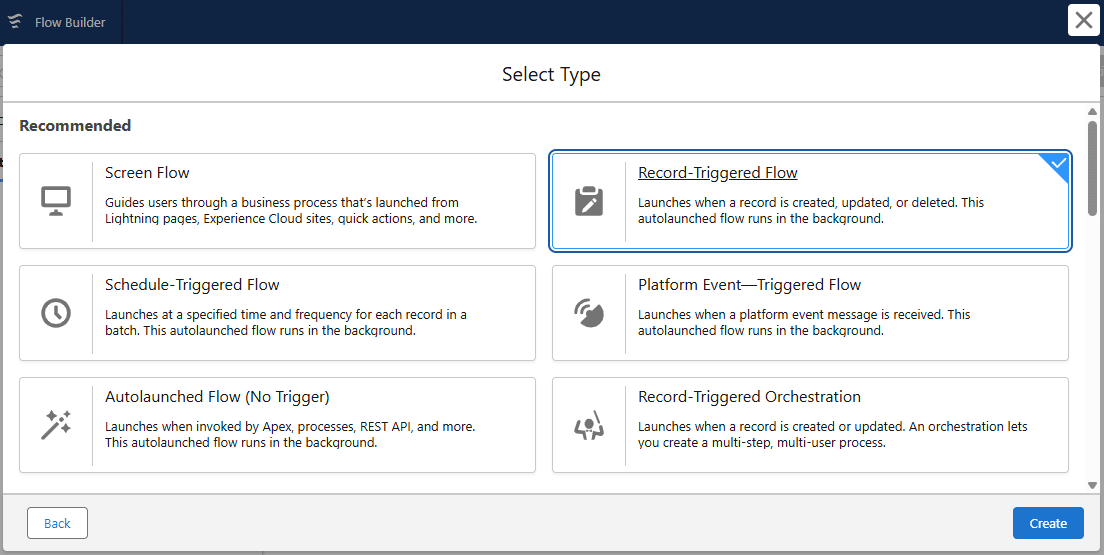
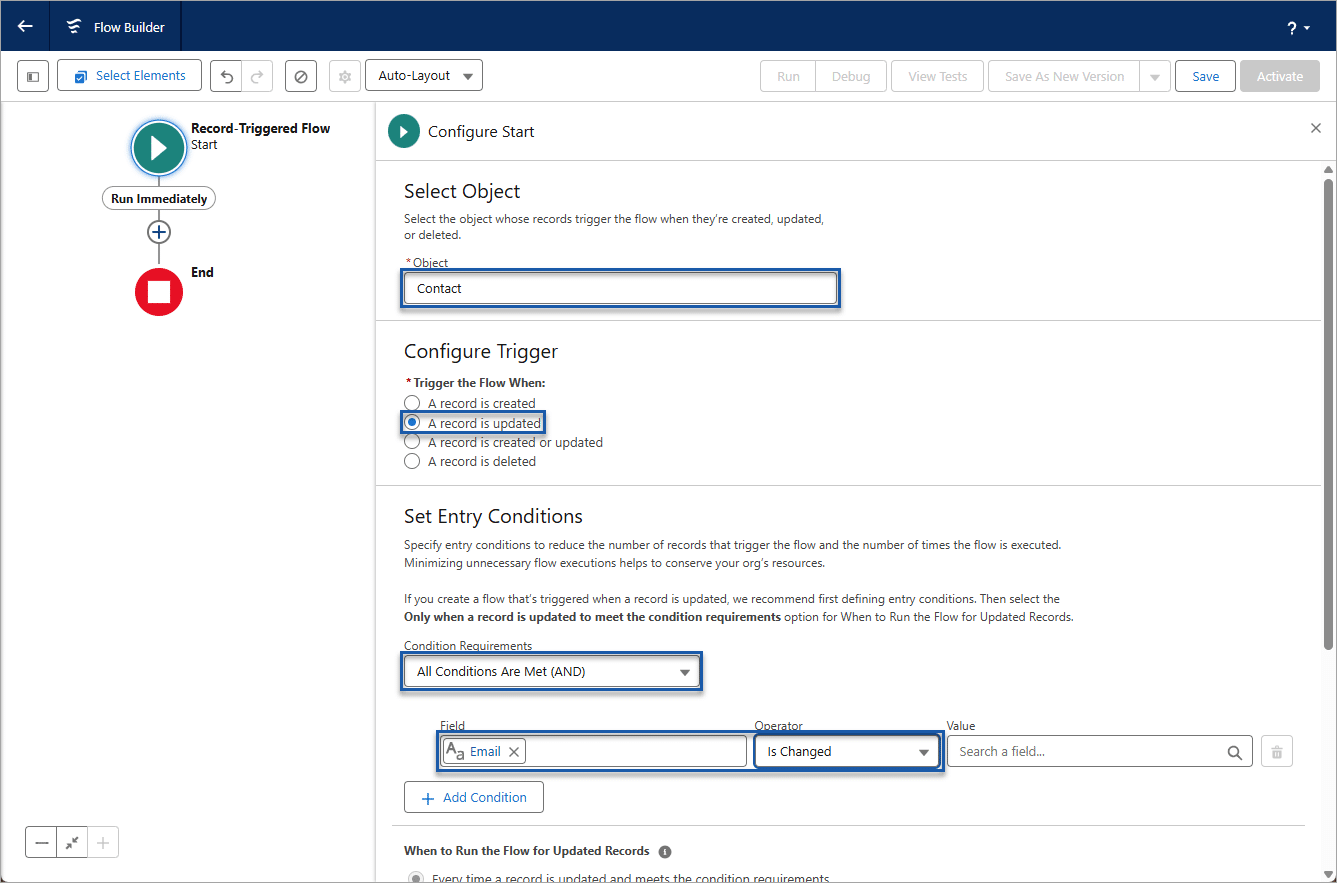
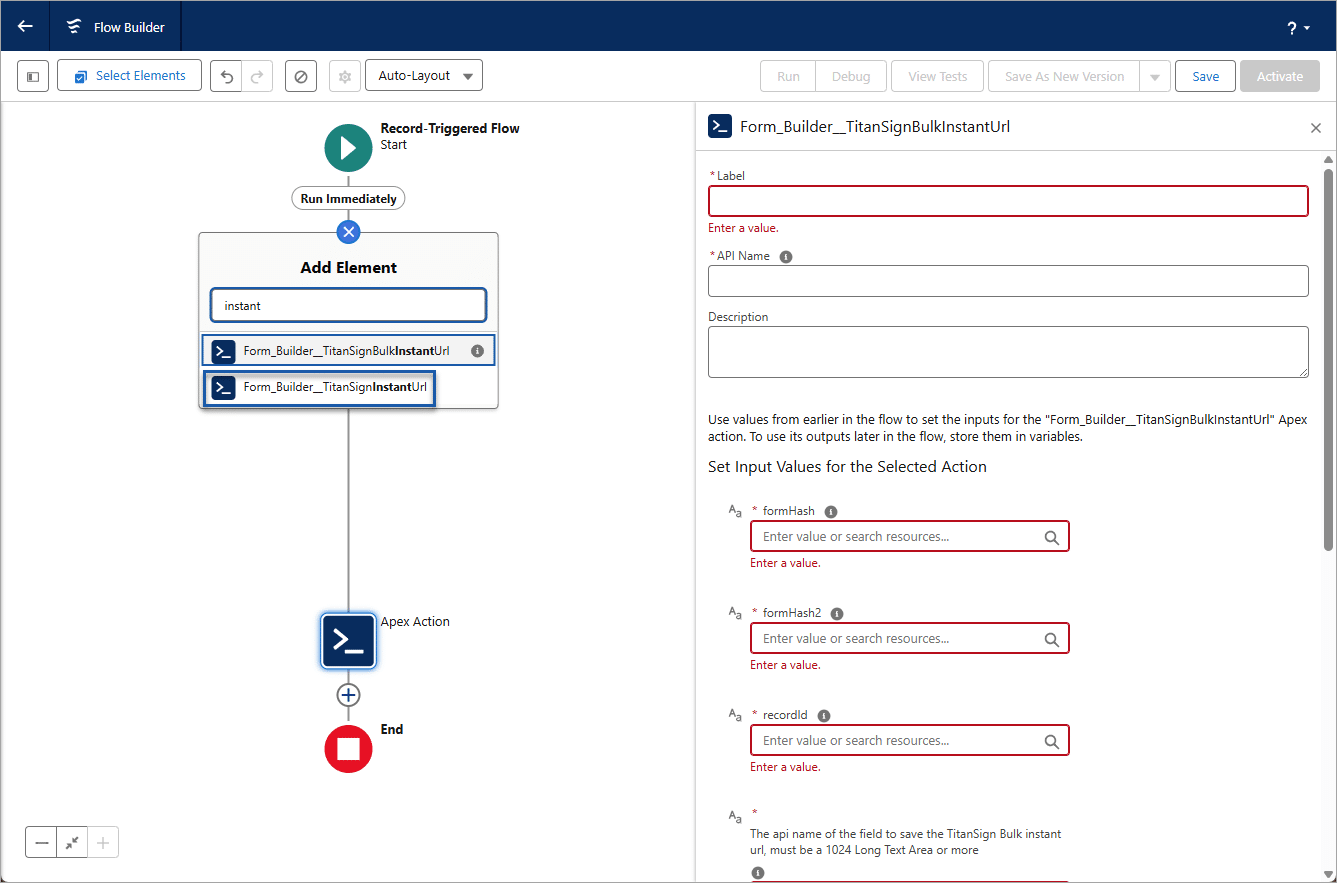
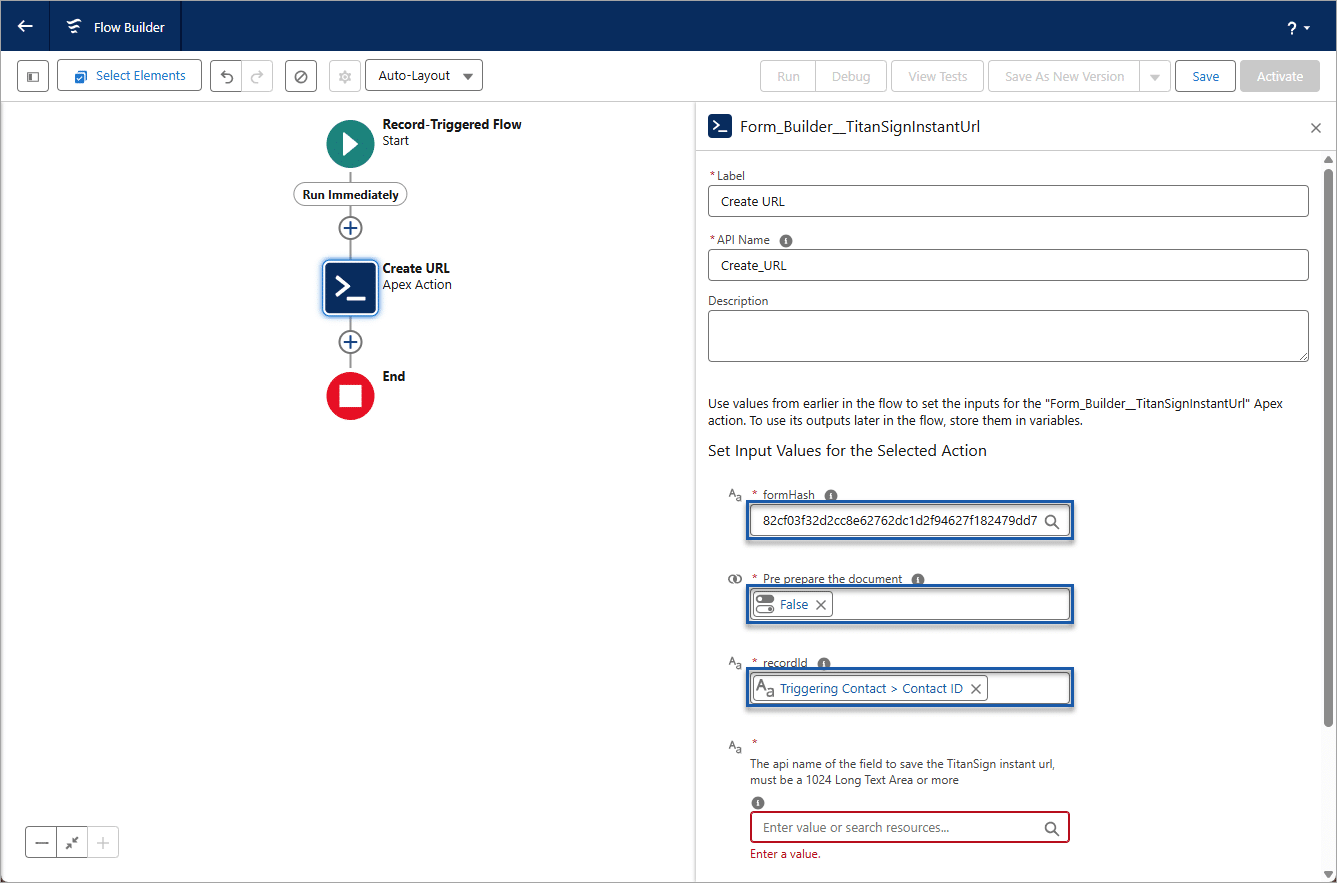
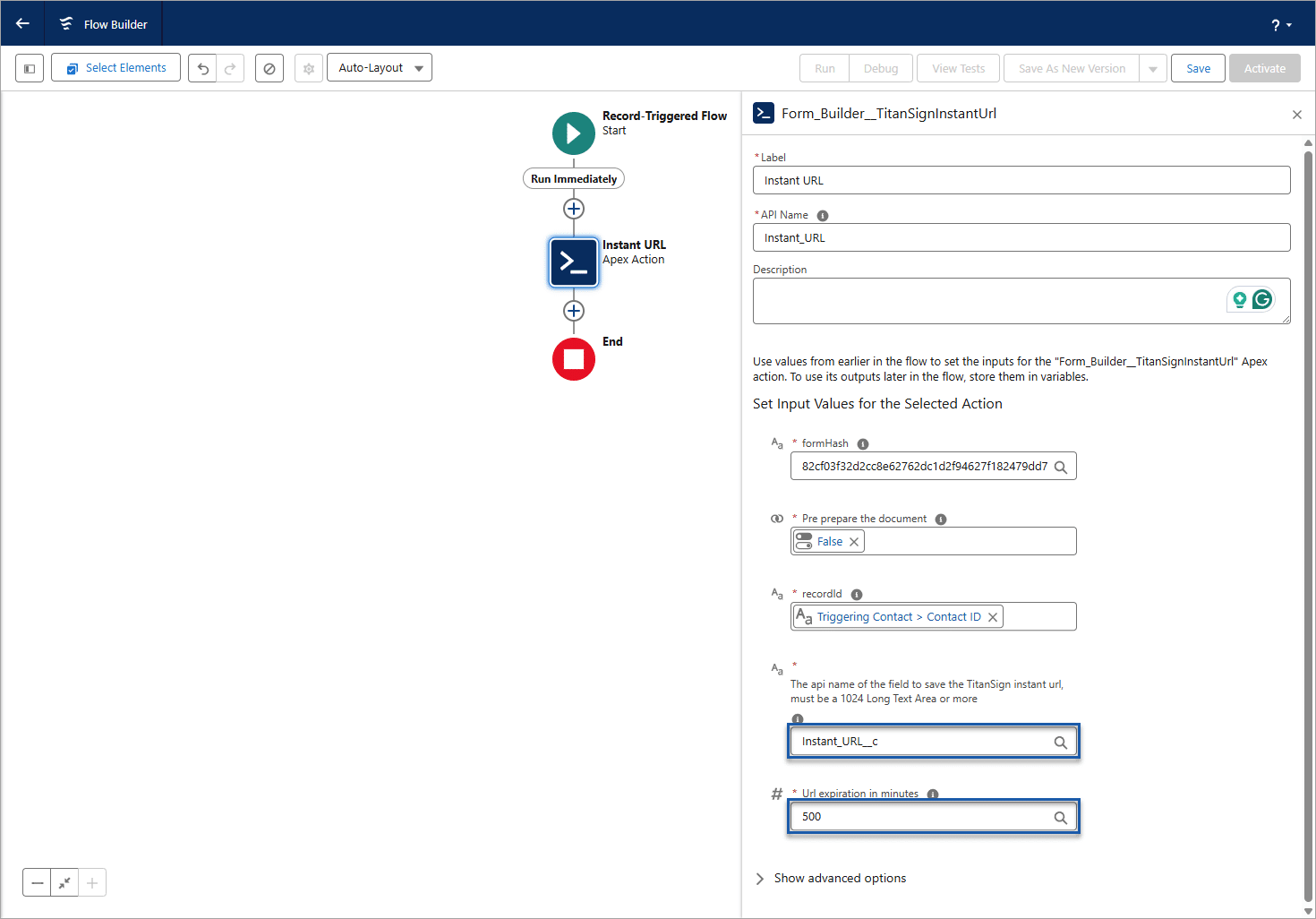
When the triggering event occurs on the record, the Instant URL field will be populated.

Note:
When a user clicks the URL, the document opens and it can be edited.









