How can we help you?
You can bulk-create or update records in Salesforce by uploading a CSV file.
With Titan Flow, you can create records using the Titan Loader in Salesforce. Just upload one CSV file with multiple lines, and the system will do the rest! Each row in the file will create a record in Salesforce according to the configuration set in Titan Loader.
You can update a specific record’s data.
Bulk creating or updating records in Salesforce by uploading a CSV file offers several advantages. Here are some examples:
You can upload data, for instance, from a CSV file and update a contact in Salesforce.
Note:
Prerequisite:
Create a custom file variable for this option that refers to the document.


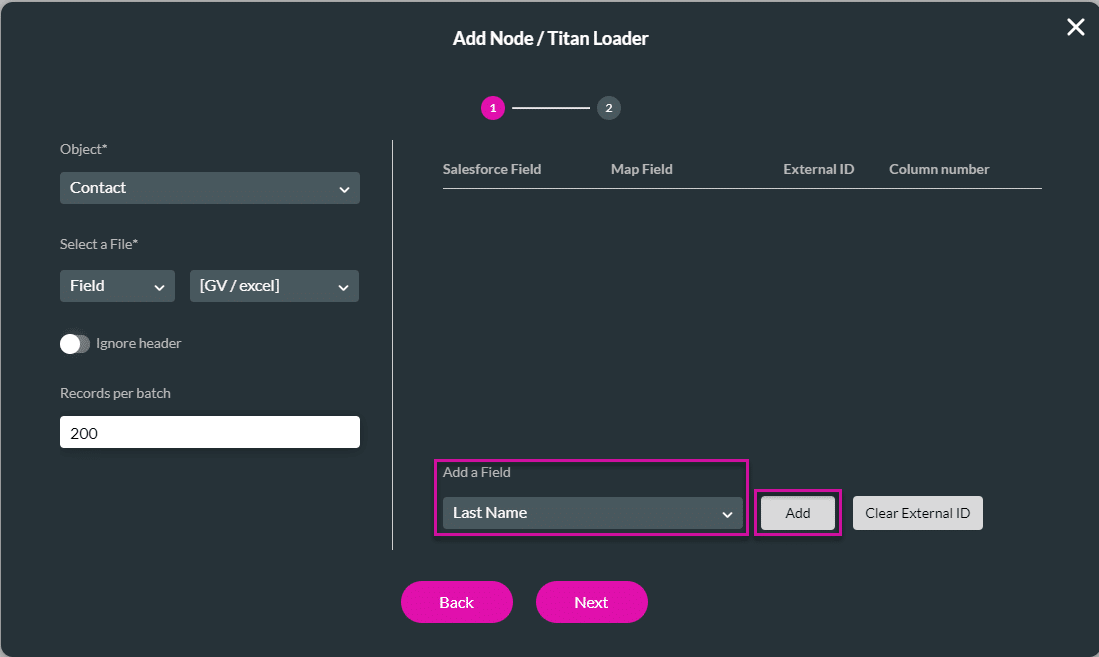
You can create or update record/s.

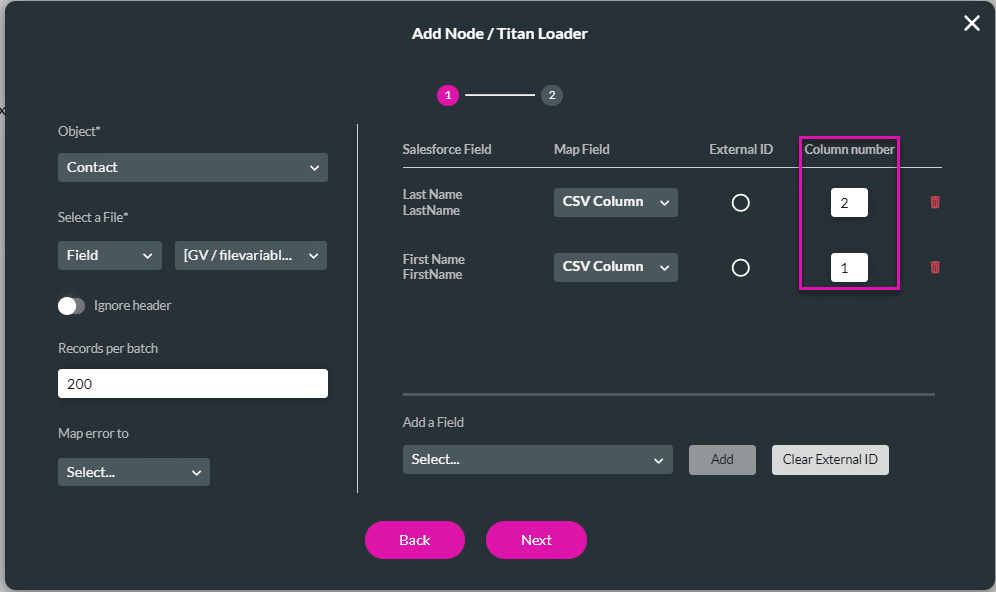
Note:
You can also map Field or Static field types:
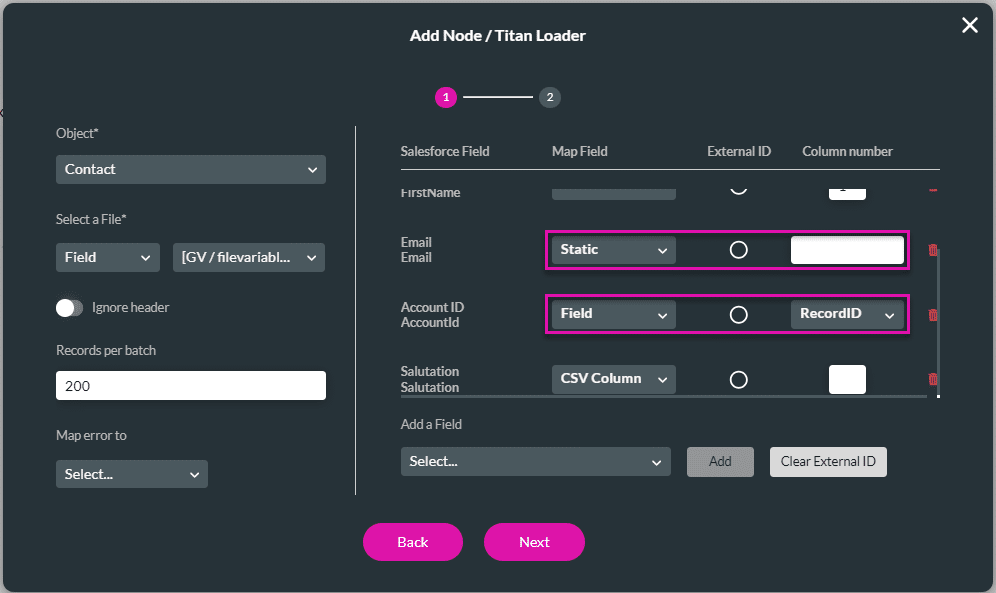

Note:
If you want to update the record by using an external ID, use the radio button to select the External ID.
An external ID is a custom field that has the External ID attribute, meaning that it contains unique record identifiers from a system outside of Salesforce. They are typically used to integrate Salesforce with external systems or to establish relationships between records. External IDs can be created on standard objects or custom objects within Salesforce.
For more information on external IDs, please refer to the Salesforce article.










