How can we help you?
Organizations that use Microsoft 365 often store working documents in OneDrive. When Titan Flow generates or collects files, teams need a reliable way to place those files into the correct OneDrive folders without manual uploads. The OneDrive node provides this by sending documents directly to an existing OneDrive folder structure during the flow.
With the OneDrive integration in Titan Flow, you can upload files to a specific folder path in OneDrive and return the file URL for later steps in your automation. The node supports both static and dynamic folder paths, multiple file uploads, and saving the returned URL to a project variable for use in Salesforce or other actions.
Using the OneDrive integration, you will be able to do the following:
Before configuring the OneDrive node, ensure the following:
Learn more about Titan’s integration with Microsoft Word and Excel.
Prerequisite:
You have to authenticate yourself with Microsoft 365.


Folder Path Requirements:
The OneDrive path must follow this structure:folder_name/sub_folder_name/sub_folder_name
Examples:
ContractsContracts/2025/RenewalsClientDocs/ACME/Invoices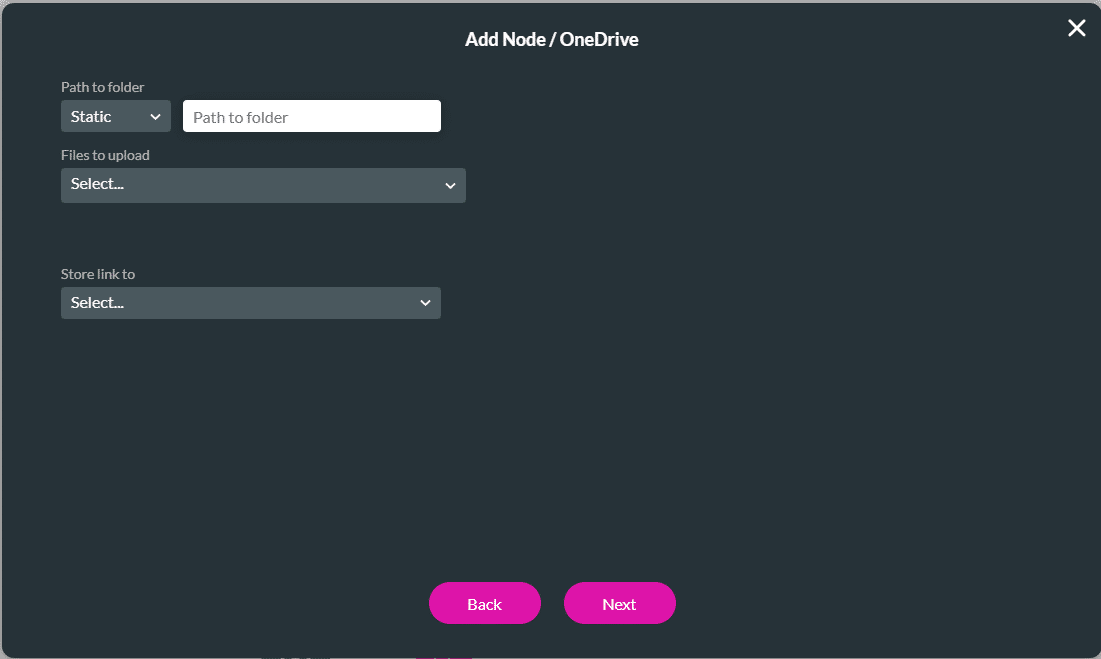

OneDrive is integrated with Titan Flow.

Folder not found
Your folder path does not exist in OneDrive. Confirm spelling and nested structure.
Authentication failed
Reauthenticate Microsoft 365 under Platform → Integrations.
File not uploaded
Check file type, file size, or OneDrive storage availability.









