How can we help you?
Add animation to your web page with Titan Web in just a few clicks. Read More
We added the option to set icons for the four states of the button group element. Read More
We added the option to configure an icon for the selected button in the button group element. You can also style the selected button’s icon. Read More
Configure icons to indicate valid or invalid input. Read More
Add a quantity counter as a survey element to your Web project with no code. Read More
Reduce customer queries about their orders by showing them where the item is in your order process, and inspire trust and transparency with a few clicks and no code. Read More
You can use variables in the Loop feature. You can have a list of items (for instance, a, b, c, d, e) and evaluate each item in the list.
We fixed a bug on Document Generation where the signature field from a Titan Word add-in template didn’t show correctly.
We do not support pushing data conditionally from the Mapping on a Salesforce push when using document generation. If you have already created this, a null will be returned. Create a different push for each unique condition.
We fixed a styling bug on input fields.
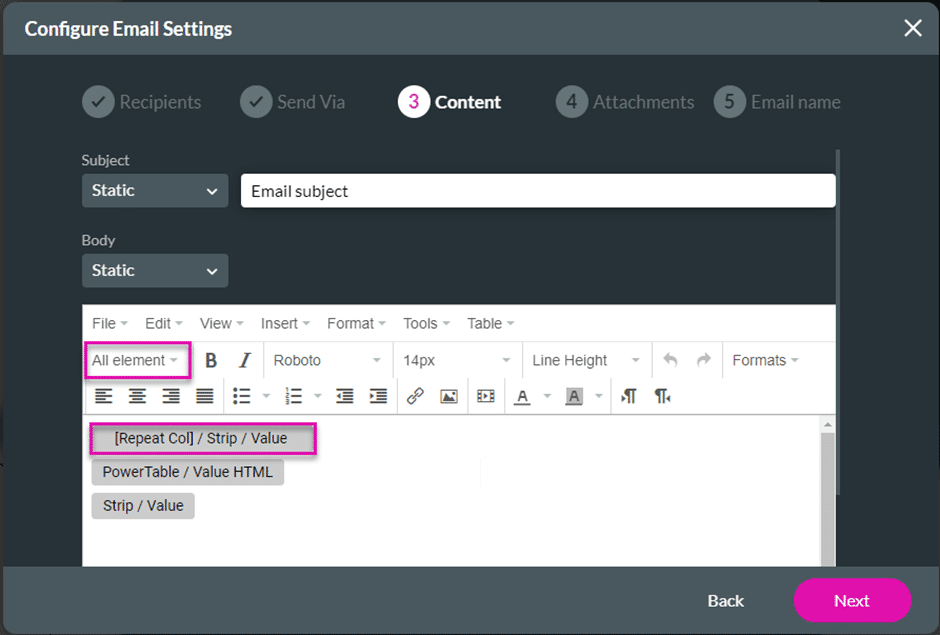
You can add the columns in a repeated strip to the email configuration from the All element drop-down list.
We fixed a bug on the icon on the search element’s button. Please note that the icon’s size must be equal to or smaller than the size of the button that contains it.

We fixed styling bugs on the file upload, button group, and address finder elements.
We made a cosmetic UI change to the Project Settings drawer.
Moving an input field inside a form element will highlight the cell where the mouse hovers while you drag the element to it. This didn’t work correctly and was fixed.
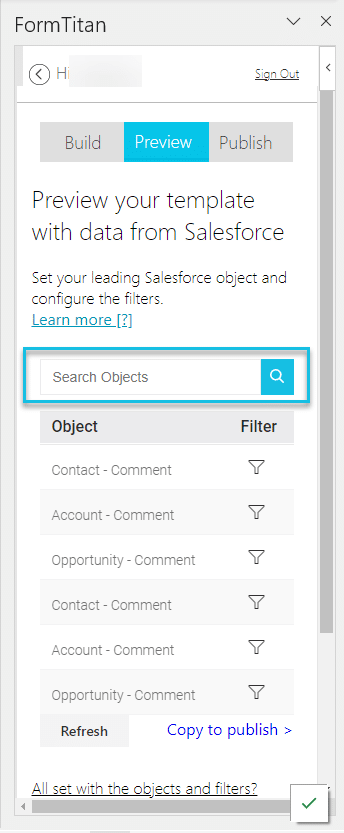
We added a search option under Preview for the objects in a document created with the Word add-in.
We fixed a bug on the Short URL option for a project.
When editing and then republishing a project with signer sections, the Sign project broke. Our team fixed this.
The file was not attached to the email as expected. We fixed this.
We fixed a bug that occurred on the Manage Folder functionality on the Dashboard.
Please note: Deleting a folder or subfolder also deletes all the projects in that folder.









