How can we help you?
We added Responsive Modals to Containers on Titan Web. A responsive modal is a dialog box or popup window that appears on top of the main content of a web page, typically to display additional information, request user input, or perform a specific action without navigating to a new page. Responsive modals are designed to adapt to different screen sizes and devices. Read More
You can now do bulk translations using a CSV file. Read More
A bug occurred when exporting a project with a repeat strip. Our team fixed this.
We fixed a bug where the address results were not filtered when a country was selected.
There was a bug on the file viewer element where the PDF could not be viewed as expected. Our team fixed this.
We fixed a bug where a strip with a hidden form didn’t resize correctly when the page was zoomed.
CLM collaborators incorrectly received an error when the document was saved. Our team fixed this.
We improved the field focus and read-out-loud functionality that works together with the Accessibility Mode. When the document is loaded, the focus will automatically be on the Read Out Loud icon.
Make sure that you add the tab order to elements when Accessibility Mode is on to ensure that the field focus works correctly for the elements.
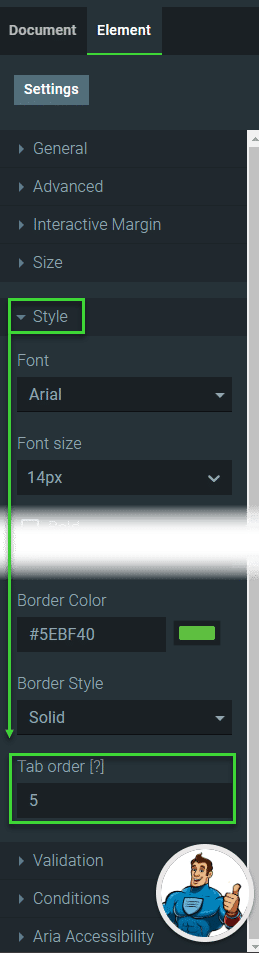
We added read-out-loud functionality to mobile devices. When the Accessibility Mode is turned on, the focus will be on the read-out-loud icon. When the user clicks the icon, the page will be read aloud. This includes the interactive elements, which the user can complete.

We made accessibility improvements:
We fixed the following issues on an e-commerce project checkout page:
We made a cosmetic UI change to the Select Theme screen when creating a new Titan Web project.
We fixed a cosmetic UI bug on the main Dashboard screen.









