

Generate, Sign, and Automate Salesforce documents with real-time sync

Build portals, apps, and forms directly in Salesforce with Dynamic data flow and adaptability

How can we help you?
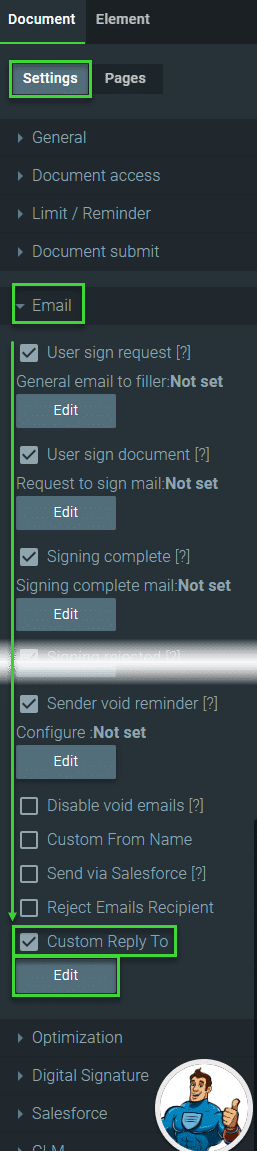
When you send an email, the recipient typically sees your email address in the “From” field, and when they click the “Reply” button, their response will be sent back to that address by default. However, by setting a different “Reply To” email address, you can control where the replies to your email are directed.
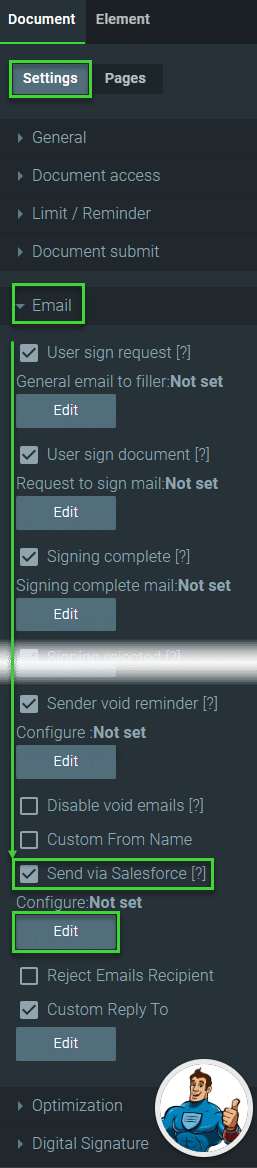
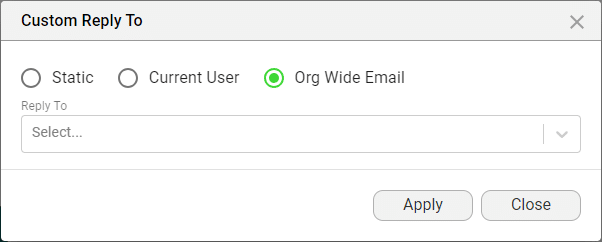
With Titan Sign, you can configure the reply email address where emails will be sent when a user clicks the reply option. You can add a static address, send the reply to the current user (who triggered the process in Salesforce), or use an organization-wide address from your Salesforce.



Learn more about Titan’s native integration with the Salesforce Experience Cloud.
Easily share, manage, and track the progress of e-signatures directly from Salesforce using Titan’s sign solution
Create automated and connected contract lifecycle processes for Salesforce using Titan’s zero-code CLM application.
The Only Forms Solution Built 100% in Salesforce.


