How can we help you?
Configure the Salesforce integrations for your payment methods.
Titan Web lets configure the Salesforce integrations for your payment methods in your Web project.
Note:
Prerequisites:

Note:
If you do not see your predefined Salesforce Push, browse to Salesforce integrations:
The Upon payment checkbox must be checked:

If this option is not checked, the Salesforce Push cannot be added to the payment configuration. It notifies the system that this is a payment push.
Note:
Save to My Submissions is automatically checked when Upon payment is checked and cannot be unchecked. This will hold the parameters (in the Titan package in Salesforce that must have been installed via AppExchange) that are coming back from the payment company after a successful payment .


Note:
These are the returned parameters for the payment integration process.
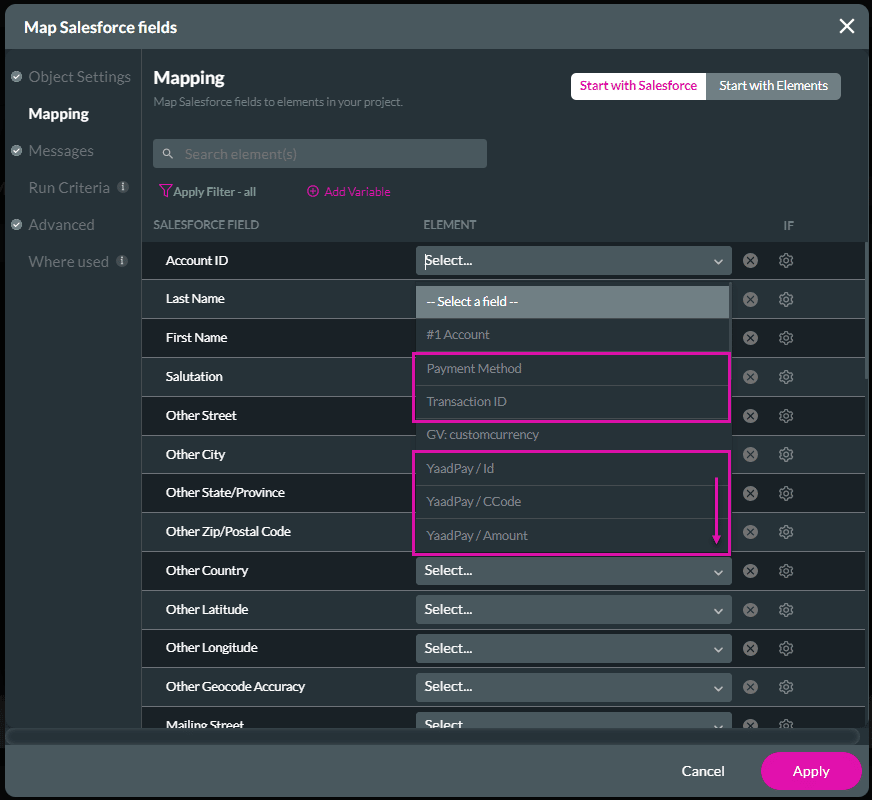


Note:
The Upon payment checkbox must be checked. If this option is not checked, the Salesforce Push cannot be added to the payment configuration. It notifies the system that this is a payment Push.
Save to My Submissions is automatically checked when Upon payment is checked and cannot be unchecked. The payment action will be saved in the Titan package in Salesforce that must have been installed via AppExchange.